Apex Trader Funding Rules & Payouts 2026 (New EOD vs Intraday)
Apex Trader Funding completely rebuilt their programs on March 1, 2026. This guide covers the new Apex accounts only: EOD Trailing Drawdown and Intraday Trailing Drawdown. You will see the evaluation rules, Performance Account (PA) rules, and payout ladders for 1 account or 20 accounts.
If you want a deeper explanation of unrealized trailing and why it blows up so many traders, read this: Unrealized trailing drawdown explained (Apex rules with real examples).

Quick Summary of New Apex Rules (2026)
- Two programs: EOD Trailing Drawdown and Intraday Trailing Drawdown
- No MAE rule and no old “payout windows” – payouts can be requested weekly when eligible
- No evaluation consistency rule for either account type
- Pass in one day if you hit profit target without hitting drawdown
- 30 calendar days to pass each evaluation (no extensions)
- After passing, you have 7 calendar days to activate your Performance Account
- Each payout needs 5 qualifying days, 50% consistency, and a $500 minimum
- Each PA has a maximum of 6 payouts using a 6‑step cap ladder
- You can hold up to 20 active PAs total across EOD, Intraday, and Legacy combined
- Payout split: 100% of approved payout amounts under the new structure (subject to compliance)

EOD vs Intraday: Which Apex Account Fits Your Trading?
Most futures traders blow accounts not because their setups are bad, but because they choose a drawdown model that punishes how they manage risk. Use this side‑by‑side to pick the right Apex Trader Funding program.
| Feature | EOD Trailing Drawdown | Intraday Trailing Drawdown |
|---|---|---|
| How drawdown updates | Calculated once per day at market close, enforced intraday next session | Moves in real time with peak balance and includes unrealized gains |
| Daily Loss Limit (DLL) in evaluation | Yes – hitting DLL pauses trading for the rest of the day | No DLL – risk is controlled purely by the trailing threshold |
| Eval consistency rule | None | None |
| Pass in one day | Yes | Yes |
| What blows the account | Touching the EOD Threshold intraday closes/fails instantly | Touching the Intraday Trailing Threshold closes/fails instantly |
If you hate a threshold being set at the close and enforced the next day, EOD will feel unfair.
Pick the drawdown model that matches how you actually manage positions.

Apex EOD Trailing Drawdown Accounts
EOD Evaluation Rules
- No intraday trailing recalculation during the session
- EOD drawdown is calculated once per day at market close and enforced the next session intraday
- Daily Loss Limit (DLL) is fixed during each trading session
- Fixed position size in evaluation
- No minimum trading days
- 30 calendar days to pass
- 7 calendar days to activate your PA after passing
EOD Evaluation Account Parameters
For traders trying to pass an Apex Trader Funding EOD evaluation quickly, the table below shows the exact EOD Evaluation Account parameters for each account size, including profit target, max EOD drawdown, Daily Loss Limit (DLL), max contracts, access period, and whether consistency or scaling rules apply. With no minimum trading days on Apex EOD evaluations, this side‑by‑side view of the $25K, $50K, $100K, and $150K accounts makes it easy to see what you need to pass in as little as one day—how much profit you must hit, how much drawdown room you have, and how aggressively you can size your trades within the 30‑day access period.
| Parameter | $25K | $50K | $100K | $150K |
|---|---|---|---|---|
| Profit Target | $1,500 | $3,000 | $6,000 | $9,000 |
| Max Drawdown (EOD) | $1,000 | $2,000 | $3,000 | $4,000 |
| Daily Loss Limit (DLL) | $500 | $1,000 | $1,500 | $2,000 |
| Max Contracts | 4 | 6 | 8 | 12 |
| Access Period | 30 days | 30 days | 30 days | 30 days |
| Consistency / Scaling | Not applied | Not applied | Not applied | Not applied |
EOD Performance Account (PA) Rules
- PA is a Sim‑funded account awarded after passing the EOD evaluation.
- EOD drawdown is calculated at the close and enforced intraday the next session.
- DLL is enforced intraday (tier‑based by account size and scaling tier).
- Tier‑based scaling applies as your balance grows.
- 100% payout split on approved payouts (when you meet all requirements).
- Up to 20 total active Performance Accounts across all Apex PA types combined.
EOD Performance Account Parameters
Traders considering an Apex Trader Funding EOD Performance Account should understand the key account parameters before choosing a size. The table below compares the $25K, $50K, $100K, and $150K EOD accounts side by side, including max EOD drawdown, max contracts, tier‑based DLL and scaling, and inactivity rules. This makes it easy to see how much risk room, position size, and account flexibility you get at each level so you can match the right Apex EOD Performance Account to your futures trading strategy and account growth goals.
EOD Performance Account Parameters TL;DR: The table below compares Apex EOD Performance Accounts by max drawdown, max contracts, DLL/scaling, and inactivity rules so you can quickly pick the best account size for your futures strategy.
| Parameter | $25K | $50K | $100K | $150K |
|---|---|---|---|---|
| Max Drawdown (EOD) | $1,000 | $2,000 | $3,000 | $4,000 |
| Max Contracts | 2 | 4 | 6 | 10 |
| DLL / Scaling | Tier‑based | Tier‑based | Tier‑based | Tier‑based |
| Inactivity Rule | Yes | Yes | Yes | Yes |
EOD Drawdown Explained
- The EOD threshold is recalculated at 4:59:59 PM ET based on the closing balance.
- That new threshold is enforced in real time during the next trading session.
- If the EOD threshold is touched intraday, positions are liquidated and the evaluation fails or the PA closes.
- The threshold only trails upward with new equity highs and never moves down.
- DLL and EOD threshold are separate: DLL pauses your trading day, EOD threshold ends the account.

EOD Performance Account – Max 1st vs 6th Payouts
Apex EOD Performance Accounts use a 6‑payout ladder. Each step has a maximum payout cap, and you can
request a payout whenever you meet the days, consistency, minimum, and safety‑net rules. The table below shows what the 1st payout and 6th payout can look like for a single account and for a full stack of
20 EOD Performance Accounts.
| Account Size | Max 1st Payout | Max 1st Payout × 20 Accounts | Max 6th Payout | Max 6th Payout × 20 Accounts |
|---|---|---|---|---|
| $25,000 | $1,000 | $20,000 | $1,000 | $20,000 |
| $50,000 | $1,500 | $30,000 | $3,000 | $60,000 |
| $100,000 | $2,000 | $40,000 | $4,000 | $80,000 |
| $150,000 | $2,500 | $50,000 | $5,000 | $100,000 |
These payouts assume you qualify for each cap and request the payout when it becomes available. Your account balance will move up and down as you withdraw, but the per‑payout caps and 20‑account potential stay the same as long as you protect the safety net and follow Apex rules.
🔥 Ready to Trade Apex Trader Funding?
Trade EOD & Intraday Accounts, scale up to 20 Performance Accounts, and keep 100% of approved payouts.
💸 Up to 90% OFF with code DGT
Start Apex NowClick DGT above to copy it instantly.
Apex Intraday Trailing Drawdown Accounts
Intraday Evaluation Rules
- Real-time intraday trailing drawdown follows Peak Balance and never moves down
- No Daily Loss Limit (DLL) in the Intraday evaluation
- Fixed position size in evaluation
- No minimum trading days required
- 30 calendar days to pass
- 7 calendar days to activate your Performance Account after passing
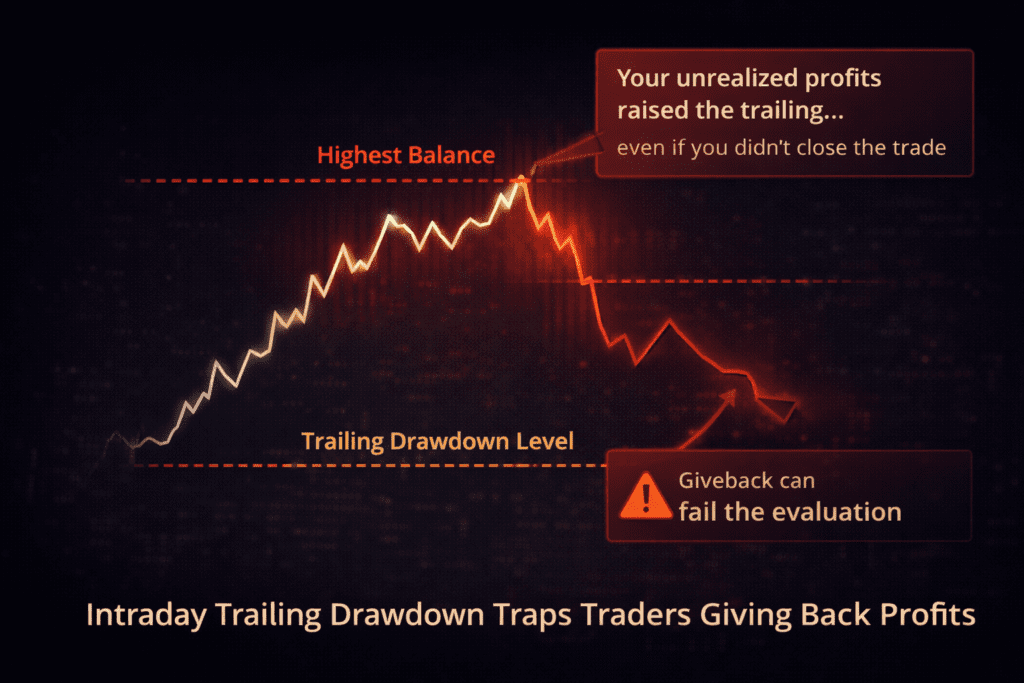
Why Intraday Trailing Drawdown Traps Apex Prop Firm Traders
Intraday Evaluation Account Parameters
For traders considering an Apex Trader Funding Intraday evaluation, the table below breaks down the key Intraday Evaluation Account parameters for each size, including profit target, max intraday trailing drawdown, max contracts, access period, and whether consistency or scaling rules apply. Intraday trailing drawdown at Apex follows your highest account balance in real time, including unrealized profits, and it never moves back down—so if your trade is up $1,000 at the peak and you don’t lock it in, that “given back” profit still raises your trailing threshold and permanently shrinks your safety cushion. That’s why Intraday evaluations can be cheaper but more dangerous than EOD: aggressive open profits that you don’t actually bank can push your trailing drawdown so high that a normal pullback later is enough to fail the Apex evaluation even if your closed PnL looks fine.
| Parameter | $25K | $50K | $100K | $150K |
|---|---|---|---|---|
| Profit Target | $1,500 | $3,000 | $6,000 | $9,000 |
| Max Drawdown (Intraday Trailing) | $1,000 | $2,000 | $3,000 | $4,000 |
| Max Contracts | 4 | 6 | 8 | 12 |
| Access Period | 30 days | 30 days | 30 days | 30 days |
| Consistency / Scaling | Not applied | Not applied | Not applied | Not applied |
Intraday Performance Account (PA) Rules
- Intraday trailing is enforced in real time, including unrealized PnL
- In PAs, trailing stops once the threshold reaches Starting Balance + $100
- DLL enforced intraday in PA (tier based)
- Tier based scaling
- Inactivity rule: at least one $150 net profit day within 150 consecutive calendar days or PA closes
- 100% payout split for approved payouts (when eligible)
Use this guide: Unrealized trailing drawdown explained (Apex rules + examples).
Intraday Performance Account Payout Requirements
For traders using Apex Trader Funding Intraday Performance Accounts, the table below clearly explains the payout rules for each account size, including minimum trade days, minimum daily profit, Safety Net levels, and the minimum balance required to request a payout. This lets you quickly compare the $25,000, $50,000, $100,000, and $150,000 Intraday accounts and decide which Apex funding option best fits your futures trading style and risk tolerance. Understanding how the Safety Net and max payout caps work on Intraday accounts helps you time your withdrawals, avoid trailing drawdown violations, and maximize payouts under the updated 2026 Apex rules.
| Account Size | Min Trade Days | Min Daily Profit | Safety Net | Min Balance to Request | Max Payouts |
|---|---|---|---|---|---|
| $25,000 | 5 | $100 | $26,100 | $26,600 | 6 |
| $50,000 | 5 | $200 | $52,100 | $52,600 | 6 |
| $100,000 | 5 | $250 | $103,100 | $103,600 | 6 |
| $150,000 | 5 | $300 | $154,100 | $154,600 | 6 |
Intraday Performance Account – 1st vs 6th Payout Caps
For traders choosing an Apex Intraday Trailing Drawdown Performance Account, payout caps still follow the same 6‑payout ladder, but the account is managed under real-time intraday trailing drawdown. Most traders never reach the later payouts because they do not fully understand the rules and the required balances.
The table below breaks down the maximum 1st payout and maximum 6th payout for each Intraday account size, along with the exact balance required to request the max payout at the start and end of the payout cycle. If you want a clean, practical view of the Apex Intraday payout structure, this is it.
| Account Size | Max 1st Payout | Max 1st Payout × 20 Accounts | Max 6th Payout | Max 6th Payout × 20 Accounts |
|---|---|---|---|---|
| $25,000 | $1,000 | $20,000 | $1,000 | $20,000 |
| $50,000 | $1,500 | $30,000 | $3,000 | $60,000 |
| $100,000 | $2,000 | $40,000 | $4,000 | $80,000 |
| $150,000 | $2,500 | $50,000 | $5,000 | $100,000 |
Calculate your Apex Trader Funding payouts with our Apex Payout & Scaling Calculator. See safety nets, scaling potential, and more!

Apex Trader Funding FAQ (New EOD & Intraday Accounts – 2026)
Straight answers about the new Apex Trader Funding rules: EOD vs Intraday drawdown, payouts, consistency, safety net, account limits, and where to find the exact tables on this page.
Can I still buy Apex legacy accounts?
Can I pass an Apex evaluation in one day?
What is the difference between EOD drawdown and intraday trailing drawdown?
- EOD Trailing Drawdown: The threshold is calculated once per day at the market close. The new level is enforced in real time during the next trading session. If price touches that EOD threshold intraday, the evaluation fails or the PA closes.
- Intraday Trailing Drawdown: The threshold moves in real time with your peak balance and includes unrealized profit. It never moves down. Touching the intraday threshold at any time closes the account.
Does hitting the Daily Loss Limit (DLL) fail or close my account?
How soon can I request a payout on a new Apex Performance Account?
What is the 50% consistency rule for Apex payouts?
What is the Safety Net and how long does it apply?
- You must at least reach the safety‑net level to request a payout.
- You can always take the $500 minimum payout once eligible, even if that dips the balance slightly below the safety net.
- To withdraw more than $500, your balance must be above the safety net by the extra amount you want to pull.
How many payouts can I receive per Apex Performance Account?
How many Apex Performance Accounts can I have at the same time?
Straight answers about the new Apex Trader Funding rules: EOD vs Intraday drawdown, payouts, consistency, safety net, account limits, and where to find the exact tables on this page.
Jump to: EOD account tables · Intraday account tables · EOD payout requirements · Intraday payout requirements.
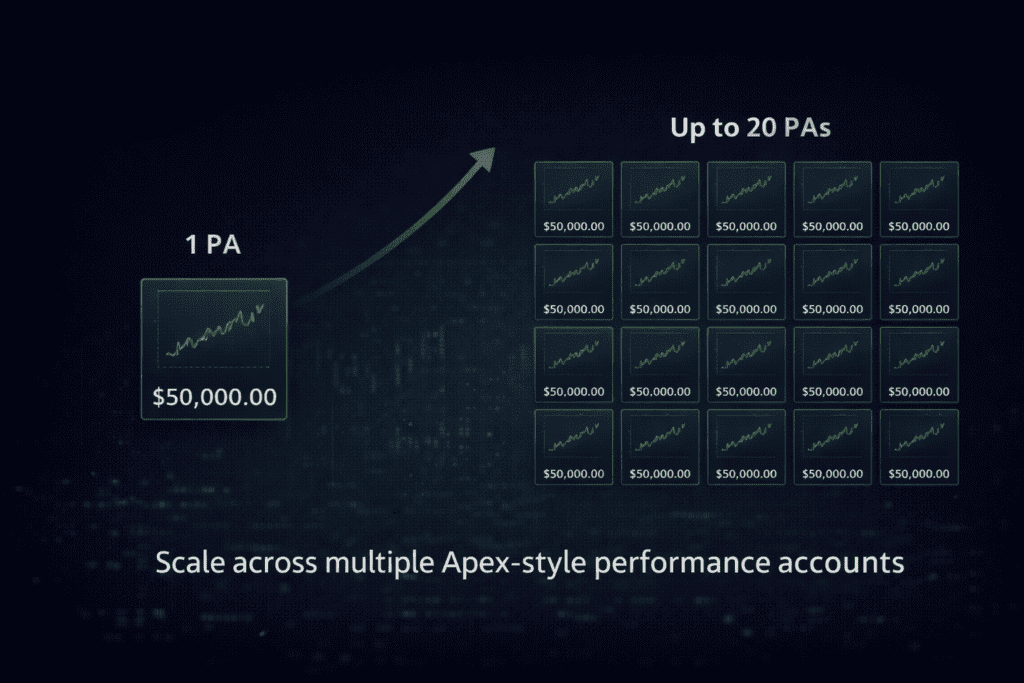
Scale Up to 20 Apex Trader Funding Performance Accounts
Apex Trader Funding is in a league of its own when it comes to scale. Unlike other futures prop firms that cap you far lower, Apex is currently the only firm that lets you manage and copy trade up to 20 funded Performance Accounts at the same time. This unlocks serious flexibility for experienced futures traders: you can mirror your best strategy across multiple PAs, diversify products and sessions, and push total payout potential far beyond what a single account can do. If your goal is to treat prop trading like a real business—stacking payouts, systematizing entries, and leveraging automation—Apex’s 20‑account copy‑trading capability is one of the most powerful advantages in the futures funding space.
How aggressively are you planning to scale—focusing on a few large accounts or filling all 20 PAs over time?
Trade Apex – Or Find Your Perfect Futures Prop Firm
Apex Trader Funding lets you combine EOD & Intraday evaluations, scale up to 20 funded Performance Accounts, and tap into aggressive payout potential under the latest 2026 rules.
💸 Lock in up to 90% OFF Apex evaluations with code DGT and start building a serious futures prop trading portfolio.
Tap DGT above to copy the discount code before you sign up.

Apex vs Topstep
Compare Apex and Topstep: one-step vs two-step evaluations, drawdown types, fees, payouts, and which firm fits your trading style.Apex vs Take Profit Trader
Compare Apex Trader Funding and Take Profit Trader on drawdown models, payouts, profit splits, account limits, fees, and trading rules to choose the best fit.