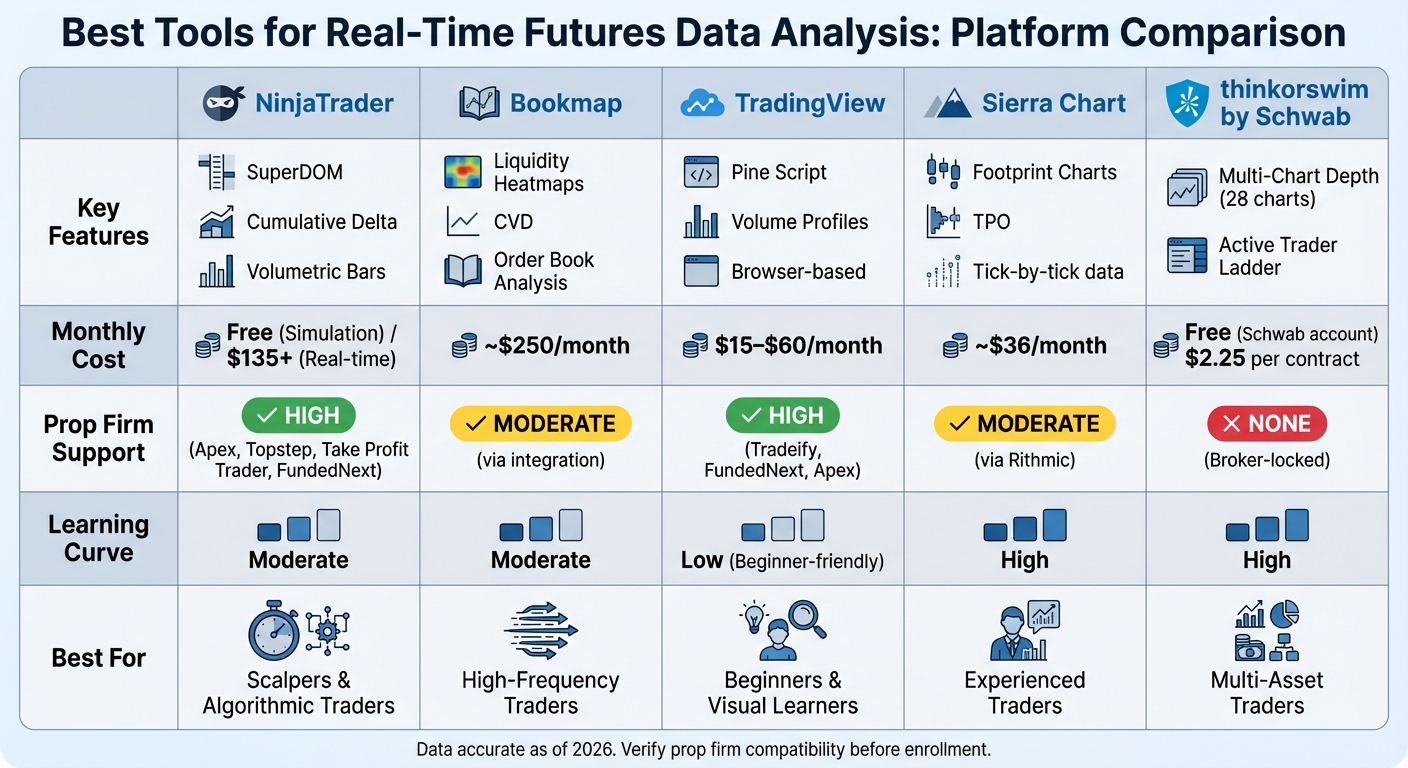
Real-time futures trading requires precise tools to analyze market data quickly and effectively. This article compares five leading platforms – NinjaTrader, Bookmap, TradingView, Sierra Chart, and thinkorswim by Schwab – based on their features, pricing, and compatibility with futures prop firms. Here’s a quick summary:
- NinjaTrader: Offers tools like SuperDOM and Volumetric Bars for order flow analysis. Free for simulation; real-time data costs ~$135/month. Supported by most prop firms.
- Bookmap: Specializes in liquidity heatmaps and order book analysis. Costs ~$250/month with advanced features. Best for scalpers and high-frequency traders.
- TradingView: Browser-based, beginner-friendly, with Pine Script for custom indicators. Plans range from $15 to $60/month. Widely supported by prop firms.
- Sierra Chart: Advanced tick-by-tick data and footprint charts. Starts at ~$36/month. Great for experienced traders but has a steep learning curve.
- thinkorswim by Schwab: Free with Schwab accounts, $2.25/contract commission. Offers advanced charting but lacks prop firm compatibility.
Quick Comparison:
| Platform | Key Features | Cost | Prop Firm Support | Learning Curve |
|---|---|---|---|---|
| NinjaTrader | SuperDOM, Cumulative Delta | Free (Sim) / $135+ | High | Moderate |
| Bookmap | Liquidity Heatmaps, CVD | ~$250/month | Moderate (via integration) | Moderate |
| TradingView | Pine Script, Volume Profiles | $15–$60/month | High | Low |
| Sierra Chart | Footprint Charts, TPO | ~$36/month | Moderate (via Rithmic) | High |
| thinkorswim | Multi-Chart Depth | Free (Schwab) / $2.25/contract | None | High |
Each platform caters to different trading styles – scalpers may prefer NinjaTrader or Bookmap, while beginners often choose TradingView. Evaluate your needs and prop firm compatibility before committing to a platform.
Real-Time Futures Trading Platform Comparison: Features, Pricing & Prop Firm Support
1. NinjaTrader
Real-Time Visualization Features
NinjaTrader offers robust tools designed for traders who need quick and precise market insights. One standout feature is the SuperDOM (Depth of Market) interface, which shows price depth and allows orders to be placed directly via an intuitive ladder display. For those analyzing market trends, Volumetric Bars break down each price bar to highlight buying and selling pressure, while Cumulative Delta tracks net volume flow using NinjaTrader’s proprietary calculations.
The platform also includes the Market Analyzer, a real-time quote board capable of scanning hundreds of contracts simultaneously. Traders can customize it by adding technical indicators, like Stochastic readings, to identify overbought or oversold conditions at a glance. With 60 built-in columns, users can apply custom filters for deeper analysis. Additionally, the Time and Sales feature logs every trade with bid/ask color codes, and size filters help spotlight block trades exceeding 5 contracts, which can indicate significant market moves. For fast-paced environments, Tick Charts build bars based on trade counts, improving indicator responsiveness during volatile periods.
These tools ensure that traders can analyze and act on market data seamlessly, particularly when integrated with major futures exchanges.
Futures Market Compatibility
NinjaTrader connects directly to leading U.S. futures exchanges like CME, CBOT, NYMEX, and COMEX. It supports widely-used data feeds, including Rithmic and Tradovate, making it a versatile choice for futures traders. New users can also take advantage of a free 14-day trial of live market data, giving them a chance to explore its real-time features before committing to exchange subscriptions.
This strong connectivity, combined with competitive pricing, makes NinjaTrader a preferred option for traders working with prominent futures prop firms.
Pricing
NinjaTrader provides free access to essential tools like charting, backtesting, simulation, and technical analysis. However, real-time data requires separate exchange subscriptions, with CME Group data priced at around $135 per month. While live trading typically requires a paid license, many futures prop firms include NinjaTrader access as part of their packages at no extra cost.
Integration with Prop Firms
NinjaTrader is a favored platform among futures prop firms, with full support from firms like Apex Trader Funding, Topstep, Take Profit Trader, and FundedNext Futures. For instance, FundedNext covers platform and data fees for funded accounts, with one-time challenge costs ranging from $129 for a $25,000 account to $449 for a $100,000 account. This integration, paired with NinjaTrader’s advanced visualization tools, simplifies access to live market data while minimizing software expenses. It’s an appealing option for traders aiming to scale funded accounts efficiently.
sbb-itb-46ae61d
2. Bookmap
Real-Time Visualization Features
Bookmap stands out from traditional charting platforms by diving into market microstructure – the intricate order book activity that typical charts simply don’t show. Its standout feature, the Liquidity Heatmap, uses color gradients to map out resting limit orders across the entire market depth. Bright colors like yellow and white indicate areas with large order clusters, helping traders identify support and resistance zones before the price interacts with them.
Another useful tool is Volume Bubbles, which highlight trade volume and reveal aggressive buying or selling pressure, as well as market imbalances. The Cumulative Volume Delta (CVD) indicator adds another layer of insight by showing the net difference between buyers and sellers. When paired with the heatmap, it helps traders confirm whether large orders are driving price movement or if absorption is taking place.
For those tracking institutional activity, the Stops & Icebergs Tracker uncovers hidden iceberg orders and stop runs that are invisible on standard candlestick charts. Bookmap also supports Market-by-Order (MBO) data, which provides details on individual order placements and cancellations instead of just aggregated volume. The Nanosecond Zoom feature ensures ultra-fast updates, making it a favorite for scalpers dealing with high-volatility markets. These tools transform raw market data into actionable insights, giving traders a sharper edge.
"This level of insight is priceless for scalpers and day traders like me – it helps traders identify liquidity spikes and market imbalances before they reflect in price." – Paul Holmes, Author and Trader, DayTrading.com
Though mastering order flow analysis can be challenging for beginners, Bookmap’s performance and transparency have earned it an 8.5/10 rating from BluSky Review. These features make it a standout option, offering a unique microstructure perspective that sets it apart from competitors like NinjaTrader.
Futures Market Compatibility
Bookmap’s advanced tools become even more powerful with its direct connections to major U.S. futures exchanges. It integrates with CME, CBOT, NYMEX, COMEX, ICE US, and CFE (VIX), supporting popular contracts like E-mini and Micro E-mini across indices, commodities, and interest rates.
The platform works seamlessly with professional data feeds, including BookmapData CME (which provides direct MBO data), Rithmic (offering MBO and full market depth), dxFeed (full depth), CQG Continuum, and IQFeed. Among these, BookmapData CME is highly recommended for its low latency and up to 48 hours of historical backfill, compared to the standard 24 hours.
Bookmap also allows cross-trading, letting traders view data from one provider while executing trades through brokers like Interactive Brokers or TradeStation.
Pricing
Bookmap offers a tiered subscription model. The free Digital plan is limited to crypto and delayed futures data, while real-time futures trading requires a Global or Global+ subscription. These higher-tier plans unlock advanced features like the Stops & Icebergs Tracker. Keep in mind, data feeds are billed separately.
The BookmapData CME Bundle costs $79/month and includes CME, CBOT, NYMEX, and COMEX, with a 50% discount for the first month. For those needing individual exchanges, the price is $34/month ($17 for the first month). Other options include the dxFeed Futures Full Depth Bundle at $97/month and ICE US Futures priced at $219/month.
| Data Feed | Monthly Cost | Data Type | Backfill |
|---|---|---|---|
| BookmapData CME Bundle | $79 | Real-time MBO | 48 Hours |
| dxFeed Futures Bundle | $97 | Real-time Full Depth | 24 Hours |
| ICE US Futures | $219 | Real-time Full Depth | 24 Hours |
While combining subscriptions and professional data feeds can increase costs, Bookmap has maintained a strong 4.6/5 rating on Trustpilot, based on 590 reviews.
Integration with Prop Firms
Bookmap is compatible with several leading futures prop firms, including Topstep and Tradeify. This integration ensures funded traders can access advanced order flow tools while trading with firm capital. However, traders should note that data feed costs are typically not covered by prop firms.
3. TradingView
Real-Time Visualization Features
TradingView has become a go-to charting platform for millions of traders, providing a smooth, web-based interface that’s easy to navigate. One standout feature is its Volume Footprint tool, which breaks down volume data in detail. Additionally, tools like Time Price Opportunity (TPO) and Session Volume Profiles allow traders to dive deep into intraday market activity. With support for up to 16 synchronized charts, users can track multiple timeframes or related contracts – like ES and NQ – at the same time. The platform also boasts an impressive library of over 12 chart types, including Renko, Kagi, Point & Figure, and Volume Candles, all of which can be customized to suit individual trading styles.
For those looking to refine strategies, the Bar Replay function lets users review historical data at adjustable speeds, making backtesting more dynamic. On top of that, TradingView’s own Pine Script® enables traders to create custom indicators and automated strategies directly on their charts. These tools, combined with TradingView’s broad market coverage, make it a powerful option for traders.
"TradingView is the gold standard for charting. Whether you trade futures, forex, stocks, or crypto, its combination of power and simplicity makes it the top choice for millions of traders." – PropWhisperer
Futures Market Compatibility
TradingView supports real-time data feeds for major CME Group contracts like the E-mini S&P 500 (ES), Nasdaq 100 (NQ), crude oil, and gold. Beyond that, it connects to hundreds of data sources, covering more than 3.5 million instruments worldwide. The platform caters to a wide range of assets, including indices, currencies, metals, energy, and agricultural futures. While delayed data is included for free with any account, real-time CME futures data is available as an add-on for about $11 per month.
TradingView also integrates seamlessly with over 100 brokers – such as TradeStation, Ironbeam, and Tradovate – allowing users to execute trades directly from their charts. For those wanting to practice without risk, there’s a Paper Trading mode included, making it a versatile tool for both beginners and experienced traders.
Pricing
TradingView offers flexible subscription plans, ranging from a free Basic plan to the feature-packed Ultimate plan. The free version includes one chart layout and delayed data, while the paid options unlock advanced tools that are particularly useful for futures traders.
| Plan | Monthly Price | Charts per Tab | Indicators per Chart | Key Features |
|---|---|---|---|---|
| Basic | $0 | 1 | 3 | Delayed data, limited indicators |
| Essential | $14.95 | 2 | 5 | Volume Profile, 20 alerts |
| Plus | $29.95 | 4 | 10 | 100 alerts, Bar Replay |
| Premium | $59.95 | 8 | 25 | Second-based intervals, 400 alerts |
| Ultimate | $199.95 | 16 | 50 | Tick-based intervals, 1,000 alerts |
Real-time CME data packages are an additional ~$11 per month, depending on the subscription. Some futures prop firms include TradingView access with their platforms, often bundling real-time data into their challenge fees. This integration makes TradingView not only accessible but also cost-effective for many traders.
Integration with Prop Firms
TradingView works seamlessly with several top prop firms, such as Apex Trader Funding, offering real-time data benefits for funded accounts. Other firms like Topstep and Take Profit Trader also provide access to TradingView, while Tradeify supports it through broker connections. This integration ensures that funded traders can rely on familiar charting tools while trading with firm capital. However, data feed costs may vary depending on the prop firm’s specific offerings.
4. Sierra Chart
Real-Time Visualization Features
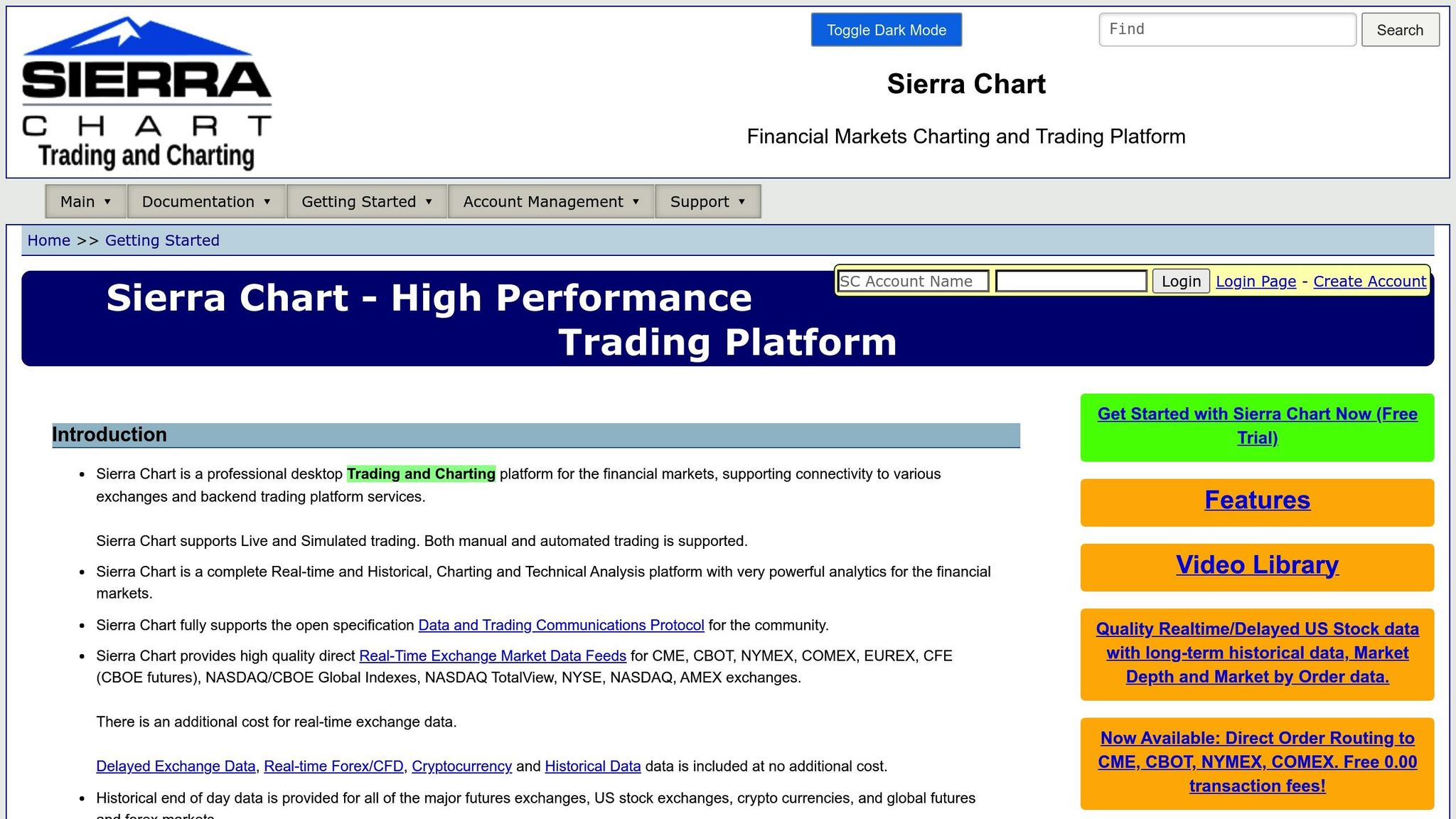
Sierra Chart is designed with order flow traders in mind, offering precise tick-by-tick data and a suite of advanced visualization tools. Among these, the Numbers Bars (Footprint Charts) stand out, displaying numerical volume, ask volume, bid volume, and delta at each price level, all enhanced with detailed color-coding for clarity. Another key feature is the Market Depth Historical Graph, which provides a heatmap view of historical limit order book data directly within your charts .
The platform’s ChartDOM integrates a fully functional Trading Depth of Market directly into the charts, allowing users to monitor market depth and execute trades seamlessly – offering faster execution compared to many competitors . Volume by Price profiles enable in-depth volume analysis using tick data, while the Advanced TPO Profile delivers interactive Market Profile charts for any time frame. Additionally, the Global Cursor feature synchronizes a single crosshair across multiple charts, making multi-chart analysis more efficient .
"Sierra Chart is the ‘Final Boss’ of trading platforms. It looks like Windows 95, but it executes faster than anything else on the market." – SpicyFutures
These features combine to create a robust platform tailored for serious traders.
Futures Market Compatibility
Sierra Chart provides high-quality, unfiltered data feeds directly from major futures exchanges, including CME, CBOT, NYMEX, COMEX, EUREX, ICE, and CFE . It supports a wide array of trading instruments, such as standard futures contracts, CME futures options, exchange-traded spreads, and continuous contracts with historical adjustments . For traders seeking historical data, the platform offers intraday tick data for popular CME futures contracts dating back to 2011.
The software also integrates with external data and trading backends like Rithmic, CQG, Interactive Brokers, and the Teton Order Routing Service . This flexibility ensures compatibility with prop firm platforms like Apex Trader Funding (via Rithmic) and Topstep (via Teton).
Pricing
Sierra Chart offers a tiered pricing structure through its Service Packages. For traders requiring external connectivity, Package 10 (Integrated Standard) is available for $36 per month and includes support for feeds like Rithmic, CQG, and Denali . For those needing more advanced features, such as TPO, Numbers Bars, and the Market Depth Historical Graph, Package 11 (Integrated Advanced) is priced at $46 per month. Discounts are available for multi-month subscriptions, reducing costs by up to 35% for a 12-month plan. For instance, Package 10 can cost as little as $23.40 per month with the maximum discount.
| Service Package | Monthly Price | Key Features |
|---|---|---|
| Package 10 | $36 | External connectivity (Rithmic, CQG, Denali), standard charting |
| Package 11 | $46 | Includes Package 10 features plus TPO, Numbers Bars, and Market Depth Graph |
| Package 12 | $56 | Adds Market by Order (MBO) data to Package 11 |
Real-time CME exchange fees are billed separately. Non-professional traders with an active, funded account face monthly fees ranging from $1.50 to $31.20 per exchange, while professional rates average about $115.50 per exchange . To qualify for non-professional rates, traders must log into a live funded futures account at least once every 30 days. However, accounts from prop firm evaluators don’t meet this requirement .
Integration with Prop Firms
Sierra Chart seamlessly integrates with major prop firm platforms, connecting to widely used backends such as Rithmic (used by Apex Trader Funding) and Teton Order Routing (used by Topstep) . However, it’s important to note that prop firm evaluation accounts don’t qualify as live funded accounts for CME non-professional data rates. Traders looking to secure lower exchange fees must maintain a separate personal funded account.
5. thinkorswim by Schwab
Real-Time Visualization Features
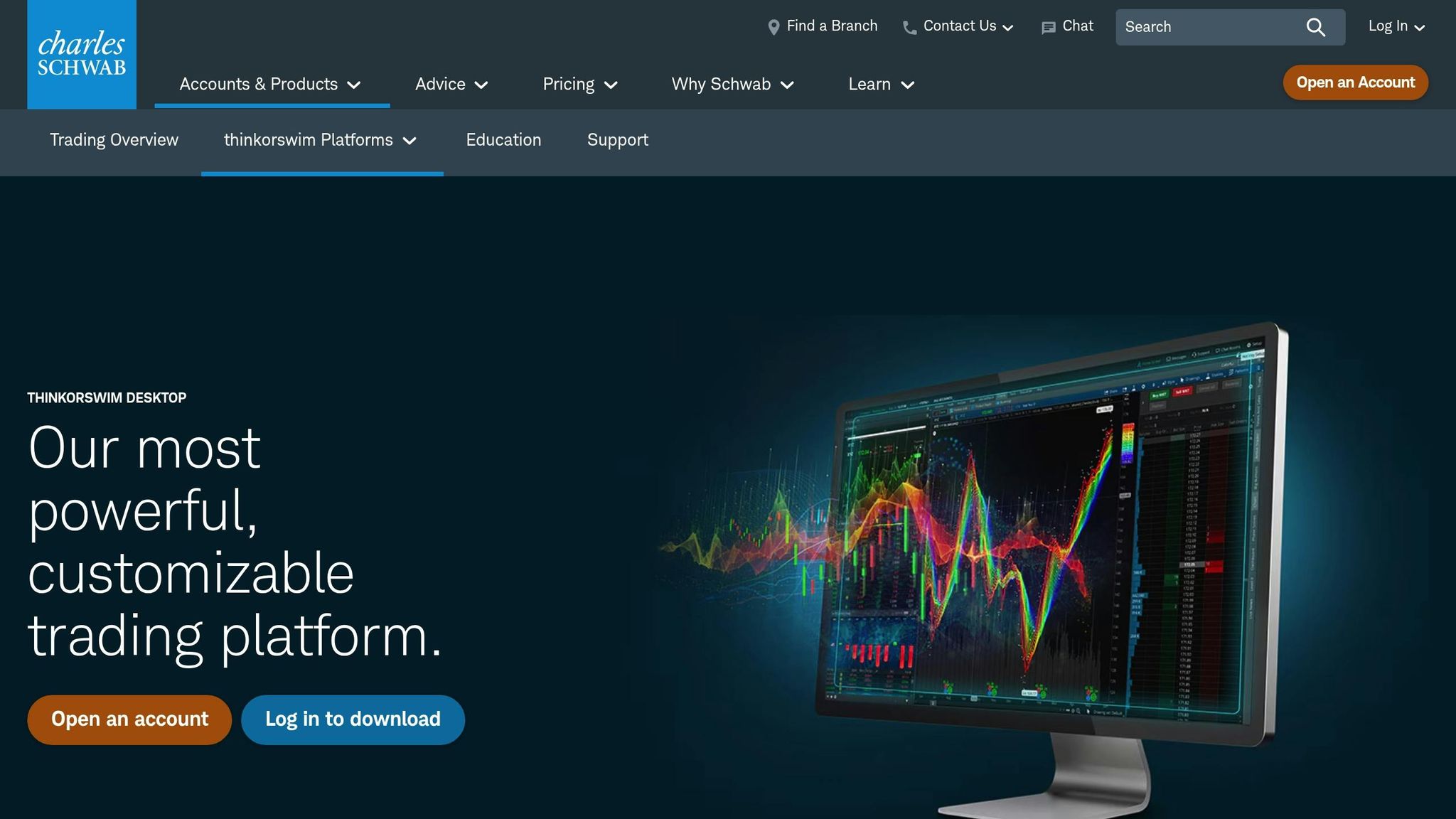
thinkorswim offers a range of visualization tools tailored for active futures traders. The platform allows users to monitor up to 28 independent charts at once, making it easy to track multiple timeframes or related contracts simultaneously. The Active Trader Ladder acts as a real-time DOM (Depth of Market), displaying bid/ask sizes and volume at specific price levels. With its one-click order entry, traders can quickly analyze supply and demand. Beyond standard candlestick charts, thinkorswim includes unique tools like Monkey Bars (Time Price Opportunity), which highlight how long the market spends at certain price levels, helping traders identify areas of high and low value.
Futures-specific features include options to adjust for contract rollovers, ensuring smooth historical data, and open interest plots displayed on volume subgraphs. The platform also color-codes extended-hours trading sessions for better clarity. The Visualize Tab adds another layer of insight with heat map visualizations – where symbol boxes are sized by market capitalization and color-coded by price changes – and an Index Watch tool for tracking intraday performance. Additionally, thinkScript allows users to create custom dashboards and indicators to suit their trading style.
"Experience thinkorswim® desktop – fully customizable trading software filled with elite-level tools and real-time insights designed to help you nail even the most complex strategies and techniques." – Charles Schwab
These tools give traders the ability to execute their strategies effectively in live futures markets, providing a comprehensive toolkit for market analysis and execution.
Futures Market Compatibility
thinkorswim provides access to a wide selection of futures products, including the Micro E-mini S&P 500 (/MES), various commodities like fuels and metals, and financial instruments such as interest rates. Futures trading on the platform operates nearly 24/5, from 6:00 p.m. ET on Sunday to 5:00 p.m. ET on Friday. Futures tickers are easily identifiable by a forward slash (e.g., /ES for E-mini S&P 500 or /MES for Micro E-mini contracts).
The platform includes advanced tools such as Volume Profile, Market Profile via Monkey Bars, and order flow analysis through the Active Trader Ladder. With over 400 technical studies, thinkorswim offers a robust suite of analytical options. It was even ranked the #1 Desktop Trading Platform in 2025 by StockBrokers.com. However, while the Visualize Tab provides heat maps for intraday overviews, the platform does not support native footprint charts. Traders looking for more detailed order flow analysis often turn to specialized tools like Bookmap.
For those wanting to practice without risking real money, thinkorswim’s paperMoney feature offers a simulated trading environment. This allows users to test strategies in live market conditions, making it a valuable tool for refining techniques.
Pricing
thinkorswim is free to use with a Charles Schwab brokerage account. Futures trading commissions are $2.25 per side, per contract, plus exchange and regulatory fees from the National Futures Association. Non-professional traders receive free Level II quotes. The platform is compatible with Windows 11, macOS 14 (Sonoma), and several Linux distributions, including Ubuntu, Debian, and Fedora.
While the platform earned a 4.6/5 rating from Warrior Trading, some users note a steep learning curve for beginners and occasional slow application launch times.
Integration with Prop Firms
As of early 2026, thinkorswim is not supported by most top-rated futures prop firms, which typically use platforms like NinjaTrader, Tradovate, TradingView, and Rithmic. However, traders can still use thinkorswim to refine strategies and build performance records before transitioning to live evaluations. For example, the paperMoney simulator is an excellent tool for practicing trading rules and preparing for challenges with firms like Apex Trader Funding and Topstep. By using thinkorswim to validate strategies and maintain auditable performance records, traders can better position themselves for success in funded account evaluations.
Top Order Flow Trading Platforms Compared & How to Get Cheap Data
Pros and Cons
Here’s a breakdown of the key strengths and weaknesses of each platform mentioned earlier, helping you understand how they stack up for real-time futures data analysis.
NinjaTrader stands out with its SuperDOM and Market Replay features, making it a top choice for scalpers. It’s free for charting and simulation, which is a big plus. BrokerChooser.com rated it highly in 2026, and it earned accolades from the Stocks & Commodities Readers’ Choice Awards in 2024. However, NerdWallet’s 4.7/5 rating highlights that its interface can be tricky for beginners to navigate. NinjaTrader integrates smoothly with popular prop firms like Apex Trader Funding, Take Profit Trader, and Topstep.
Bookmap is all about visualizing liquidity with its heatmaps. It delivers nanosecond-level precision, making it ideal for traders who need detailed market updates. While it pairs well with platforms like NinjaTrader and Sierra Chart, Bookmap is more of an advanced overlay rather than a standalone tool.
TradingView offers a browser-based, beginner-friendly interface. Its Pine Script customization makes it flexible, and the monthly cost ranges from $15 to $60. It’s widely supported by prop firms such as Tradeify and FundedNext Futures. However, its order flow tools are less advanced compared to desktop platforms.
Sierra Chart is built for serious traders, with its C++ architecture processing up to 100,000 price updates per second. Priced at around $36 per month, it delivers exceptional performance but requires a steep learning curve and time to configure.
thinkorswim by Schwab shines with its ability to display up to 28 charts simultaneously, along with hundreds of technical studies. That said, its $2.25 per contract commission makes it pricier than other options. Additionally, since it’s broker-locked to Charles Schwab, it doesn’t support external prop firm data feeds, limiting its appeal for funded traders.
| Platform | Primary Strength | Cost | Prop Firm Support | Learning Curve |
|---|---|---|---|---|
| NinjaTrader | SuperDOM & Market Replay | Free (Sim) / $0.35–$1.29/contract | High (Apex Trader Funding, Take Profit Trader, Topstep) | Moderate |
| Bookmap | Liquidity Heatmaps | ~$250/month | Moderate (via integration) | Moderate |
| TradingView | User-Friendly Interface | $15–$60/month | High (e.g., Tradeify, FundedNext Futures) | Low |
| Sierra Chart | Low-Latency Performance | ~$36/month | Moderate (via Rithmic) | High |
| thinkorswim | Multi-Chart Depth | Free (Schwab) / $2.25/contract | None (Broker-locked) | High |
With over 70% of day traders relying on specialized charting software, and 90% of successful traders using advanced tools and muscle memory for execution, choosing the right platform is critical.
If you’re gearing up for a prop firm evaluation, double-check platform compatibility before diving in. Websites like DamnPropFirms offer up-to-date reviews and detailed support info for firms such as Alpha Futures and Lucid Trading, helping you align your tools with your funding goals.
Conclusion
Choosing the right trading platform depends largely on your trading style and goals. NinjaTrader stands out for scalpers and algorithmic traders, offering advanced order flow tools and extensive automation options. It’s a favorite among prop firms like Apex Trader Funding and Take Profit Trader. On the other hand, TradingView appeals to beginners and visual learners, combining ease of use with strong integration into prop firms such as Tradeify and FundedNext Futures.
For traders focused on high-frequency precision, Sierra Chart delivers exceptional performance thanks to its engineering-focused design. Bookmap caters to those who need detailed order flow visualization with dynamic liquidity heatmaps. Meanwhile, thinkorswim is a solid choice for multi-asset traders who rely on advanced analysis tools within their Schwab brokerage account, though its broker-specific nature limits its compatibility with prop firms.
Each platform offers distinct advantages, so aligning your choice with your trading objectives is key. If you’re planning to work with a prop firm, platform compatibility is a critical factor. NinjaTrader and TradingView are widely supported across evaluation programs, while Sierra Chart and Bookmap often connect via Rithmic data feeds. Before starting a challenge, ensure your platform works seamlessly with your chosen firm. Resources like DamnPropFirms provide up-to-date information on compatibility with firms such as Alpha Futures and Topstep.
FAQs
What is the best platform for scalping futures?
When it comes to scalping futures, the ideal platform is one that delivers fast, dependable real-time data and powerful charting tools. NinjaTrader stands out as a top pick due to its highly customizable charts, a wide range of technical indicators, and tools for order flow analysis. Another excellent option is Bookmap, known for its ability to visualize real-time market liquidity, giving traders a deeper understanding of market dynamics. While platforms like Optimus Futures also cater to scalping, NinjaTrader’s combination of speed and adaptability makes it a favorite for short-term trading strategies.
Do I need a separate real-time data feed to trade futures?
Yes, having a separate real-time data feed is usually necessary when trading futures. It provides instant, accurate, and continuous market updates, which are critical for making well-informed trading decisions. Without this, you risk delays or missing key information that could affect your trades.
How do I know if a platform works with my prop firm?
To ensure a platform is compatible with your prop firm, start by checking whether it supports the firm’s trading accounts or data feeds. Most platforms provide this information in their documentation or support sections. For instance, tools like Bookmap often include detailed integration guides, making it easier to verify if they work with your chosen prop firm.