When choosing a trading platform for futures prop firms, your decision can directly impact your performance. Platforms like Trading Technologies (TT), NinjaTrader, Rithmic, Tradovate, and Sierra Chart dominate the landscape, each offering distinct features. TT stands out for institutional-grade tools, ultra-low latency, and advanced automation options like its no-code ADL® tool. However, other platforms cater to specific needs:
- NinjaTrader: Great for deep customizations but requires local hardware and coding skills.
- Rithmic: A powerful backend execution engine, best paired with third-party interfaces.
- Tradovate: Easy-to-use and budget-friendly, ideal for beginners.
- Sierra Chart: Affordable with strong backtesting but an outdated interface.
For professional traders, TT offers unmatched speed and flexibility but comes at a higher cost (~$500/month). Meanwhile, platforms like Tradovate and NinjaTrader cater to more budget-conscious or technical traders.
Quick Comparison
| Platform | Type | Cost | Best For | Key Features |
|---|---|---|---|---|
| Trading Technologies | Cloud-based (Pro-level) | ~$500/month | Institutional traders | MD Trader, ADL, multi-asset access |
| NinjaTrader | Windows Desktop (Local) | $99/month or $1,499 lifetime | Algo developers, pro traders | C# scripting, advanced tools |
| Rithmic | Backend engine (Execution) | Covered by prop firm | Firms needing low latency | Execution engine, API support |
| Tradovate | Cloud-native (Beginner-friendly) | Free to $99/month | Beginners, mobile traders | Commission-free options, simplicity |
| Sierra Chart | Windows Desktop (Affordable) | $36–$56/month | Cost-conscious traders | Backtesting, low system usage |
Always match your platform to your trading style and prop firm rules to maximize success.
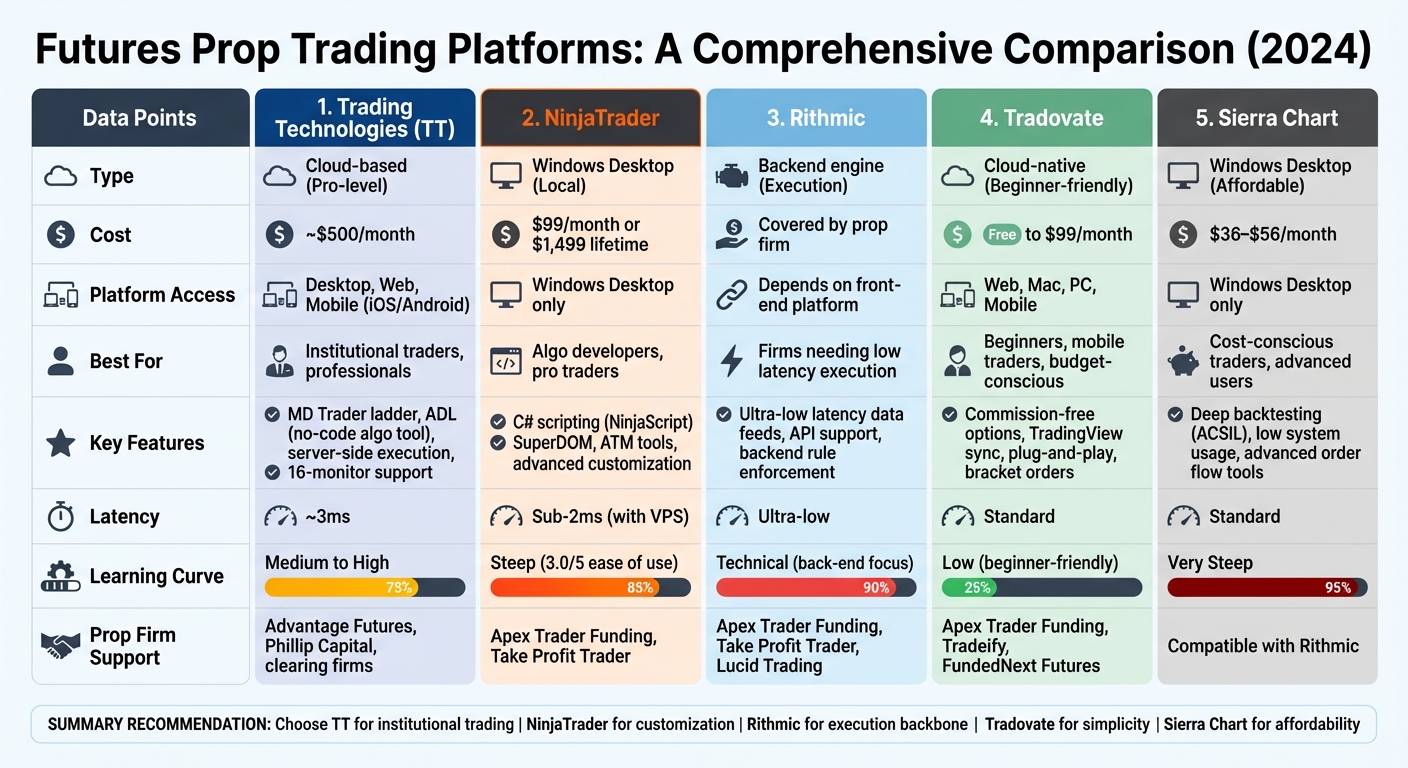
Trading Platform Comparison for Futures Prop Firms: TT vs NinjaTrader vs Rithmic vs Tradovate vs Sierra Chart
Trading Technologies (TT): Features and Benefits
Core Features of TT
Trading Technologies (TT) stands out with its MD Trader®, a patented static price ladder that simplifies order management. With just one click, users can enter or cancel orders, all while gaining a clear visual representation of market movements – no confirmation delays to slow things down.
The platform’s server-side execution is another key advantage. Orders are routed through colocated data centers in hubs like NY4 (for CFE) and Aurora (for CME), reducing latency compared to local processing. For users on the TT Gateway, message delivery clocks in at an impressive 150 microseconds. As Quant Savvy puts it:
"TT is the fastest trading platform that’s on the commercial market".
TT also offers ADL® (Algo Design Lab), a drag-and-drop tool that enables traders to create, test, and deploy automated strategies without needing to write a single line of code. The platform includes Autospreader®, which lets users build synthetic spreads across various products or exchanges. Additionally, it provides access to over 80 technical indicators and advanced order types like Iceberg, OCO, and Stop Limits.
With its SaaS delivery model, TT ensures flexibility. Traders can access their workspace via high-performance desktop apps (supporting up to 16 monitors), web browsers, or mobile devices on iOS and Android. Configurations sync effortlessly across devices, and users gain direct market access to over 40 global exchanges, including CME, Eurex, ICE, and CFE.
Prop Firms That Support TT
TT is distributed through leading clearing firms and brokers such as AMP Global Clearing, Advantage Futures, Dorman Trading, and Stage 5 Trading Corp. While retail-focused prop firms like Apex Trader Funding and Take Profit Trader often rely on platforms like Rithmic or Tradovate, firms with more advanced needs frequently turn to TT. Its high API throughput and server-side execution capabilities (often utilized by advanced trade copying platforms) make it a go-to choice for sophisticated trading operations.
For instance, a Chicago-based proprietary trading group leveraged TT’s infrastructure to expand into the Cboe Futures Exchange (CFE) without incurring hefty upfront costs. TT provided hosting at the NY4 data center, colocated with CFE, offering raw data feeds and low-latency connectivity between Aurora and NY4. This setup allowed the firm to experiment with new strategies in emerging markets without significant risk.
Pricing for TT starts at $700 per month for a Standard Account (subscription model) or $50 per month with a $1,000 cap (transactional model). Pro Accounts are available for $1,400 per month. With its blend of advanced tools, low-latency infrastructure, and flexible pricing, TT continues to be a strong contender among trading platforms.
sbb-itb-46ae61d
Trading Technologies vs Other Platforms
NinjaTrader vs Trading Technologies

When it comes to prop trading, where precision and risk management are key, the differences between these platforms matter. NinjaTrader is a Windows-only desktop application that requires installation and strong local hardware. In contrast, Trading Technologies (TT) is cloud-based, accessible via browser, desktop, or mobile devices.
Both deliver ultra-low latency, but through different methods. NinjaTrader achieves sub-2ms latency when hosted on a VPS in Chicago or Aurora. Meanwhile, TT uses server-side execution through colocated data centers, delivering fills in about 3 milliseconds. As independent trader mgookin explained:
"It usually takes three thousandths of a second from place order to fill as long as there is someone else on the other side of the trade."
Usability is another area where they differ. NinjaTrader scores high for features (5.0/5), but its steep learning curve drops its ease-of-use rating to 3.0/5. TT simplifies trading with tools like the MD Trader ladder for one-click order entry and a visual market flow display. Its ADL tool allows users to design trading algorithms through a drag-and-drop interface, no coding required. Pricing also sets them apart: NinjaTrader offers a free charting version, but trading requires either a $99/month lease or a one-time fee of $1,499. TT, on the other hand, costs around $500 per month. NinjaTrader’s reliance on local hardware can also lead to performance issues during heavy market scans, something TT avoids with its cloud-based setup.
| Feature | Trading Technologies | NinjaTrader |
|---|---|---|
| Platform Type | Cloud-based (Browser, Desktop, Mobile) | Windows Desktop (Local) |
| Execution Model | Server-side with colocated data centers | Local Desktop with DMA |
| Latency | ~3ms | Sub-2ms (with VPS in Chicago/Aurora) |
| Algo Creation | Visual, drag-and-drop (ADL) | C# scripting (NinjaScript) |
| Multi-Monitor Support | Up to 16 monitors | Robust support |
| Learning Curve | Moderate | Steep (3.0/5 ease of use) |
| Monthly Cost | ~$500 | $99/month lease or $1,499 lifetime |
| Best For | Institutional traders, mobile access | Pro discretionary traders, algo developers |
While NinjaTrader focuses on local execution, TT’s cloud-based infrastructure offers a broader, more flexible experience.
Rithmic vs Trading Technologies
Rithmic and Trading Technologies serve different purposes, despite both being crucial in prop trading. Rithmic is not a standalone platform but a data feed and execution engine that powers other trading interfaces like NinjaTrader and Tradovate. TT, however, is a full trading platform with its own execution infrastructure, analytics, and user interface.
TT integrates analytics and visual tools natively, while Rithmic focuses solely on execution. For latency, Rithmic provides ultra-low latency data feeds that many prop firms trust for order routing and risk management. TT achieves similar latency through its colocated data centers. Risk management also differs: Rithmic enforces backend rules, with prop firms monitoring accounts via its dashboard. TT, on the other hand, offers enterprise-level tools like Position Transfer for internal trade matching. Developers will find Rithmic’s API support extensive, ideal for custom solutions. TT caters to non-coders too, with its no-code ADL. TT also supports multi-asset trading across 40+ global exchanges, while Rithmic focuses mainly on futures.
| Feature | Trading Technologies | Rithmic |
|---|---|---|
| Platform Type | Complete trading platform | Data feed / Execution engine |
| Execution | Server-side with a global network of data centers | Server-side engine powering front-ends |
| User Interface | Native UI (Desktop, Web, Mobile) | Requires third-party front-end |
| Risk Management | Enterprise tools like Position Transfer | Backend rule enforcement |
| API Support | Professional APIs with visual, no-code ADL | Extensive APIs for custom development |
| Multi-Asset Support | Futures, options, crypto (40+ global exchanges) | Primarily futures-focused |
| Best For | Firms needing a complete platform solution | Firms building custom front-ends |
Rithmic excels as an execution backbone, while TT offers a more comprehensive trading solution.
Tradovate vs Trading Technologies
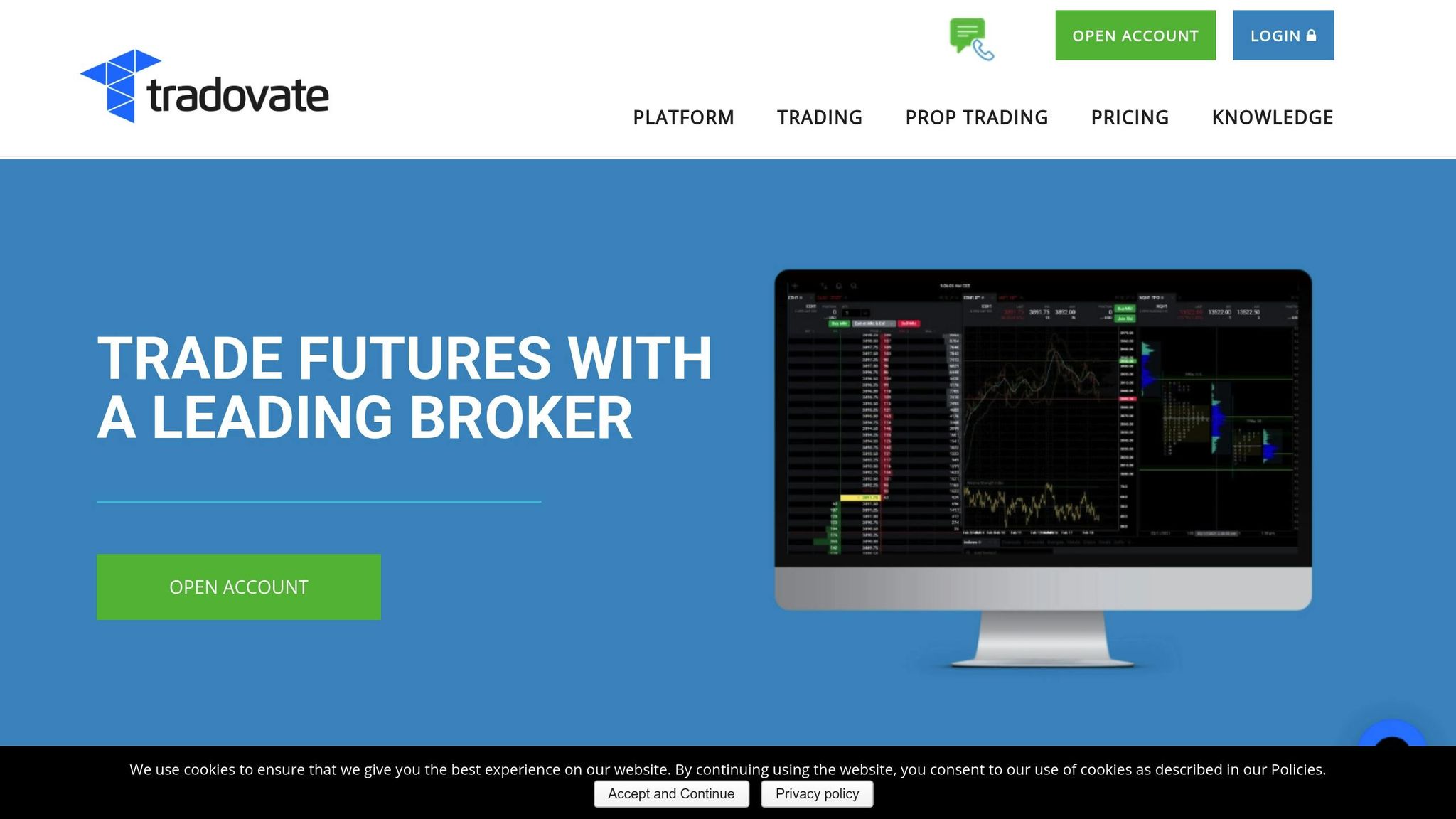
Tradovate and Trading Technologies target different trader profiles. Tradovate is cloud-native and tailored for futures trading, offering a simple, plug-and-play experience for beginners. TT, on the other hand, caters to professionals and institutions with advanced tools and deeper customization options.
Tradovate’s web-based platform eliminates the need for software installation and even offers commission-free trading options for certain accounts. TT also provides browser access but comes with a more complex setup and a steeper learning curve. Pricing is another key difference: Tradovate offers free or low-cost plans, while TT costs around $500 per month. In terms of customization, TT leads with extensive widget configurations and visual algorithm design via ADL. Tradovate, by contrast, offers a minimalist interface with limited customization. Retail-focused prop firms like Apex Trader Funding often use Tradovate for its ease of use, while TT is favored by firms managing more sophisticated trading operations.
| Feature | Trading Technologies | Tradovate |
|---|---|---|
| Platform Type | Desktop, Web, Mobile (Institutional) | Web, Mobile, Desktop (Retail-focused) |
| Setup Ease | Moderate complexity | Very easy (plug-and-play) |
| Learning Curve | Moderate | Low |
| Customization | High (widgets, ADL, multi-monitor flexibility) | Limited |
| Commission Options | Standard broker rates | Commission-free tiers available |
| Monthly Cost | ~$500 | Free to low-cost options |
| Best For | Professional traders, multi-monitor setups | Beginners, mobile traders, budget-conscious users |
Tradovate’s simplicity appeals to newer traders, while TT’s advanced tools cater to experienced professionals.
Sierra Chart vs Trading Technologies
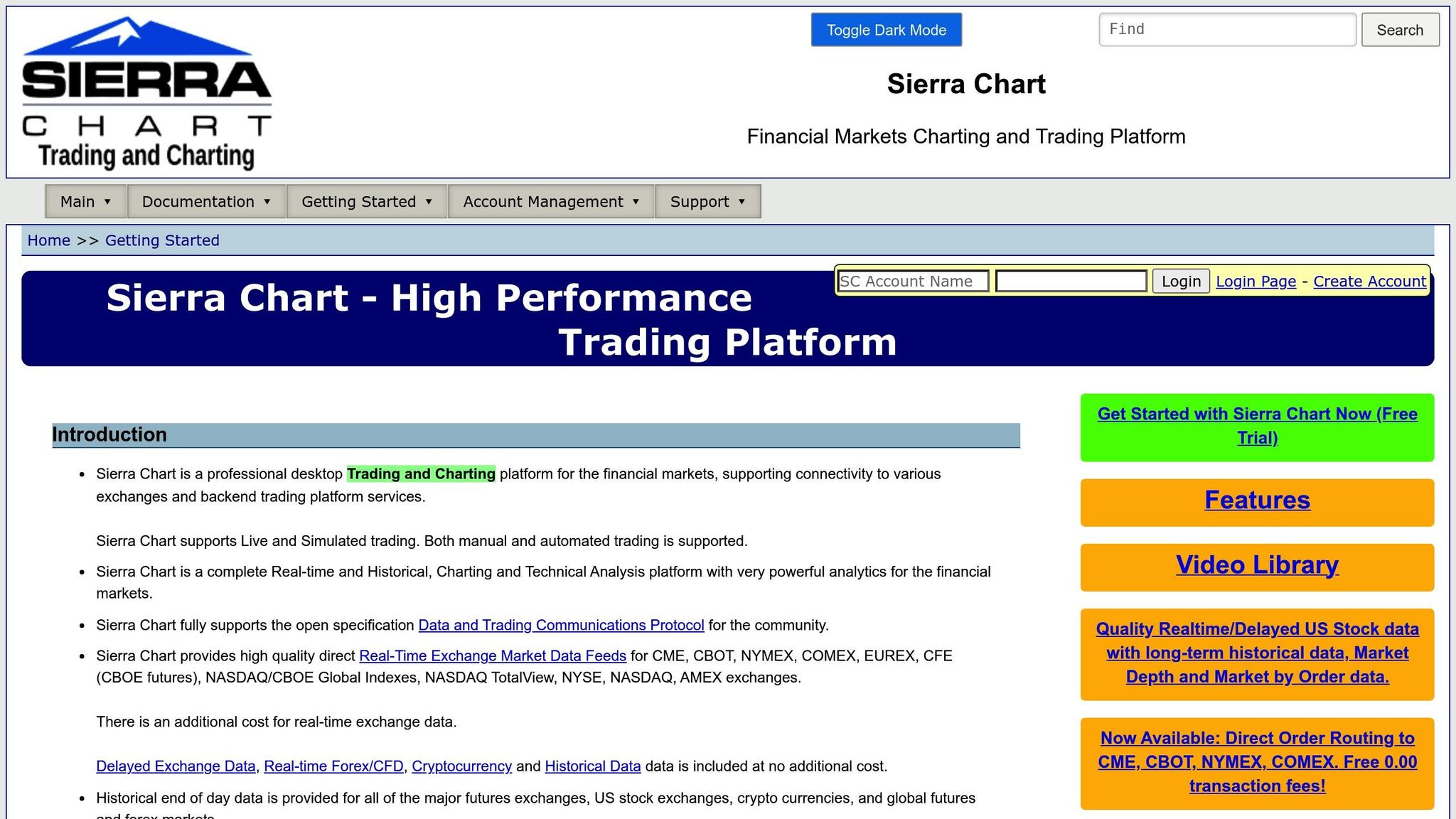
Sierra Chart is known for its stability and low system resource usage, but its interface feels outdated compared to modern platforms like Trading Technologies. TT, on the other hand, boasts a sleek, intuitive interface with professional-grade analytics.
For backtesting, Sierra Chart offers deep historical testing via its ACSIL scripting language, though this requires programming skills. TT simplifies the process with its ADL tool, allowing traders to design and test strategies visually, without coding. Cost is another distinction: Sierra Chart is much more affordable than TT’s $500 monthly price tag. Sierra Chart integrates well with prop firms using Rithmic or CQG backends, while TT connects through major clearing firms like Advantage Futures and Phillip Capital, providing direct access to raw exchange data feeds.
| Feature | Trading Technologies | Sierra Chart |
|---|---|---|
| Platform Type | Desktop, Web, Mobile (Institutional) | Windows Desktop (Primarily) |
| User Interface | Modern, sleek, and highly customizable | Dated and technical |
| Backtesting/Automation | Visual strategy design via ADL (No coding required) | Deep historical testing with ACSIL (Programming required) |
| Cost | Approximately $500 per month | Significantly more affordable |
| Best For | Professional traders needing advanced analytics | Cost-conscious traders and advanced users |
Building a Workspace | TT® Futures Trading Platform
Platform Comparison Table: TT vs Competitors
Here’s a breakdown of how Trading Technologies (TT) stacks up against other major futures prop trading platforms:
| Platform | Usability | Key Features | Device Support | Learning Curve | Monthly Cost | Prop Firm Compatibility |
|---|---|---|---|---|---|---|
| Trading Technologies | Professional-grade with MD Trader ladder and visual ADL | Server-side execution, multi-asset trading, supports up to 16 monitors | Desktop, Web, Mobile (iOS/Android) | Medium to High | ~$500 | Distributed via clearing firms like Advantage Futures, Phillip Capital |
| NinjaTrader | Advanced customization with ATM tools and C# scripting | SuperDOM, Level II data, automated stop losses/take profits | Windows Desktop only | Steep | $99/month or $1,499 lifetime | Apex Trader Funding, Take Profit Trader |
| Rithmic | Backend execution engine (requires third-party front-end) | Ultra-low latency, real-time rule enforcement, extensive APIs | Depends on front-end platform | Technical (back-end focus) | Covered by prop firm | Apex Trader Funding, Take Profit Trader, Lucid Trading |
| Tradovate | Cloud-native, plug-and-play simplicity with TradingView sync | Commission-free tiers, mobile-first design, bracket orders | Web, Mac, PC, Mobile | Low (beginner-friendly) | Free to $99/month | Apex Trader Funding, Tradeify, FundedNext Futures |
| Sierra Chart | Dated interface with high stability and low system overhead | Deep historical backtesting (ACSIL), advanced order flow tools | Windows Desktop only | Very Steep | $36–$56/month | Compatible with Rithmic |
This table outlines the key differences to help you pick the right platform based on your trading style, budget, and prop firm requirements.
Trading Technologies has earned a reputation for its institutional-grade features, highlighted by its Multi-Asset Trading System of the Year win at the FOW International Awards 2026. If ease of use is your priority, platforms like Tradovate stand out for their beginner-friendly design. On the other hand, NinjaTrader is ideal for traders who want deep customization and precision.
Darrell Martin, CEO of Apex Trader Funding, underscores the importance of matching your platform to your trading needs:
"The right trading platform isn’t about popularity – it’s about which tools feel natural in your hands."
For traders exploring instant funding options, platforms like Lucid Trading and Tradeify support both Rithmic and Tradovate. To dive deeper into comparisons and reviews, visit DamnPropFirms and find the best futures prop firms for your trading goals.
Choosing the Right Platform for Futures Prop Firms
Finding the right platform is all about aligning it with your trading style and the requirements of your prop firm. This match is essential, as discussed earlier when comparing platform features. Trading Technologies (TT) stands out for professional traders, offering tools like institutional-grade execution, a no-code ADL for creating algorithmic strategies, and the trusted MD Trader ladder for quick and visual order entry.
That said, TT isn’t perfect for everyone. Traders who need stricter risk controls might find it lacking. If staying disciplined is a challenge, ProjectX – a platform used by Topstep – is designed to enforce risk limits and curb overtrading. On the other hand, if you value flexibility and prefer seamless integration with TradingView, Tradovate offers a cloud-based solution that works effortlessly across devices without requiring heavy installations.
Your final choice will depend on the platforms supported by your prop firm. For scalpers and high-frequency traders, platforms with ultra-low latency are key. TT’s colocated infrastructure and Rithmic’s unfiltered data feeds (available through firms like Apex Trader Funding and Take Profit Trader) are excellent options.
Always confirm which platforms are supported by your chosen prop firm. Firms like Tradeify and Lucid Trading provide instant funding and support for Rithmic and Tradovate. However, accessing TT often requires working through major clearing firms. For a detailed comparison of prop firms and platform options, check out DamnPropFirms to find the best fit for your trading goals.
FAQs
Does my prop firm allow TT, and what do I need to access it?
If your prop firm supports Trading Technologies (TT), you’ll need to confirm whether their platform integrates with TT. Typically, accessing TT requires having an account with a firm that offers this compatibility and ensuring that your account is set up correctly. To avoid confusion, reach out to your prop firm directly or review their platform documentation to verify TT support and understand any necessary setup steps.
Is TT worth the cost for my trading style (scalping, discretionary, or algo)?
Trading Technologies (TT) is a solid choice if your trading depends on speed, automation, and advanced tools. For scalpers and discretionary traders, TT offers high-performance tools, dependable order routing, and interfaces you can tailor to your needs. Algorithmic traders will appreciate its automation features and API access. That said, with monthly plans starting at $750, it’s more appropriate for traders who prioritize ultra-fast execution and sophisticated tools, rather than those trading casually.
How do I choose between Rithmic and TT for execution and data?
When choosing between Rithmic and Trading Technologies (TT), your decision should hinge on your trading approach and key priorities.
Rithmic is designed for traders who need ultra-low latency, direct exchange routing, and institutional-quality tick data. This makes it a top choice for high-frequency traders who rely on speed and precision.
On the other hand, TT provides a versatile platform that supports multiple asset classes, advanced trading tools, spread trading, and automation capabilities. It’s an excellent option for traders with broader strategies who value flexibility and a wide range of features.
In short, go with Rithmic if speed and precision are your main focus. If you prefer a more adaptable platform with extensive tools, TT might be the better fit.