Trading futures just got easier with TradingView integration – a feature that lets you trade directly from your charts. But not all prop firms offer this functionality. Here’s a breakdown of the top 5 futures prop firms that support TradingView integration, helping you trade efficiently with professional tools and direct order routing.
Key Highlights:
- MyFundedFutures: Offers full TradingView integration across evaluation and funded stages, with account sizes up to $150,000 and an 80/20 profit split.
- Apex Trader Funding: Supports direct TradingView order routing via Tradovate, with funding up to $300,000 and a 90/10 profit split after the first $25,000.
- Take Profit Trader: Provides TradingView integration throughout all stages, with immediate withdrawals and profit splits of 80% to 90%.
- Topstep: Features built-in TradingView charting in its TopstepX accounts, offering funding up to $150,000 and profit splits up to 90%.
- Alpha Futures: Allows TradingView trading via Tradovate, with tiered profit splits starting at 70% and scaling to 90%.
Quick Comparison
| Prop Firm | Integration Type | Max Funding | Profit Split | Key Feature |
|---|---|---|---|---|
| MyFundedFutures | Direct Order Routing | $150,000 | 80% → 90% | Low-latency execution across platforms |
| Apex Trader | Direct Order Routing | $300,000 | 100% (first $25K), then 90% | Manage up to 20 accounts simultaneously |
| Take Profit | Direct Order Routing | $150,000 | 80% (PRO) → 90% (PRO+) | Immediate withdrawals |
| Topstep | Built-in TradingView | $150,000 | Up to 90% | No external connection needed |
| Alpha Futures | Direct Execution | $200,000 | 70% → 90% (Tiered) | Weekly payouts (Advanced/Zero plans) |
These firms streamline trading with TradingView, offering tools for efficient order management and fast execution. Whether you’re just starting or an experienced trader, choosing the right firm with TradingView integration can simplify your trading process.
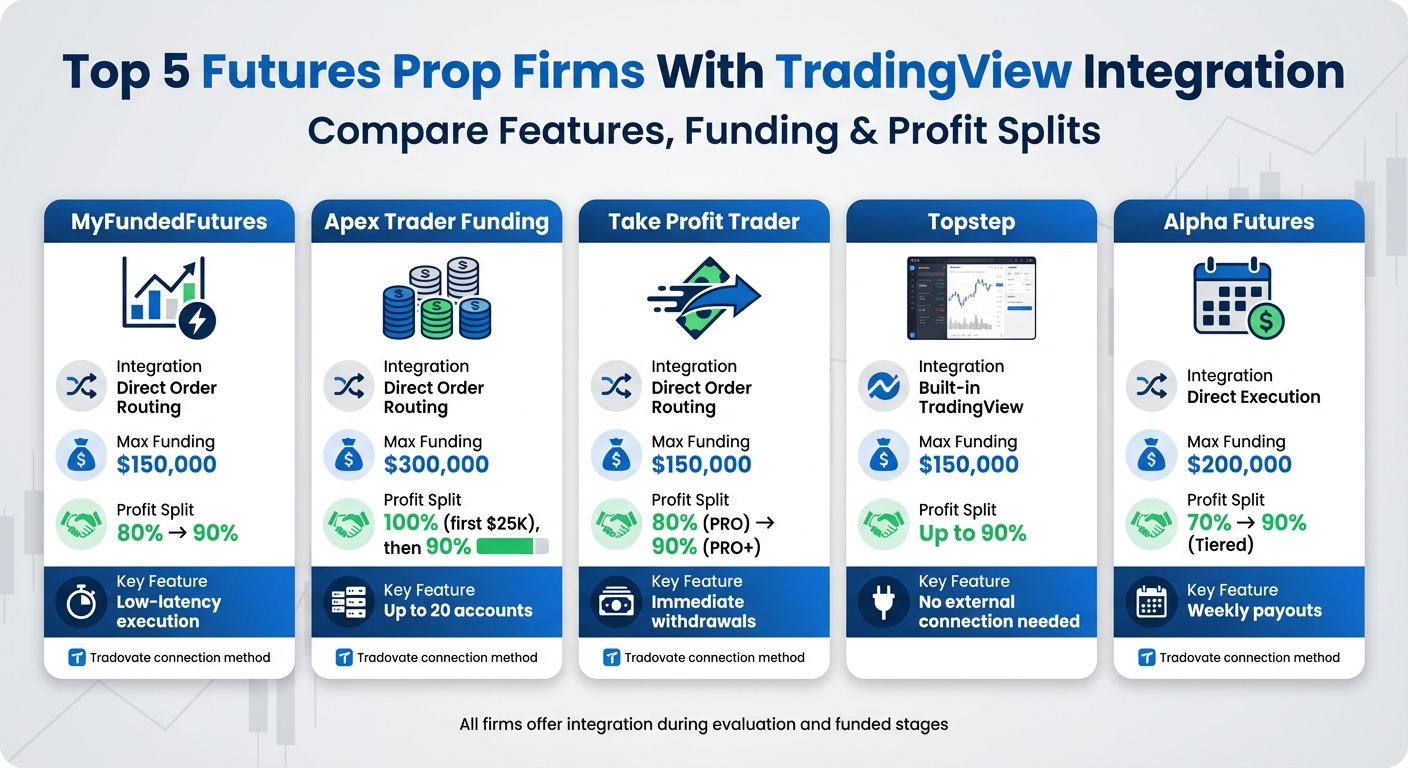
Top 5 Futures Prop Firms TradingView Integration Comparison Chart
1. MyFundedFutures
TradingView Integration and Connection
MyFundedFutures provides complete TradingView integration, allowing traders to place, modify, and manage trades directly from charts on various platforms. By connecting with your Tradovate credentials through the MyFundedFutures dashboard, you can enjoy low-latency order execution across devices [4][9].
"You can use the same account across multiple platforms – TradingView, Tradovate, NinjaTrader, and Quantower – giving you complete flexibility" [4].
This integration remains active throughout both the evaluation and funded trading stages.
Availability During Evaluation and Funded Stages
TradingView integration is accessible during both the evaluation and funded stages. Between January 2024 and July 2025, 20.35% of evaluation accounts advanced to the next phase, while 28.56% of simulated funded accounts successfully earned payouts. For payout requests made before 11:00 a.m. ET, processing occurs on the same day [4].
Account Sizes and Profit Splits
MyFundedFutures offers account sizes of up to $150,000 with an 80/20 profit split. The Expert Plan requires a minimum payout of $1,000, while total payouts during the simulated funded phase are capped at $100,000. After achieving five payouts in the simulated phase, traders gain access to a live funded account [5][10].
For a deeper dive into their offerings, check out the MyFundedFutures review page.
2. Apex Trader Funding
TradingView Integration Type
Apex Trader Funding provides full integration with TradingView, allowing traders to manage orders and monitor positions directly from their charts. You can place, modify, and close trades seamlessly on TradingView, with updates syncing instantly across web, desktop, and mobile platforms. This integration ensures a smooth trading experience supported by Apex’s established market presence.
The firm enjoys a solid reputation, reflected in its Trustpilot rating of 4.5 out of 5, based on over 15,000 reviews [1].
Connection Method
The integration relies on Tradovate as the broker bridge. To connect, log into your Tradovate account, go to the "Settings" section, and enable the TradingView add-on under the "Add-Ons" tab – this feature is included at no extra cost with your Apex subscription. Then, open the "Trading Panel" in TradingView, select Tradovate, click "Demo", and log in using the credentials provided in your Apex dashboard [12].
When signing up, make sure to choose the Tradovate option, as Rithmic accounts are not compatible with TradingView [1]. Keep in mind that the free TradingView add-on updates data every 5 seconds. For real-time data, you’ll need a separate TradingView subscription [12].
Availability During Evaluation and Funded Stages
TradingView integration is accessible during both the evaluation phase and the funded Performance Account stage [4]. During the evaluation period, traders retain 100% of the first $25,000 in profits per account, after which profits are split 90/10. Apex also allows traders to copy trades across up to 20 funded accounts simultaneously, with payouts processed every 8 trading days [1].
Account Sizes and Profit Splits
Apex Trader Funding offers accounts ranging from $25,000 to $300,000. Evaluation fees start at $167 per month for a $25,000 account and go up to $597 for a $300,000 account on Tradovate, with frequent discounts of 80–90%. Once funded, Performance Account activation costs $105 per month or a one-time fee between $150 and $360, depending on the account size [11].
For more details about their services and trader reviews, check out the Apex Trader Funding review page.
3. Take Profit Trader
TradingView Integration Type
Take Profit Trader offers full integration with TradingView, allowing traders to route orders, place trades, and manage positions with ease. The connection operates through Tradovate-backed infrastructure and works smoothly across TradingView’s web, desktop, and mobile platforms.
The firm has earned a 4.4 out of 5 rating on Trustpilot from 7,846 reviews [13]. Between January 1 and August 31, 2023, 20.37% of users successfully passed the trading test [13].
Connection Method
Connecting your account is straightforward. Open the Trading Panel in TradingView, select Tradovate from the broker options, and use the credentials provided in your Take Profit Trader dashboard [4]. This integration is included with your account at no extra cost, ensuring uninterrupted access throughout your trading activities.
Availability During Evaluation and Funded Stages
The TradingView integration is available throughout every stage of your journey with Take Profit Trader – from the initial evaluation (Test phase) to the PRO (simulated funded) and PRO+ (live market) accounts [4]. One standout feature is the firm’s instant funding and withdrawal options, allowing traders to request payouts as soon as they achieve profitability in their PRO account – no waiting period required [13]. Profit splits are generous, with PRO accounts offering an 80/20 split and PRO+ accounts increasing this to 90/10 [13].
Account Sizes and Profit Splits
Take Profit Trader supports a range of account sizes, from $25,000 to $150,000, making it suitable for various trading strategies. Monthly evaluation fees start at $150 for the smallest account and go up to $360 for the largest [13]. After successfully passing the evaluation, there’s a one-time $130 activation fee for the PRO account [13]. Traders can manage up to five PRO accounts simultaneously [13].
For more details on Take Profit Trader’s features and trader feedback, check out the Take Profit Trader review page.
4. Topstep
TradingView Integration Type
Topstep provides seamless integration with TradingView, letting traders place and manage trades directly through charts [14]. Starting July 7, 2025, all new accounts will be on TopstepX, which includes built-in TradingView charting. This eliminates the need for external connections or additional subscriptions [14][15].
For older accounts, a Tradovate bridge links to the external TradingView platform [14]. However, TopstepX accounts do not currently support connections to the standalone TradingView site, nor do they allow for custom Pine Scripts or community indicators. With over 12 years of experience funding futures traders, Topstep processed 81,177 payouts in 2024 and helped more than 10,000 traders transition to live funded accounts [16].
Connection Method
If you’re using a legacy Tradovate-linked account, you’ll need to activate the "TradingView Add-On" in your Tradovate settings [14][6]. For TopstepX accounts, integration with TradingView is automatic thanks to ProjectX technology, which ensures direct order routing and faster execution [7].
Availability During Evaluation and Funded Stages
TradingView integration is available throughout every stage of the Topstep journey, from the Trading Combine evaluation to the Express and Live Funded stages [6][17]. All orders follow Topstep’s risk management guidelines, including daily loss limits and maximum drawdown rules [14]. On TopstepX, traders can access commission-free CME futures trading with market data updates every 50 milliseconds [7].
Account Sizes and Profit Splits
Topstep offers three account size options with flexible pricing:
- $50,000 accounts: $49/month (No Activation Fee) or $89/month (Standard with a $129 activation fee)
- $100,000 accounts: $99/month or $139/month
- $150,000 accounts: $149/month or $189/month [16]
Traders can keep 100% of their first $10,000–$25,000 in profits (depending on promotional terms) and up to 90% of profits beyond that (calculated using a futures trading profit calculator) [3][1].
For more details about Topstep’s features and trader experiences, check out the Topstep review page.
sbb-itb-46ae61d
How To Trade On Tradingview/Tradovate With Futures Prop Firms | (Topstep, Apex, MFF)
5. Alpha Futures
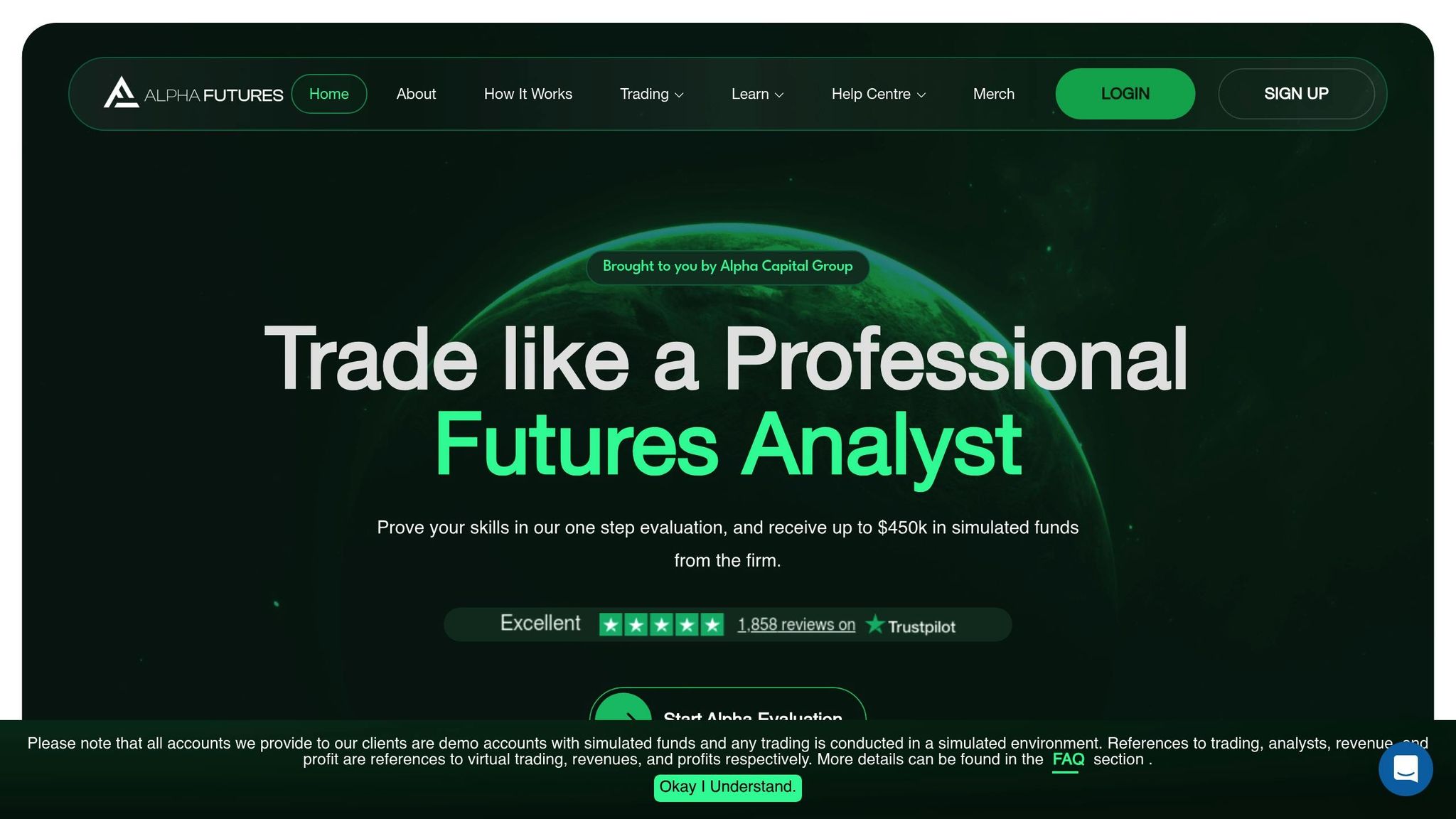
Alpha Futures continues the trend of integrating seamlessly with TradingView, offering efficient order execution and straightforward connectivity that appeals to traders.
TradingView Integration Type
With Alpha Futures, you can fully execute trades directly through TradingView. This means you can place, modify, and manage real orders right from your charts using a Tradovate broker bridge [18][4].
"You are successfully connected and can enjoy trading your Alpha Futures Account(s) on TradingView through Tradovate integration!"
- Benjamin Chaffee, Alpha Futures Help Center [18]
Connection Method
To get started, activate the TradingView add-on in your Tradovate settings, sign the Non-Professional Agreement, and select "Simulation" mode. Afterward, open the Trading Panel in TradingView, click on the Tradovate icon, and log in using your Alpha Futures credentials [18][8]. Keep in mind that once you purchase a platform, your selection is final – ensure you pick the Tradovate option for TradingView compatibility [18][8].
This streamlined process ensures reliable access at every stage of trading.
Availability During Evaluation and Funded Stages
TradingView integration is available throughout your entire journey with Alpha Futures, from the Evaluation phase to managing your Qualified (funded) account. However, you’ll need an active personal TradingView subscription to use this feature [18].
Account Sizes and Profit Splits
Alpha Futures offers three account tiers, each with its own size and profit-sharing structure:
| Account Type | $50,000 | $100,000 | $150,000 | Profit Split | Activation Fee |
|---|---|---|---|---|---|
| Standard | $79 | $159 | $239 | 70% → 90% (Tiered) | $149 |
| Zero | $99 | $199 | N/A | 90% (Flat) | $0 |
| Advanced | $139 | $279 | $419 | 90% (Flat) | $149 |
The Standard plan starts with a 70% profit split for the first two payouts, increases to 80% for the third and fourth payouts, and reaches 90% from the fifth payout onward. In contrast, both the Advanced and Zero accounts offer a flat 90% profit split from the start. Standard accounts process payouts every 14 days, while Advanced and Zero accounts provide weekly payouts after five winning days. Traders also have the opportunity to scale up to $450,000 in simulated funds [8].
For a closer look at Alpha Futures’ offerings, consistency rules, and trader experiences, check out the Alpha Futures review page.
Feature Comparison Table
Here’s a breakdown of how TradingView integrates with best futures prop firms:
| Prop Firm | Integration Type | Connection Method | Availability (Eval/Funded) | Max Funding (USD) | Profit Split |
|---|---|---|---|---|---|
| MyFundedFutures | Direct Order Routing | Tradovate Credentials | Both Stages | $150,000 [5] | 90% [5] |
| Apex Trader Funding | Direct Order Routing | Tradovate + Add-on | Both Stages | $300,000 (per account) [1] | 100% of first $25K, then 90% [1] |
| Take Profit Trader | Direct Order Routing | Tradovate Credentials | Both Stages | $150,000 [3] | 80% [3] |
| Topstep | Direct Order Routing | Tradovate/Broker Bridge | Both Stages | $150,000 [3] | 90% [3] |
| Alpha Futures | Direct Execution | NinjaTrader/Tradovate | Both Stages | $200,000 [5] | 80–90% [5] |
Each firm offers distinct integration setups and funding options, enhancing the TradingView experience in unique ways. Apex Trader Funding stands out with account funding up to $300,000 and the ability to manage up to 20 accounts at once, potentially giving traders access to $6,000,000 in combined capital [1]. Alpha Futures, on the other hand, provides a flexible profit-sharing model ranging from 80% to 90%. Most firms utilize Tradovate for direct order routing, making it easy to trade directly from TradingView charts.
For more details, check out the individual reviews for each firm:
- MyFundedFutures
- Apex Trader Funding
- Take Profit Trader
- Topstep
- Alpha Futures.
Conclusion
Streamlined TradingView integration plays a key role in boosting trading efficiency. By bringing together charting, order entry, and risk monitoring into a single interface – whether through Tradovate or NinjaTrader – this setup simplifies workflows, especially during fast-moving markets [4].
The firms highlighted here provide direct order routing, enabling seamless syncing of custom indicators, alerts, and drawing tools across devices [4][7]. Features like risk management essentials and visual trade markers also help traders maintain accurate performance records.
MyFundedFutures states:
"Strong TradingView integration saves time, reduces friction, and helps you stay focused on performance rather than platform setup."
– MyFundedFutures [4]
Before committing to a firm, confirm whether they offer direct order routing or limit TradingView to charting. Consistent integration across both evaluation and funded trading stages is crucial for maintaining a stable workflow.
These integration features can guide you in choosing the right prop trading partner. For in-depth reviews, verified payout ratings, and tools like the Consistency Rule Calculator, explore DamnPropFirms. Plus, connect with fellow traders in the Damn Good Traders Discord community for real-time insights. Don’t forget to use code DGT for discounts ranging from 10% to 90% [2].
FAQs
What are the advantages of using TradingView for futures trading?
TradingView can be a game-changer for your futures trading setup, offering tools that simplify and enhance your trading experience. Its advanced charting tools let you dive deep into market analysis with customizable indicators and drawing features, helping you spot trends and opportunities with precision. Plus, the on-chart order entry feature allows you to execute trades directly from your charts, cutting out the hassle of switching between platforms and saving valuable time.
Another standout feature is the automatic risk-limit enforcement, which ensures you stick to your risk management strategy, helping you trade more responsibly. Since TradingView is a web-based platform, it works smoothly across all your devices, giving you the freedom to trade from anywhere without sacrificing efficiency or consistency.
How do prop firms handle profit splits for traders?
Profit splits determine how trading profits are divided between a trader and the prop firm. Typically, firms calculate this split on a monthly or payout-cycle basis, deducting any applicable fees before applying the agreed percentage. The structure can vary significantly – some firms stick to a flat-rate split, while others use tiered systems to reward traders who achieve higher earnings.
For instance, Apex Trader Funding lets traders keep 100% of their first $25,000 in profits per account, then applies a 90% split to any additional earnings. Similarly, Alpha Futures offers traders up to 90% profit retention if they pass their evaluation process. These examples highlight how some firms incentivize early profits or exceptional performance. Be sure to carefully review each firm’s terms to align their offerings with your trading approach.
Which prop firm provides the largest funding limit?
Earn2Trade provides traders with access to some of the highest funding limits in the industry, with starting balances going up to $400,000. This generous capital allocation gives traders the flexibility to expand their strategies and aim for larger payouts. It’s a strong choice for anyone seeking significant funding opportunities in the futures trading arena.