Apex Trader Funding, launched in 2021, offers futures traders funded accounts ranging from $25K to $150K, with payouts exceeding $577M since 2022. In March 2026, they introduced two key drawdown models – End-of-Day Trailing and Intraday Trailing – alongside platform support for Rithmic and Tradovate.
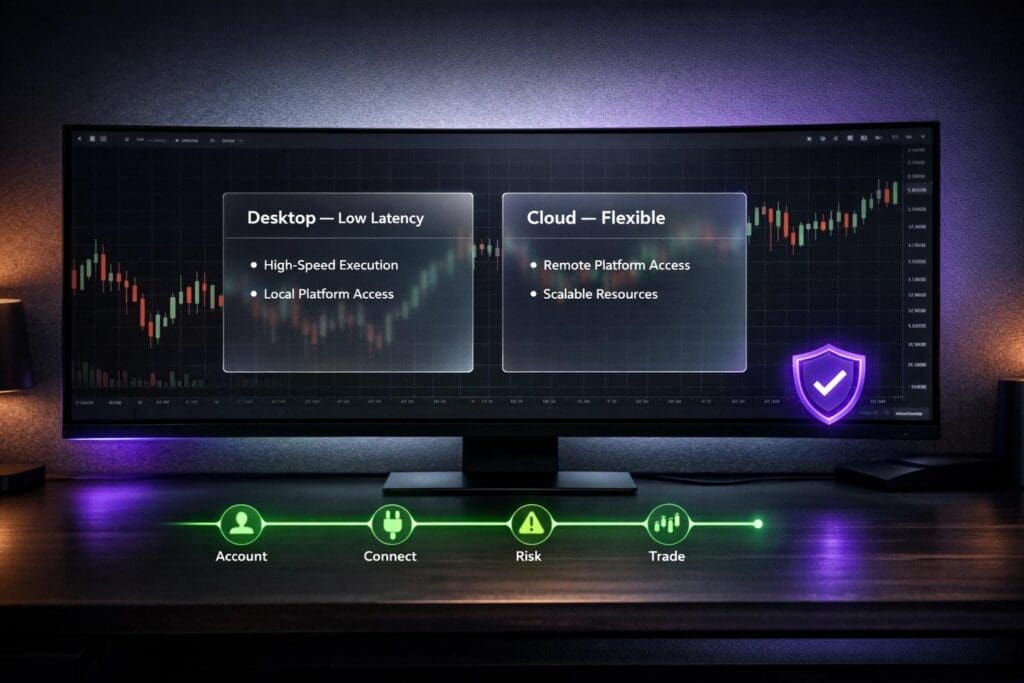
- Rithmic: Ideal for high-frequency traders, it delivers ultra-low latency desktop execution with advanced tools like Depth of Market (DOM) and NinjaTrader integration.
- Tradovate: A flexible, cloud-based platform, accessible via web, mobile, and Mac, suited for discretionary and mobile traders. It also [integrates with TradingView](https://damnpropfirms.com/trading-tools/tradingview/).
Traders keep 100% of the first $25K in profits per account and 90% beyond that. Both platforms cater to different trading styles, making proper setup crucial for success.
Quick Comparison:
| Feature | Rithmic | Tradovate |
|---|---|---|
| Execution Speed | Ultra-low latency | Sub-second |
| Platform Type | Desktop | Cloud/Web-based |
| Compatibility | Windows (limited Mac) | Windows, Mac, Mobile |
| Evaluation Cost | ~$20 less than Tradovate | ~$20 more than Rithmic |
| Commission (E-mini) | ~$3.98 | ~$3.10 |
| TradingView Support | Not free | Free (with renewal) |
This guide explains how to set up and optimize both platforms for Apex accounts, ensuring smooth trading experiences and compliance with Apex’s rules.
Rithmic vs Tradovate Platform Comparison for Apex Trader Funding
Tradovate Beginner Tutorial: Step-by-Step Setup + How to Start Trading with Apex
sbb-itb-46ae61d
Rithmic Platform: Features and Benefits
Rithmic is a desktop trading platform designed for traders who prioritize speed. Known for its ultra-low latency, it’s a go-to choice for strategies where execution speed is critical. The platform connects to exchanges through geographic gateways, and many Apex users choose the "Chicago Area" gateway to minimize network latency and achieve faster order routing.
Rithmic provides real-time market data, including Depth of Market (DOM) and order flow insights, allowing traders to make split-second decisions. It also integrates seamlessly with popular third-party tools like NinjaTrader and Sierra Chart. This means traders can continue using their preferred charting and analysis tools while benefiting from Rithmic’s lightning-fast execution.
Core Features of Rithmic
Apex Rithmic accounts come packed with tools and features designed to support a wide range of trading needs:
- Free NinjaTrader License: Included with Apex accounts, offering added value.
- Real-Time Data Feeds: Stay updated with live market movements.
- Broad Instrument Coverage: Trade equity futures (e.g., ES, NQ), interest rate products (e.g., ZB, ZN), currencies, agricultural commodities, metals, energies, and even micro-cryptocurrencies like Bitcoin and Ethereum.
- Contract Scaling: Account contract limits grow with account size, reaching up to 35 contracts (or 350 micros) on a $300,000 account.
The platform also features a Plug-in Mode that connects RTrader Pro with NinjaTrader Desktop. This allows both platforms to operate simultaneously on a single data stream, improving connection stability. Since Rithmic typically restricts users to one market data session at a time, those needing data across multiple platforms can add a "Rithmic 2nd Login Session" for increased flexibility.
Account management is straightforward with RTrader Pro, where traders can monitor real-time balances, manage drawdowns, and adjust account settings. New users are required to complete two digital agreements and select "Non-Professional" status during their first login to activate data feeds and avoid higher professional fees.
These features collectively improve execution quality, which is crucial for traders using Apex accounts.
Why Use Rithmic with Apex Accounts
Rithmic’s focus on reducing slippage and ensuring competitive pricing makes it an excellent choice for Apex traders. Its ultra-low latency infrastructure significantly improves fill quality, especially during volatile market conditions where every tick matters. This reliability aligns perfectly with the demands of Apex Trader Funding accounts.
Apex Rithmic accounts also offer flexible and competitive pricing. For instance:
- A $25,000 evaluation account costs $147 per month.
- Performance Account activation fees range from $130 to $340 (one-time) or $85 per month (ongoing).
Traders can qualify for funding in as little as seven active trading days and manage up to 20 Rithmic accounts simultaneously. This capability allows for diversified strategies across various markets and timeframes, giving traders more opportunities to succeed.
Tradovate Platform: Features and Benefits
Tradovate delivers a fully cloud-based trading experience, accessible through any web browser, desktop app, or mobile device. It works seamlessly on Mac, Windows, iOS, Android, tablets, and Chromebooks, making it a great option for traders who value flexibility and the ability to trade on the go.
The platform’s WebSocket-based infrastructure ensures sub-second trade execution, which is fast enough for most discretionary traders. While it may not offer the ultra-low latency of Rithmic, Tradovate makes up for it with an intuitive interface and integrated charting tools. The dashboard allows traders to manage positions, analyze markets, and execute trades without the steep learning curve of traditional desktop-only platforms. Additionally, it incorporates advanced charting and automation features.
For Apex users, TradingView integration is a standout feature. By enabling the TradingView add-on in your Tradovate settings, you can trade directly from TradingView charts at no extra cost. The free version updates data every 5 seconds, but real-time streaming requires a paid TradingView subscription. Tradovate also supports NinjaTrader 8.1+, allowing traders to use sophisticated automation tools with their Tradovate credentials.
Core Features of Tradovate
Apex Tradovate accounts come equipped with features designed to be both accessible and affordable. The platform offers a commission-free trading structure for many users, with round-turn commissions for E-mini S&P 500 contracts around $3.10, and Micro contracts costing between $1.02 and $1.04. Level-1 market data is typically included, while Level-2 data is available for about $41 per month.
The setup process is straightforward. When logging in for the first time, you’ll need to select "NON-PROFESSIONAL" status on the subscriber agreements to avoid professional data fees, which can be as high as $300 per month. After completing these agreements, data activation may take between 10 and 90 minutes. You can check your data status by looking at the instrument color in the platform – white indicates live data is active, while orange means the agreements are incomplete.
Tradovate’s pricing is competitive. A $25,000 evaluation account ranges from $147 to $167 per month, while Performance Account activation fees are $105 per month or a one-time fee between $150 and $360. The platform adheres to all Apex trading rules, including the consistency rule and the restriction on overnight positions.
Why Use Tradovate with Apex Accounts
Tradovate enhances the Apex trading experience by focusing on flexibility and accessibility. Its key advantage is its mobile and web-based functionality, which sets it apart from Rithmic, a platform that requires a Windows desktop setup. Tradovate allows traders to monitor and manage their funded accounts from virtually anywhere – ideal for those who prefer mobility or aren’t always at their workstation.
The platform’s competitive pricing and inclusive features make it especially appealing to everyday traders.
"For most retail traders, the Tradovate setup offers a cost-effective way to trade funded futures accounts with direct TradingView access." – Bhavishya Goyal, Lead Developer, PickMyTrade
Tradovate’s integration with TradingView and NinjaTrader gives users access to their favorite charting tools. This combination of flexibility, simplicity, and compatibility makes Tradovate a solid choice for traders who prioritize convenience without giving up essential functionality. Keep in mind, however, that Apex does not convert Rithmic accounts to Tradovate accounts, so choose your platform carefully when making your purchase.
How to Set Up Rithmic for Apex Accounts
Requirements and Account Linking
First, make sure your account is Rithmic-based. You can confirm this by checking your username format – Rithmic accounts include a hyphen, like Apex-123456, while Tradovate accounts use an underscore, such as Apex_123456. You’ll need your Rithmic credentials, which are provided in your Apex welcome email or can be found in the Member Account dashboard under "Rithmic and Ninja Trader Setup".
Before starting, uninstall any previous versions of RTrader Pro and delete Rithmic folders from your system. This ensures there are no conflicts with the Apex-compatible version. When entering your credentials, copy them directly from the dashboard to avoid login issues caused by extra spaces. Once that’s done, you’re ready to install the necessary software.
Installing Rithmic Software and NinjaTrader
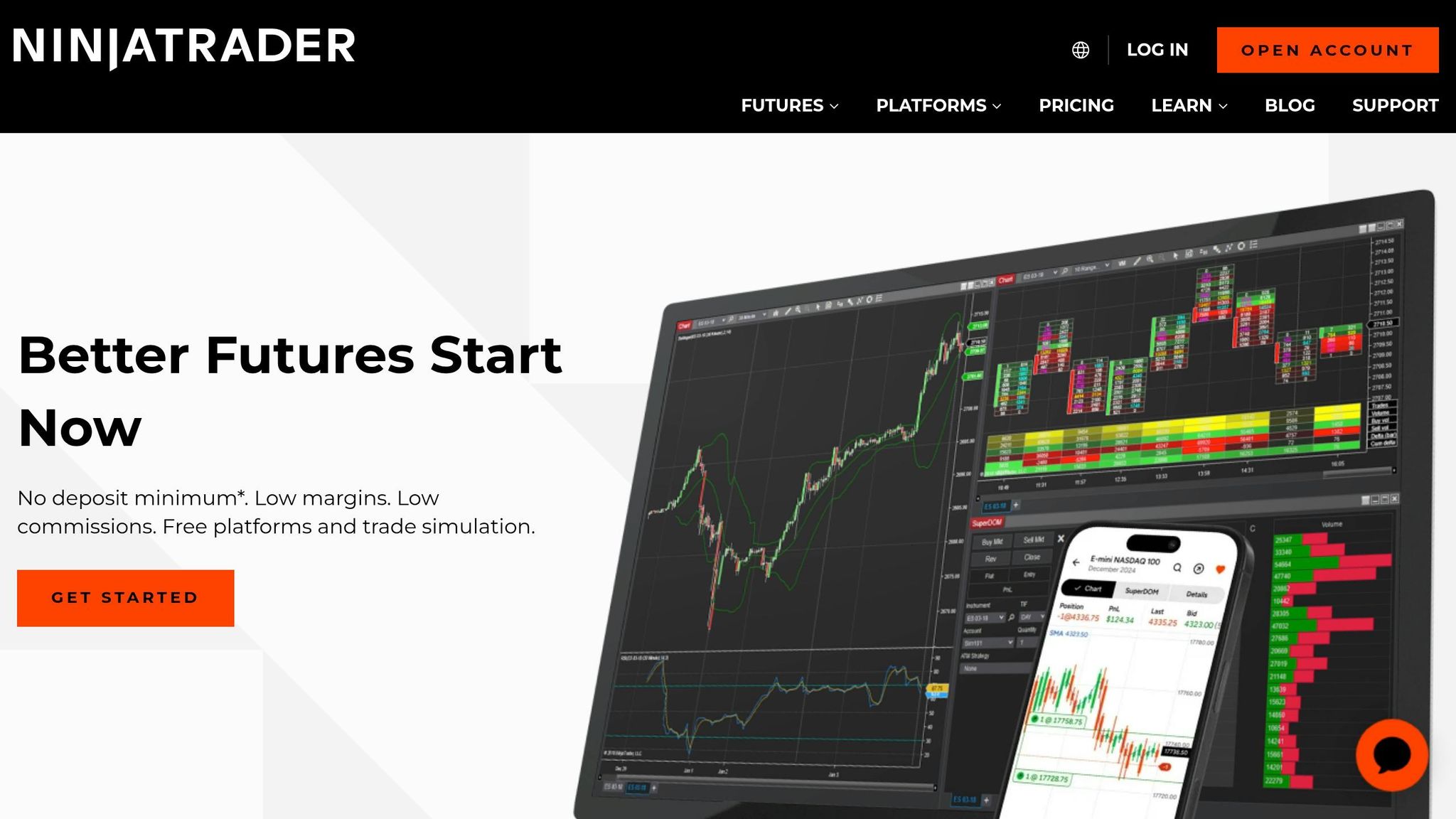
Open RTrader Pro and click "Skip Settings" in the top-right corner. For the "System" field, select APEX, and for the "Gateway", choose Chicago Area – this provides the best connectivity. Enter your Rithmic ID and password to log in.
The first time you log in, you’ll need to sign two digital agreements. Be sure to select "NON-PROFESSIONAL" status to avoid being charged professional data fees. After completing this step, you can set up NinjaTrader by creating a new Rithmic connection in the "Connections" menu using the same APEX system credentials.
Setting Up Data Feeds and Risk Controls
If you’re using NinjaTrader as your main platform, it’s important to set "Market Data" to OFF in RTrader Pro. This is because Rithmic allows only one active market data session at a time unless you purchase the "2nd Login Session" add-on. Additionally, disable "Selective Mode" in RTrader Pro settings.
To use both RTrader Pro and NinjaTrader at the same time, enable "Allow Plugins" in RTrader Pro and activate "Plug-in Mode" in NinjaTrader’s connection settings. If the "configure" option doesn’t appear in NinjaTrader’s Connections menu, make sure "Multi-provider Mode" is enabled in the platform’s options. Once these settings are adjusted, you can test your connection.
Testing Your Setup and First Trade
After completing the setup, verify everything is working correctly. In NinjaTrader’s Control Center, check the connection status light – it should turn from yellow to green within 30 seconds. Once it’s green, your platform is ready to go. To simplify future sessions, enable the "Connect on startup" option in NinjaTrader’s connection configuration. This will automatically link to the Apex data feed whenever you launch the platform. If you are managing multiple accounts, you can also copy trades across Apex using cloud-based tools.
Finally, execute a test trade to ensure live data is displaying and the system is functioning as expected. If you run into issues, double-check your credentials to make sure there are no extra spaces.
How to Set Up Tradovate for Apex Accounts
Here’s a step-by-step guide to configuring Tradovate for your Apex account, based on the Rithmic setup instructions.
Requirements and Account Linking
First, confirm your account type. You’ll find your login details in the Apex welcome email or in your Member Account dashboard. Use a desktop or laptop for this process to ensure smooth digital agreement signing.
Go to the Tradovate welcome page on your desktop browser. Copy your username and password from your dashboard, making sure there are no extra spaces – those can cause login errors. Once you’ve entered your credentials, you’ll need to sign digital agreements. Select "NON-PROFESSIONAL" status to avoid the $300 monthly data fee. After signing, your data activation will start. This process usually takes 10 to 90 minutes, so wait at least 90 minutes before contacting support if there are delays.
Accessing Tradovate on Web and Mobile
Once your account is linked, you can access Tradovate across devices. Under the "Simulation" section of the Tradovate dashboard, find your Apex account and click "Launch" to open the trading environment. After data activation, you can log in from any device. For web access, visit trader.tradovate.com and log in – no software downloads are needed since the platform is cloud-based.
For mobile access, download the Tradovate app from the App Store or Google Play. Log in with your Apex credentials, and your account will appear under the Simulation section, just like on the web. If you want to connect with TradingView, enable the "TradingView" add-on in Tradovate’s settings under the "Add-Ons" tab. After enabling, log out and back in, then connect through the TradingView Trading Panel in "Demo" mode. Keep in mind this free connection must be renewed monthly. Finally, customize your workspace for charts and order preferences.
Setting Up Charts, Orders, and Rule Compliance
Tradovate allows you to tailor charts and order entry to your trading style. Focus on supported instruments like ES, NQ, CL, and GC to avoid order rejections. Be mindful of contract limits – exceeding them can lead to automatic evaluation failure. For example, a $300,000 account has a 35-contract limit. Note that Micro Bitcoin (MBT) and Micro Ether (MET) count as "Mini" contracts when calculating limits.
Ensure you follow Apex trading rules. All positions must be closed by 4:59 PM ET, as trading hours run from 6:00 PM to 4:59 PM ET with no overnight positions allowed. The Consistency Rule requires that no single trading day accounts for more than 30% of your total profits until your sixth payout. Additionally, monitor your trailing drawdown – it adjusts dynamically with your account balance. Use the Tradovate Performance Tab to compare your Gross P&L with your Net P&L after commissions.
Testing Your Setup and First Trade
After your data is active and your workspace is ready, make a small test trade to ensure everything is functioning properly, following a funded account checklist to verify your setup. Start with a supported instrument like MES or MNQ. Check that real-time prices update and orders execute as expected. If you’re using TradingView, remember it may take up to 4 hours for the connection to fully sync.
After completing the trade, review the order confirmation to ensure commissions were deducted correctly. For example, E-mini contracts like ES and NQ have a round-turn commission of $3.10, while Micro contracts typically range from $1.02 to $1.04.
If you encounter any issues, double-check your credentials for errors (like extra spaces) and confirm that the data activation period has passed (90 minutes). Once everything is working, you’re ready to trade on Tradovate with your Apex Trader Funding account.
Rithmic vs. Tradovate: Platform Comparison
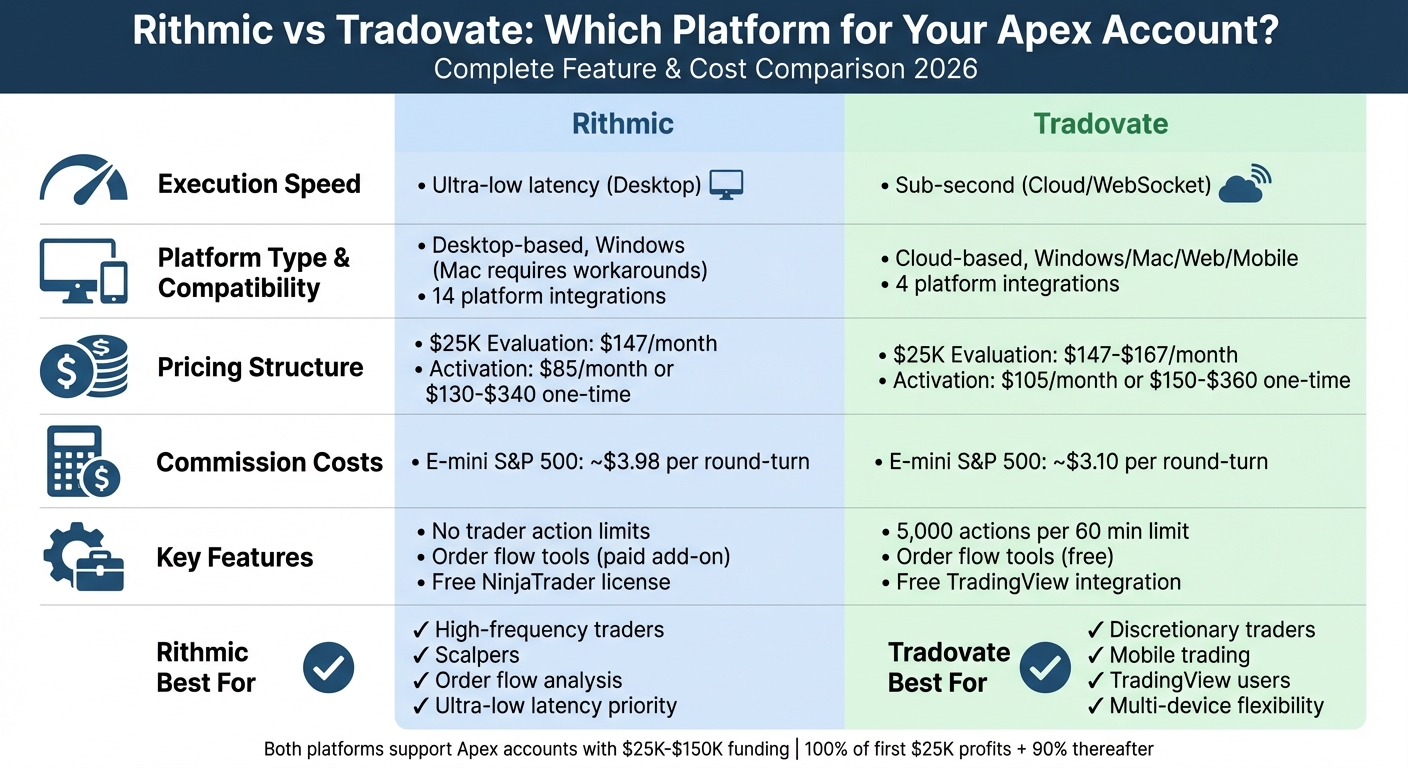
Rithmic, a desktop-based execution engine, is designed for those who prioritize ultra-low latency, making it a top choice for scalpers and high-frequency traders. On the other hand, Tradovate operates on a cloud-based WebSocket platform, providing sub-second execution speeds that are more than adequate for discretionary trading but less suited for high-frequency strategies.
When it comes to accessibility and compatibility, the two platforms diverge significantly. Rithmic supports 14 trading platforms, including NinjaTrader and Quantower, but is primarily built for Windows users. Mac users often need to rely on workarounds to access it. Tradovate, however, is accessible across Windows, Mac, web browsers, and mobile devices, making it a better choice for traders who need flexibility or prefer trading on the go. That said, Tradovate integrates with just four platforms, which is more limited compared to Rithmic’s broader compatibility.
Tradovate also enforces a limit of 5,000 trader actions within any rolling 60-minute window, which can be a constraint for high-frequency traders. Rithmic, in contrast, imposes no such limits, giving active traders more freedom. Additionally, Tradovate includes order flow tools at no extra cost, while Rithmic requires users to purchase these as an add-on.
The cost structures of these platforms also differ. Rithmic’s evaluation accounts typically cost $20 less than Tradovate’s, and its monthly activation fee is lower at $85 compared to Tradovate’s $105. However, Tradovate compensates with lower commission rates, charging around $3.10 for a round-turn E-mini S&P 500 trade, compared to Rithmic’s $3.98. For high-volume traders, these lower commissions can result in substantial savings over time.
Comparison Table: Rithmic vs. Tradovate
| Feature | Rithmic | Tradovate |
|---|---|---|
| Execution Speed | Ultra-low latency (Desktop) | Sub-second (Cloud/WebSocket) |
| OS Compatibility | Windows (Mac requires workarounds) | Windows, Mac, Web, Mobile |
| Trader Action Limit | None | 5,000 per 60 minutes |
| Platform Support | 14 Platforms | 4 Platforms |
| Evaluation Fee (Typical) | $20 less expensive | $20 more expensive |
| Activation Fee (Monthly) | $85 | $105 |
| Activation Fee (One-time) | $130–$340 | $150–$360 |
| E-mini S&P 500 Commission | ~$3.98 | ~$3.10 |
| Order Flow Tools | Paid add-on | Included for free |
| TradingView Connection | Not natively free | Free (monthly renewal) |
| Data Provider | Rithmic Data | CQG Data |
This comparison highlights the key differences between Rithmic and Tradovate, helping you determine which platform aligns better with your trading needs, especially when managing an Apex account. For more details on rules and scaling, see these Apex Trader Funding questions answered.
Tips for Better Trading with Rithmic and Tradovate
These tips can help you improve your trading performance while staying within Apex’s strict guidelines.
Using Platform Tools for Risk Management
For effective risk management, RTrader Pro should be your go-to tool. Use it to monitor real-time account balance, equity, and drawdown compliance. Keeping it open in a separate window ensures you’re always aware of your account status, reducing the chances of accidental rule violations.
If you’re a Rithmic user on NinjaTrader, be cautious with OCO (One Cancels Other) orders. These orders are stored locally on your computer, which means they only function if you’re connected to your broker. Apex Trader Funding highlights this critical limitation:
"OCO (One Cancels Other) orders for Rithmic are locally stored on your PC. This means that NinjaTrader must be connected to your broker in order for the OCO capability to function. If you are disconnected and one of the OCO orders is filled, the other WILL NOT be automatically canceled."
To handle unexpected outages, Rithmic traders should install RTrader Mobile on their phones. This serves as a backup, allowing you to close positions even if your primary connection fails. On the other hand, Tradovate users enjoy the convenience of built-in web and mobile access, making it easier to manage trades on the go.
Once your risk management tools are in place, you can take things a step further by optimizing your trade execution with automation and hotkeys.
Setting Up Hotkeys and Automation
Both Rithmic and Tradovate offer automation features that can help streamline your trading. For Tradovate, bracket orders are a powerful tool for managing risk. These automatically place stop-loss and take-profit orders as soon as you enter a position. This approach keeps your trades disciplined, even in volatile markets, and helps you stay within Apex’s daily loss limits. If you prefer more flexible rules, some Tradeify futures funding accounts offer similar bracket order support with different drawdown structures.
For NinjaTrader users on Rithmic, enabling "Multi-provider" under Tools > Options > General is a smart move. This feature is particularly useful if you’re juggling multiple accounts, such as an Apex evaluation account and a funded account, or monitoring personal brokerage data alongside your Apex trades.
To stay compliant with Apex’s rules, configure your platform to set maximum position sizes and daily loss limits. This precaution prevents accidental violations during fast-paced trading sessions. If you’re a high-speed scalper using Rithmic, consider setting up hotkeys in RTrader Pro. These allow for one-click entry and exit, minimizing slippage during rapid market movements and giving you an edge in fast-moving conditions.
Using DamnPropFirms Tools with Apex Trader Funding
Stay aligned with Apex Trader Funding’s updated rules while maximizing your payouts. DamnPropFirms offers tools that simplify compliance and help you get the most out of your Apex account.
How to Use the Consistency Rule Calculator
The Consistency Rule Calculator is designed to help you avoid payout denials due to Apex’s 50% consistency rule. This rule affects your withdrawal eligibility by analyzing how your profits are distributed across trading days. For instance, if you make $800 on Monday but only $200 for the rest of the week on a $25,000 account, Monday’s profit accounts for 80% of your total gains. This exceeds the 50% limit, potentially delaying your withdrawal until your profits are more evenly spread.
Here’s how to use the tool:
- Enter your daily profit and loss figures on the DamnPropFirms website.
- The calculator will instantly show if your profit distribution complies with the rule.
- If your distribution isn’t balanced, the tool calculates how many smaller profitable days are needed to fix the issue.
Additionally, the calculator highlights your Safety Net – your drawdown limit plus $100. This is crucial during the first three payout cycles if you’re withdrawing over $500.
For more insights, you can also explore updated Apex reviews and grab discount codes to make your trading journey more cost-effective.
Accessing Apex Reviews and Discount Codes
Take advantage of verified reviews and exclusive discounts to lower your evaluation costs. Visit the Apex Trader Funding review page to compare rules, view a 4.4/5 rating from over 17,669 verified reviews, and find the Apex discount code DGT. This code can slash evaluation fees by up to 90%. For example, a $150,000 EOD evaluation, which might typically cost hundreds, can drop to just $59.55 when the discount is applied.
The review page also features real trader feedback, tips on what works best, and details on activation timelines and Safety Net compliance requirements.
Conclusion
Both Rithmic and Tradovate bring unique strengths to the table when used with Apex Trader Funding accounts. Your decision ultimately hinges on your trading style and technical preferences. Rithmic, with its ultra-low latency via NinjaTrader 8, is a great fit for scalpers and order flow traders who depend on precision and detailed DOM data. On the other hand, Tradovate offers a cloud-based platform accessible through web browsers and mobile devices, making it a solid choice for discretionary traders who prioritize flexibility and enjoy seamless integration with TradingView.
The setup instructions provided earlier should help you get started with either platform, enabling you to tap into their unique features for more efficient and profitable trading. Be sure to select "NON-PROFESSIONAL" on data agreements to avoid unnecessary data fees. Rithmic users should also note that OCO orders are stored locally on your PC, meaning NinjaTrader must remain connected for these orders to function correctly.
When it comes to managing risk, both platforms offer tools to suit your needs. For example, you could configure hotkeys in NinjaTrader for quicker order execution or use Tradovate’s mobile app to keep an eye on your positions while on the move. If you’re handling multiple Apex accounts, integrated account management tools can help you streamline your trading activities.
With Apex Trader Funding having paid out over $577 million to traders as of October 2025 and boasting a 4.5/5 TrustScore from more than 13,000 reviews, the firm provides a strong foundation for funded trading success. Their profit split structure – 100% of the first $25,000 and 90% of profits thereafter – further enhances the appeal. To stay compliant with payout rules, tools like the DamnPropFirms Consistency Rule Calculator can be invaluable.
Whether you opt for Rithmic’s speed or Tradovate’s convenience, both platforms integrate smoothly with Apex accounts, helping you trade more efficiently. By aligning your platform choice with your trading style, you can maximize your performance while adhering to Apex’s funding guidelines.
FAQs
Which drawdown model should I choose for my Apex account?
The ideal drawdown model for your Apex account depends on how you trade and how much risk you’re comfortable with. The trailing drawdown moves in tandem with your highest unrealized balance, giving you room to adapt as your account grows. On the other hand, the end-of-day (EOD) drawdown locks in a fixed limit based on your account balance at the close of the market, making it a great fit for traders who prefer firm daily risk limits. Pick the option that best matches your approach to managing risk.
Can I switch my Apex account from Rithmic to Tradovate later?
No, you can’t switch your Apex Trader Funding account between Rithmic and Tradovate. These platforms are entirely separate and operate independently, meaning accounts on one cannot be transferred or converted to the other. However, you do have the option to use both platforms at the same time, but they will remain distinct from each other.
How do I avoid unexpected market data fees on Rithmic or Tradovate?
To steer clear of unexpected market data fees:
- Rithmic: Make sure to cancel your data feed through the Trader Dashboard before January 28, 2026, to avoid the $45/month connection fee.
- Tradovate: Select the Tradovate Bundle during checkout to trade without incurring additional data charges.
Be sure to follow Apex Trader Funding’s setup instructions closely to ensure your connections and billing are handled correctly for both platforms.