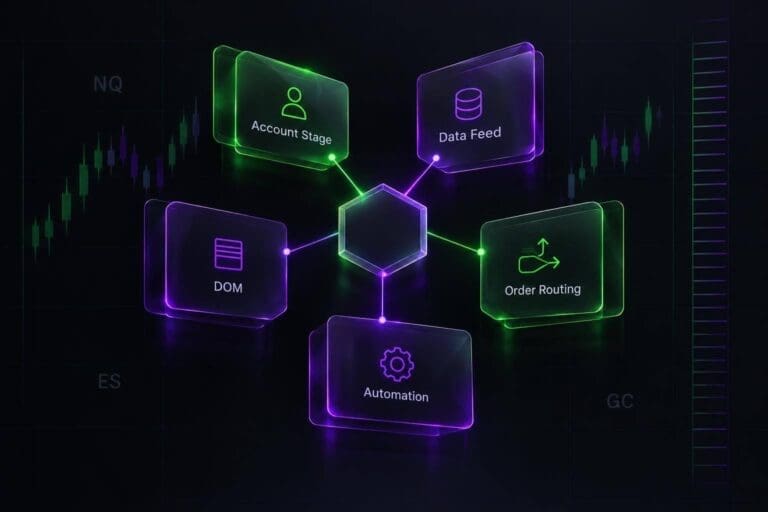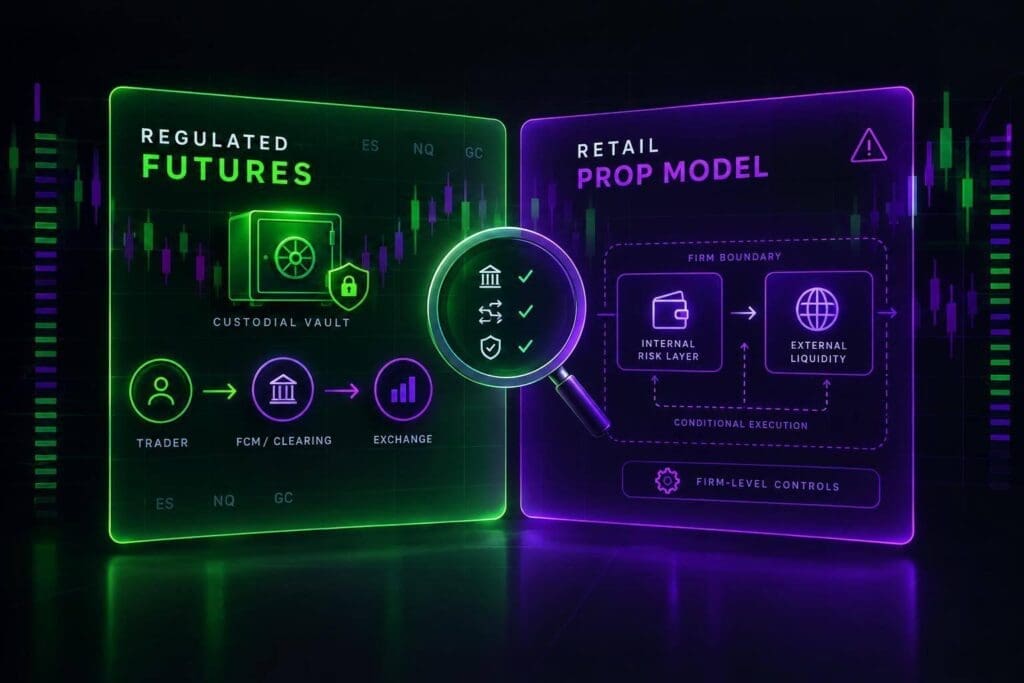
The account agreement matters more than the trading platform. The same screen can connect you to your own futures brokerage account, a prop simulator, or a live account owned by a firm. Those aren’t the same deal.
I’ll break down what changes: who owns the money, where orders go, what you pay, and which protections apply. A hypothetical $50,000 simulated account with a $2,000 loss allowance gives you 4% of the headline balance as risk room, not $50,000 you can withdraw. And live market data doesn’t prove live execution.
My starting rule: <u>check the legal entity and account terms before paying</u>. You can compare these details in our futures prop firm reviews. A funded badge won’t tell you who covers losses or what rights you have.
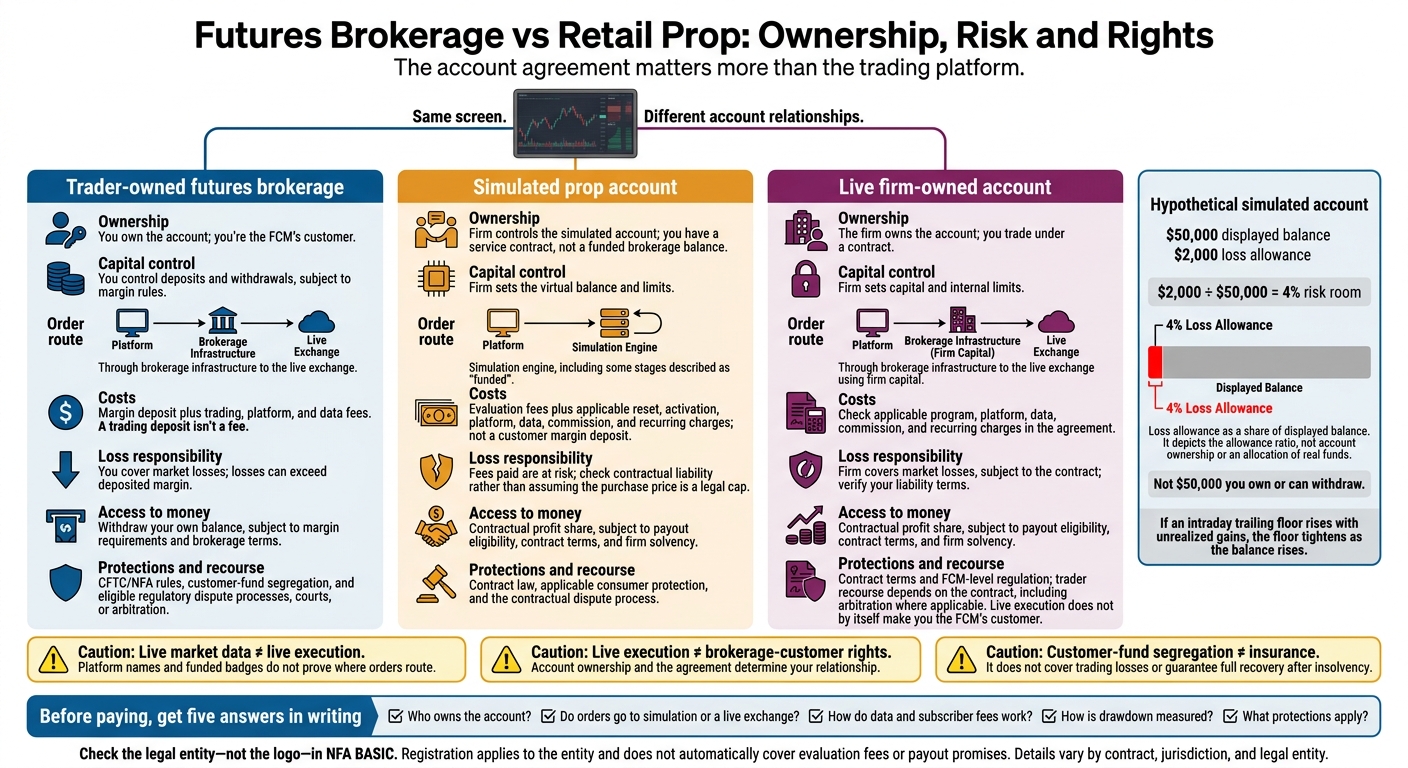
Futures Brokerage vs Retail Prop: Ownership, Risk and Rights
H2: How Futures Brokerage and Retail Prop Models Work
In a trader-owned futures brokerage account, you’re the FCM customer, and customer funds are segregated. In a simulated prop account, you pay for an evaluation. In a live firm-owned account, the firm owns the account and pays you under a contract.[1][5]
| Model | Account relationship | Execution environment | Source of protections |
|---|---|---|---|
| Trader-owned brokerage | You’re the FCM’s customer | Live exchange execution | CFTC/NFA rules and customer-fund segregation |
| Simulated prop account | You have a service contract, not a funded brokerage balance | Simulation, including some “funded” stages | Contract law and consumer protection |
| Live firm-owned account | The firm owns the account; you trade within its internal limits | Live exchange execution using firm capital | Contract terms and FCM-level regulation |
These legal differences shape order routing, fees, and your rights in a dispute. Registration applies to the legal entity, not the brand. Broker registration doesn’t cover evaluation fees or payout promises.[1][5]
H3: Market Access Is Not Account Ownership
A trading screen can look live without sending your orders to an exchange. A familiar platform, live CME prices, or a funded badge proves nothing about routing. A simulated balance is a score, not customer funds.
Before you pay, check who owns the capital, where your orders route, what market data you receive, and which entity handles compliance and disputes. Look up the legal name in NFA BASIC, then match it to the entity in your paperwork. Check the name, not the logo.[1][2] For example, firms like Tradeify provide specific terms for their funded accounts.
sbb-itb-46ae61d
H2: Who Owns the Account and Where Orders Go
The agreement determines who owns the account, who can withdraw money, and where your orders go.[1][5]
| What to check | Trader-owned brokerage | Simulated prop account | Live firm-owned account |
|---|---|---|---|
| Ownership | You own the account | Firm controls the simulated account | Firm owns the account |
| Capital control | You control deposits and withdrawals, subject to margin rules | Firm sets the virtual balance and limits | Firm sets capital and limits |
| Order destination | Through brokerage infrastructure to the exchange | Simulation engine | Through brokerage infrastructure to the exchange |
| Documentation | Brokerage agreement, disclosures, FCM statements | Evaluation agreement and terms | Trader agreement, FCM statements, NFA BASIC records |
| Loss responsibility | You cover losses, including losses beyond your deposit | You risk the fees you’ve paid | Firm covers market losses, subject to the contract |
| Payout rights | Withdraw your own balance | Contractual profit share | Contractual profit share |
| Recourse | CFTC/NFA processes, courts, or arbitration | Contract and consumer-law remedies | Contract remedies and arbitration |
The details vary by contract, jurisdiction, and the legal entity named in your agreement.[5][6] Brokers, FCMs, clearing firms, and exchanges each handle a different part of the order chain.
H3: Brokers, Clearing Firms, and Exchanges
An introducing broker (IB) solicits orders but can’t hold customer funds. A futures commission merchant (FCM) opens and carries accounts, holds margin, and sets margin calls and liquidation rules.
A clearing member handles clearing obligations. The clearinghouse acts as the central counterparty and manages settlement risk. The exchange, such as CME, provides the trading venue.
Customer-fund segregation isn’t insurance. It separates customer money from the FCM’s own funds, but it doesn’t cover trading losses or guarantee full recovery after insolvency.[5][2]
That chain handles live orders. A prop account can route your orders to a simulator instead.
H3: Evaluations, Simulated Accounts, and Live Accounts
Your agreement states whether the account is simulated or live. It also sets the risk limits and payout eligibility.[1][5]
Don’t treat the displayed balance as money you own. The drawdown rule tells you how much room you have to trade.
H3: Account Balance vs Loss Allowance
Hypothetical: A $50,000 simulated balance with a $2,000 loss allowance gives you $2,000 of risk room, not $50,000 of owned capital. If an intraday trailing floor rises with unrealized gains, the floor tightens as the balance rises.[1][2][4]
Next comes platform access: whether the data feed is live or delayed, and whether it costs extra.
H2: Platform Access and Market Data
Your platform stack determines who controls the connection, where data comes from, and how clearly you can track order routing. Regulated brokerage access generally gives you more choice. Retail prop setups usually limit you to firm-approved connections. Tradovate, Rithmic, and NinjaTrader can appear in either setup.[2][3] The platform name alone doesn’t tell you how orders connect, what data you get, or who controls the stack.
| What to check | Regulated brokerage access | Firm-selected prop access |
|---|---|---|
| Platform choice | You choose from broker-supported platforms | Firm limits the approved platforms |
| Connectivity provider | Broker-supported infrastructure connects live accounts to the FCM/exchange | Firm selects the connection provider |
| Where orders go | Exchange for live orders; simulator for practice | Simulator or internal ledger for simulated accounts; exchange for live accounts |
| Data source | Exchange data through supported providers | Firm-arranged licensed feed |
| Data fees | Professional or Non-Professional exchange rates | Often bundled or charged separately as data or activation fees |
| Fill transparency | Live execution records available through the broker/FCM | Simulated fill records or live execution reporting, depending on account access |
H3: Connections and Order Handling
Before switching connections, check symbols, order types, and integrations. Get written documentation stating whether execution is simulated or live, how fills work, and what happens to open orders if you disconnect.[3][5]
Get support duties in writing, too. Know who handles login problems, disputed fills, and disconnects. A provider outage can hit multiple firms, so a second prop account on the same stack isn’t a backup.[2][5] The data feed brings its own cost and quality checks.
H3: Data Access and Subscriber Fees
Confirm the feed, quote timing, and depth access before paying. Ask who handles permissions and billing, plus any extra access after evaluation.[2][7]
Read CME Group’s market-data policies for subscriber classifications and licensing terms, alongside your provider’s documentation. Subscriber status alone doesn’t establish live execution.[5][7]
H2: Compliance Checks and Trader Protections
Live execution does not give a retail prop trader the same protections as a customer-owned futures account. The route your orders take and your legal rights are separate issues.[1]
H3: Brokerage Requirements and Legal Safeguards
Opening a brokerage account means identity checks, an eligibility review, agreements, and risk disclosures.[1][2] Look up the legal entity in NFA BASIC. Check its registration category and disciplinary history, not just its name.[1][2]
| Check | Futures brokerage customer | Retail prop trader |
|---|---|---|
| Identity | Identity and anti-money-laundering requirements apply | Verification follows program terms and applicable law; more checks may occur at payout |
| Eligibility | Financial and account-opening requirements | Country, age, and participation restrictions under the agreement and applicable law |
| Disclosures | Required futures risk disclosures and customer agreements | Evaluation, simulation, payout, and program terms |
| Disputes | NFA arbitration or CFTC reparations where eligible | Contractual dispute process, arbitration, or applicable consumer-protection channels |
Retail prop setups usually put more of that burden in the contract rather than under regulatory oversight. Regulatory safeguards don’t guarantee you’ll recover money, and not every dispute qualifies. Review the CFTC’s customer-protection guidance and NFA arbitration information.[1][2]
H3: Prop-Firm Checks and Contract Terms
Some programs wait until payout review to run identity and fraud checks. Separate documents required by law from payout conditions set by the firm.
Before paying, read the agreement for restrictions on account sharing, copying, automation, and prohibited trading. Check consistency calculations, minimum trading days, payout caps, and drawdown definitions. Also review what evidence the firm can request, its power to change rules, how disputes work, and when it can terminate your account.[1][2] Payout rules, enforcement, and termination rights are where the contract can get painful.
H2: Compare Control, Costs, and Restrictions
With the account structure clear, focus on what you control, pay, and risk. Compare account rights and usable loss allowance, not the advertised balance. A brokerage account fits traders who want control and can fund margin. A retail prop program offers conditional access, but a lower entry cost doesn’t mean a lower total cost or a live account.
The differences come down to costs, loss responsibility, and trading limits.
| Decision point | Trader-owned futures brokerage account | Retail futures prop account |
|---|---|---|
| Up-front and recurring costs | Margin deposit plus trading, platform, and data fees | Program fees plus recurring and optional charges; not a customer margin deposit |
| Loss responsibility | Losses can exceed deposited margin | Check the agreement; don’t assume liability stops at the purchase price |
| Trading restrictions | Exchange rules plus broker margin and risk limits | Internal drawdown, daily loss, and consistency requirements |
| Payout dependence | Withdraw your own funds, subject to margin requirements and brokerage terms | Payouts depend on eligibility, contract terms, and firm solvency |
H3: Total Costs and Loss Responsibility
A trading deposit isn’t a fee. Deposits support positions; fees are money spent. For prop participation, add up evaluation, reset, activation, platform, data, and commission charges over the time you expect to trade. Include recurring charges, not just the checkout price. Compare that total with your drawdown room, not the headline account size.
Brokerage losses can exceed your deposited margin. For prop participation, read the liability terms for both simulated and live stages. Don’t treat the purchase price as an automatic legal cap on your losses.
H3: What to Check Before Paying
Verify what changes your cost and risk before you pay. Save dated copies of the answers and supporting documents:
- Account and custody: Is each stage simulated or live? Who legally owns the account, and who holds any trading funds? Check the firm’s legal entity in NFA BASIC.
- Data and connectivity: Confirm the exchange data source, connection provider, supported platform, subscriber classification, and separate charges. Many firms license the same backend, so one provider outage can hit multiple firms.
- Risk limits: Keep broker margin separate from internal loss limits. Check whether drawdown trails or updates at the end of the day (like Phidias Prop Firm’s static drawdowns), and whether unrealized profit moves the threshold.
- Payment and legal terms: Check payout eligibility, rule changes, minimum trading days, and country restrictions. Outside the U.S., confirm supported payout currencies and conversion costs.
H3: Where to Find Firm Rules and Learning Tools
Use Damn Prop Firms’ Best Futures Prop Firms rankings to compare programs, then check the current agreement before paying. Reviews help with comparison; the agreement sets the rules.
H2: Bottom Line: Check the Account and Agreement
Once you’ve checked the account structure, routing, and compliance details, read the contract. A registered futures connection doesn’t make you a brokerage customer. Your rights still come from the participation agreement. Who owns the account and which legal entity you’re dealing with matter more than the platform.[1][5]
Both models carry risk, but that risk sits in different places. A brokerage account puts your capital at risk from market losses. A prop account adds fees, payout conditions, and the risk that the firm can’t meet its financial obligations.[1][2]
Before you pay, get five answers in writing: who owns the account; whether orders go to simulation or a live exchange; how data and subscriber fees work; how drawdown is measured; and what protections apply. If any answer is unclear, don’t pay.[1][2][5]
FAQs
How can I verify that my trades reach an exchange?
Look up the exact legal entity named in your contract in the NFA BASIC database. Then read your agreement to check whether you’re trading live or in simulation. Regulatory status alone doesn’t prove your orders reach an exchange. A regulated brokerage affiliate can be separate from the evaluation business.
Retail prop accounts are typically simulated. The balance acts as a firm-defined risk limit, not money in a margined brokerage account. Standard customer-fund protections don’t apply. Your contract sets the terms for payouts.
What happens to unpaid payouts if a prop firm closes?
Check the firm’s terms and current payout FAQ to see what happens to unpaid payouts if the firm closes. Cross-check the legal entity listed in those terms against the NFA BASIC database.
Regulated futures models typically involve a registered brokerage entity. Most retail prop setups, by contrast, provide simulated accounts as technology or education providers. Don’t treat those structures as the same when checking how a firm is set up.
How do I compare prop fees with funding my own account?
Compare account structure and protections, not just cost. Retail prop fees typically pay for access to simulated evaluations. The firm’s contract governs payouts, not regulatory mandates.
Before choosing between that setup and funding your own account, check the legal entity’s registration in NFA BASIC. Retail prop firms generally aren’t registered as Futures Commission Merchants or Introducing Brokers, so CFTC and NFA customer-fund protections generally don’t apply.