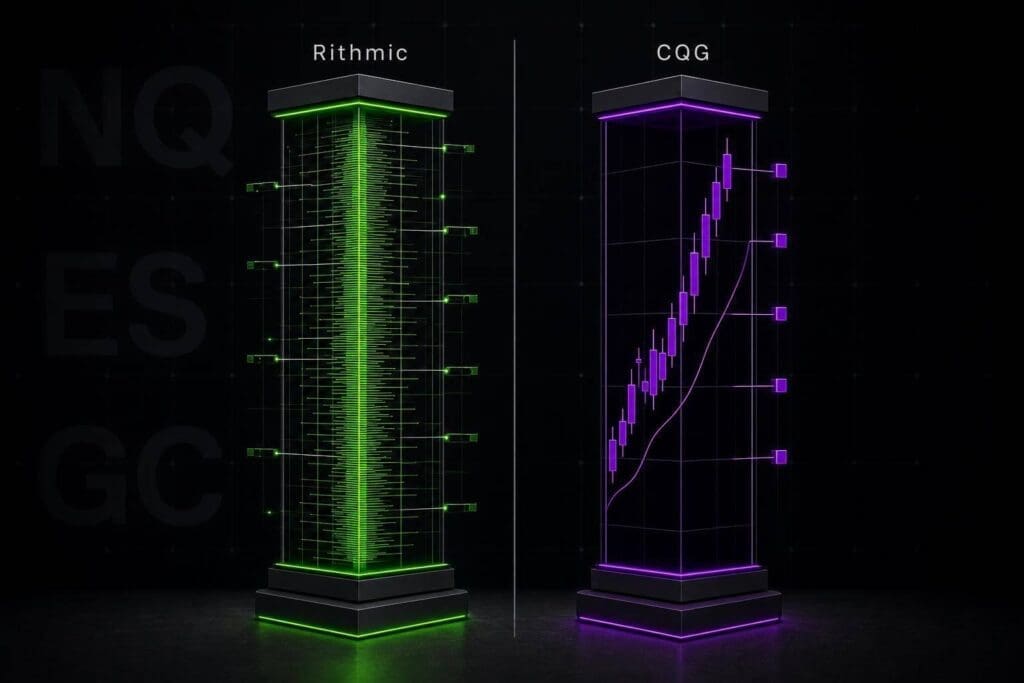
Use Rithmic if your edge lives on the DOM. Use CQG if you want easier platform access and cleaner day-to-day charting. That’s the short version.
I’ll keep this simple: Rithmic is the lower-latency choice for ES and NQ scalpers, while CQG is the easier fit for TradingView, Tradovate, Mac, web, and mobile use. The split shows up most in ladder feel, tick detail, reconnect behavior, and setup pain. If you trade fast and read order flow, the feed matters more than people like to admit. If you’re more chart-first, platform fit usually wins.
Connect Rithmic and CQG to NinjaTrader and Bookmap

sbb-itb-46ae61d
Quick Answer: Which Feed Should You Use?
Rithmic is the better pick for speed-focused traders. CQG is the better pick for traders who need flexibility and broader platform support. If speed is the whole game, go Rithmic. If you want easier access across more platforms, go CQG.
Who Should Use Rithmic
Rithmic fits traders who care about raw speed. If you scalp ES or NQ from the DOM, trade off footprint charts, or need each tick to show up with as little delay as possible, this is the stronger option. It gives you tick-by-tick data with lower latency, and that matters when you’re reading order flow in real time.
It works best with Windows DOM platforms. That’s the sweet spot. The downside is simple: it’s Windows-only, and setup is usually more of a pain than CQG.
Who Should Use CQG
CQG makes more sense if you trade from charts, use TradingView or Tradovate, or want access from a Mac or your phone. The latency is a bit higher than Rithmic, but for discretionary trading, it’s usually fine. It’s also easier to get up and running.
The catch is on the execution feel. The DOM often feels less snappy, and the tick data isn’t as detailed as Rithmic’s. If your whole process leans on order-flow tools, that gap matters.
Here’s the fast version:
| Rithmic | CQG | |
|---|---|---|
| Latency | Lower | Slightly higher |
| Best Platforms | Windows DOM platforms | TradingView, Tradovate |
| OS Support | Windows only | Windows, Mac, Web, Mobile |
| Order Flow Tools | Excellent (tick-by-tick) | Standard |
| Setup Complexity | Higher | Lower |
The gap shows up most in DOM feel, fills, and chart history.
What Changes Day to Day When You Switch Feeds
Those headline differences start to matter once you’re actually trading live. That’s where this stuff stops being theory.
Day to day, you’ll notice it in a few places: how fast the DOM updates, how steady the connection feels during busy sessions, and how fast your charts come back after a reconnect. Rithmic usually feels tighter if you care about speed and ladder response. CQG tends to feel smoother across a broader mix of platforms.
That’s the part that matters. The gap shows up most in live trading, not in marketing copy.
The next sections break down what that means for data delivery, execution, and history.
How Rithmic Works as a Futures Data Feed
Rithmic shines when speed and order-flow detail matter most. It’s built for fast tick delivery and responsive DOM trading. Each price update hits the ladder fast, and that tight feedback loop makes it the stronger pick for ES and NQ scalpers reading order flow in real time.
That said, you pay for that speed in setup friction and chart-history trade-offs.
How CQG Works as a Futures Data Feed
CQG is the more flexible, chart-friendly feed. You give up some DOM speed, but you get broader platform support and smoother day-to-day use. That gap shows up most in DOM feel, chart backfill, and platform choice.
Strengths: Platform Reach, Stable Connectivity, and History Access
CQG does well with broad platform support, steady connectivity, and reliable historical backfill after reconnects. If you trade ES or NQ and run volume profile or footprint charts on Tradovate or TradingView, that matters. After a disconnect, charts usually rebuild cleanly on their own. No manual cleanup. No messing around trying to patch missing data.
Trade-Offs: Slower DOM Response and Less Edge for Fast Scalping
That ease comes with a cost. For fast order-flow trading, CQG feels less responsive in the DOM. If you’re a fast scalper, that can mean less edge than Rithmic.
Platforms and Use Cases Where CQG Fits Best
CQG fits traders who care more about charts than raw DOM speed. It’s a good match for volume profile users and for traders who want Tradovate, TradingView, or multi-device access instead of the sharpest DOM response. Those gaps stand out most when you compare CQG and Rithmic side by side.
Rithmic vs CQG Side by Side
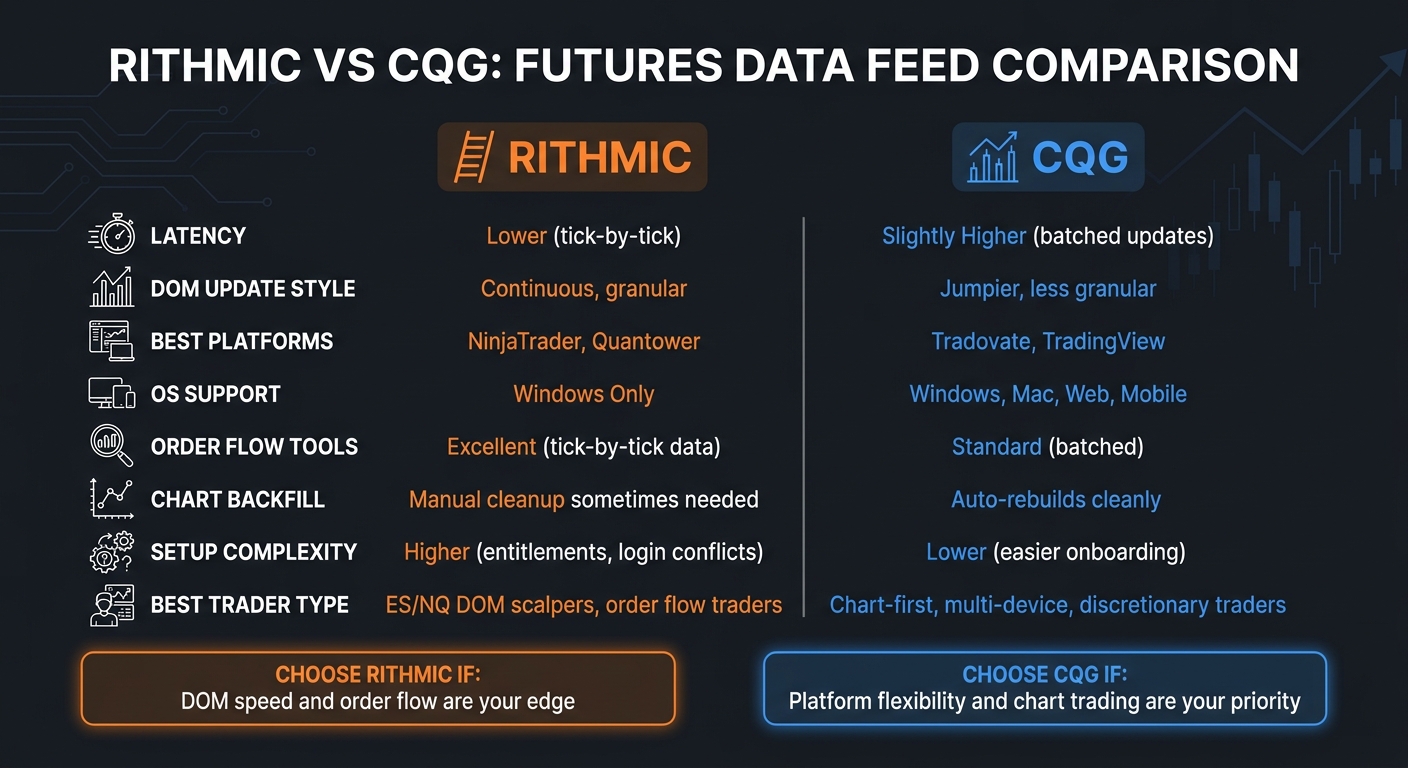
Rithmic vs CQG: Futures Data Feed Comparison
The split is pretty simple: Rithmic leans toward ladder speed, while CQG leans toward platform convenience. What matters is how you trade.
DOM Performance, Footprint Charts, and Order-Flow Data
Rithmic is the better pick for DOM responsiveness because it pushes tick-by-tick data. On a fast tape, that keeps footprint charts and volume profile tools updating trade by trade. Each print lands where it should, without the little gaps or clumps that can mess with your read.
CQG uses batched updates instead. In calm markets, that’s fine. In a hard move, the ladder can feel a bit jumpier and less precise. If you trade order flow and watch absorption, delta shifts, or fast pulls on the DOM, that gap matters.
| Category | Rithmic | CQG |
|---|---|---|
| DOM update style | Tick-by-tick | Batched updates |
| Fast-market ladder feel | Continuous, granular | Jumpier, less granular |
| Typical use case | NinjaTrader scalpers | Tradovate and TradingView users |
Execution Speed, Stability, and Session Reliability
This is where active traders will notice the split fast: fills and order acknowledgment.
In ES or NQ, if you’re firing repeated entries, moving stops, or working bracket orders, you need the round trip between platform and exchange to come back fast. Rithmic has lower latency, so order acknowledgment tends to hit back sooner. That helps when you’re trying to re-enter right after a stop-out or stack orders into a fast reversal.
CQG still routes orders well, but it usually comes with a bit more latency. That trade-off makes sense if you care more about a steady session than shaving off every little bit of fill timing.
Platform Fit and Usability
The same pattern shows up in platform choice.
Rithmic fits NinjaTrader and DOM-heavy setups better. CQG fits Tradovate and TradingView better, especially if you want less friction when switching devices. In plain English: fewer annoying re-logins, fewer chart resets, less messing around just to get back to work.
That split also explains why so many setup headaches happen in the first place.
Common Setup Problems With Rithmic and CQG
Most problems come back to three things: entitlements, duplicate logins, or bad platform mapping. Rithmic is pickier to set up. CQG is easier to get running, but both tend to break in the same predictable ways.
Rithmic Troubleshooting
Rithmic will often connect with no error and still show zero live data. Annoying, but common. The usual cause is missing exchange entitlements. If you didn’t subscribe to CME, CBOT, or NYMEX data, or you skipped the exchange agreements, live quotes, DOM depth, and even history can stay blank after a clean login. Check your account portal and make sure those entitlements are active before the session starts.
The next big one is the duplicate-login error. If R|Trader Pro is open and you fire up NinjaTrader or Quantower without Plug-in mode, one connection can block the other. That’s a classic Rithmic headache. Close the extra app, or reconnect the second platform in Plug-in mode.
Also check server selection early. If your platform is pointed at a Paper Trading server while you’re trying to use a live account, the feed may fail or come through with no data you can use. If you need to narrow it down, open R|Trader Pro and verify the feed there first.
CQG usually breaks in a different way. The connection comes up, but the platform mapping or permissions are off.
CQG Troubleshooting
CQG problems usually show up as stale depth, missing bars, or charts that don’t line up with the tape. When CQG is set up wrong, the pain usually hits chart accuracy and DOM depth more than raw speed. That matters if you’re trading ES or NQ with volume profile or footprint tools. Make sure the platform is mapped to the right CQG connection and that exchange permissions are active. A short pre-open check will catch most of this stuff before the bell.
Pre-Market Checklist to Avoid Feed Problems Before the U.S. Open
Before the U.S. open, do a fast entitlement and connection check.
- Confirm exchange permissions are active and live quotes load before the open. Don’t assume the feed is fine just because it connected.
- Check server selection. Make sure the platform is pointed to the correct live server, not a paper trading setup.
- Rithmic only: close any extra apps using the same credentials unless Plug-in mode is turned on.
Matching the Right Feed to Your Trading Style and Platform
Pick Rithmic if you scalp ES and NQ and spend most of your time on the DOM. It fits traders who care about ladder speed, tight order flow feel, and fast execution on DOM-heavy platforms.
Pick CQG if your workflow starts with charts, not the ladder. It also makes more sense if you want broader device support and a setup that plays nicer across more platforms.
The next sections break it down by trader type: scalpers, chart-first traders, and the platforms they use day to day.
Bottom Line: Rithmic or CQG?
After stacking up speed, history, and platform fit, the answer is pretty simple: use the feed that lines up with how you trade.
Rithmic makes more sense if DOM accuracy is a must-have. Its lower latency and tick-by-tick data make it the stronger fit for ES and NQ scalpers, especially if you’re using NinjaTrader or Quantower [1]. If your edge comes from the DOM, footprint charts, or order-flow tools, that difference matters.
CQG makes more sense if you care more about platform support, chart backfill, and trading across devices. It’s the native feed behind Tradovate and a main connection for TradingView, and it works on Windows, Mac, web, and mobile [1]. That’s just easier if you move between desktop, browser, and phone during the day.
Yes, the latency gap is there. But for most traders, it won’t be the whole story. A CQG setup that fits your workflow will beat a Rithmic setup that keeps getting in your way. Same deal in reverse. Start with platform fit. Then dial in speed.
FAQs
Can I switch between Rithmic and CQG later?
Yes, you can usually switch between Rithmic and CQG, but it comes down to your prop firm’s rules.
Before you change anything, check that your firm allows it. In many cases, you can connect a new platform using your current login details, though you might need to update or reset your account setup first.
One more thing: don’t place orders to the same account from two platforms at the same time. That’s an easy way to create a mess.
Which feed is better for footprint and volume profile charts?
It depends on your platform. Footprint and volume profile quality comes from both the data feed and the charting software.
Rithmic is the more common pick for retail order flow, especially with NinjaTrader and Order Flow+, because the tick-by-tick data is fast and clean. CQG is a solid backup if you want stable, consistent data and older Market Profile tooling that still gets the job done.
That said, don’t blame the feed for everything. If you stack heavy indicators, custom overlays, and too many chart studies on top, you can still get lag on either one.
How do I know if feed latency matters for my style?
It mostly comes down to how fast you trade and how small your target is.
If you’re scalping under 4 ticks in ES or NQ and you’re out in less than 2 minutes, feed and platform speed can matter. In that style, latency affects how current the market looks when you place orders. A small delay can be the difference between the price you saw and the fill you get.
If you’re holding for more than 5 minutes and going after 8+ ticks, latency is usually just noise. For a lot of discretionary traders, your own reaction time matters more than a 1–10 ms difference in data feed speed.