ProjectX Is Now Exclusive to Topstep in 2026
The futures prop firm platform landscape shifted hard in early 2026. ProjectX — the underlying platform technology that once powered trading dashboards across Bulenox, Tradeify, Lucid Trading, Alpha Futures, Phidias, and TradeDay — moved to an exclusive licensing deal with Topstep at the end of February 2026. Every other prop firm lost access within weeks.
Then on April 1, 2026, Topstep acquired The Futures Desk, the last remaining ProjectX partner firm, folding TFD-X into TopstepX entirely. As of mid-2026, ProjectX technology exists exclusively as TopstepX — Topstep’s branded trading platform for their evaluations, funded accounts, and the new Topstep Brokerage live trading product.
If you’re looking to trade on ProjectX in 2026, the only way to do it is to trade with Topstep. Period. This guide covers everything you need to know about the platform, its features, how to access it, and what replaced ProjectX at every other futures prop firm that used to offer it.
Quick Summary: ProjectX vs TopstepX in 2026
- ProjectX — The underlying trading platform technology. No longer licensed to any third-party prop firms.
- TopstepX — Topstep’s branded implementation of ProjectX. The only way to use ProjectX in 2026.
- Access — Exclusively through Topstep evaluations, funded accounts, or Topstep Brokerage.
- Migration path for former ProjectX users — Most have moved to Tradovate Prop or Rithmic-based stacks like TradeSea.
What Is ProjectX? (And How It Became TopstepX)
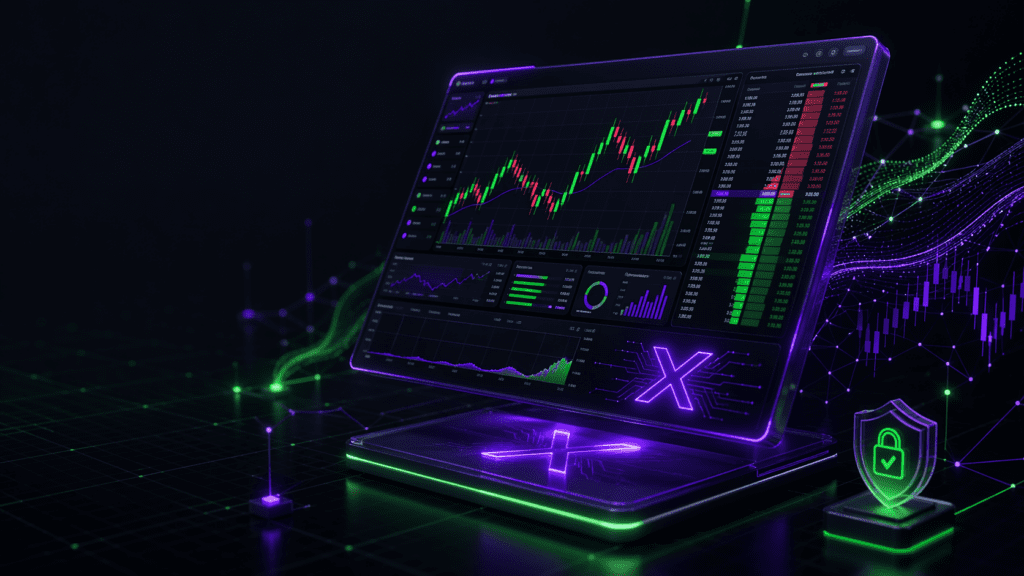
ProjectX is a web-based futures trading platform originally built as white-label technology for prop firms. Instead of each firm building their own trading interface, they licensed ProjectX and branded it for their traders — Bulenox called it “Bulenox ProjectX,” TradeDay called it “TradeDayX,” Alpha Futures called it “AlphaTicks,” and so on. At its peak in 2025, ProjectX powered platforms at nearly a dozen major futures prop firms.
The platform’s core appeal was a blend of TradingView-style charting with aggressive prop-firm risk controls: daily loss limits, trailing drawdown enforcement, contract size caps, bracket orders, and a Manual Lockout button to prevent tilt trading. Prop firms loved it because it protected firm capital. Traders liked it because the firm rules were visible and enforced at the platform level, not hidden in support emails after a rule breach.
The February 2026 Licensing Change
In late November 2025, ProjectX notified all third-party prop firm partners that their licensing would terminate — every firm except Topstep. The service cutoff date was set for February 28, 2026. Prop firms had roughly three months to migrate traders off their ProjectX-branded platforms onto alternatives.
In a letter to at least one affected prop firm, ProjectX cited “shifts in operational demands and upcoming compliance reporting, oversight, and audit requirements” as the reason for ending third-party support. Whatever the real driver, the result was clear: ProjectX consolidated entirely behind Topstep.
Topstep Acquires The Futures Desk (April 1, 2026)
Five weeks after the licensing cutoff, Topstep completed another major move. On April 1, 2026, Topstep officially acquired The Futures Desk — the last firm that had been running TFD-X on ProjectX technology. TFD co-founders Josh Schwartzberg and Brian Ford joined Topstep, and TFD’s technology was folded directly into TopstepX. This closed the loop: ProjectX technology now exists only within the Topstep ecosystem.
TopstepX Features: What You Get When You Trade on ProjectX
Since TopstepX is the only place ProjectX technology lives in 2026, understanding TopstepX’s features means understanding what ProjectX offers. Here’s what the platform delivers for futures prop traders at Topstep.
Core Trading Features
- TradingView-style charting — ProjectX partnered with TradingView, giving TopstepX access to charts, indicators, and drawing tools directly inside the platform
- Drag-and-drop order entry — Place and manage orders directly on the chart with visual feedback
- Depth of Market (DOM) trading — Clean ladder interface with one-click entries, exits, and bracket orders
- Bracket orders and OCO — Auto-set take profit and stop loss on every trade; configure multiple bracket templates
- Unfiltered CME market data — Low-latency futures data updated in milliseconds
- Web and mobile access — No heavy desktop install, trades sync across devices
Risk Management and Lockout Tools
TopstepX is opinionated about discipline. The platform doesn’t just warn you when you’re close to a rule breach — it actively prevents breaches and locks you out when limits are hit.
- Daily loss limits — Platform-enforced. Hit your daily loss, and TopstepX auto-liquidates your open positions. You can choose whether the platform locks you out for the rest of the session or lets you keep trading after flattening.
- Trailing drawdown enforcement — Your max drawdown moves with your account highs automatically. Breach it, and the account is flagged immediately.
- Profit target auto-lock — Optionally configure the platform to lock you out for the rest of the day after hitting a daily profit target, protecting gains from emotional givebacks.
- Contract size caps — Set maximum contract size per instrument (e.g., “no more than 2 MNQ contracts”). The platform refuses oversize orders even if you try.
- Manual Lockout button — One click and you’re out for the session. No new orders, open positions flattened (optional). This is the ultimate tilt prevention tool.
What TFD Brought to TopstepX
After Topstep acquired The Futures Desk in April 2026, TFD’s technology was integrated directly into TopstepX. The goal, per Topstep’s announcement, was “more developmental tools that help traders learn, integrated into TopstepX.” In practice, this means improved trader coaching features, better progression tracking from simulator to live accounts, and tighter integration with Topstep Brokerage for funded trader graduation to live capital.
How to Access ProjectX and TopstepX in 2026
There’s only one way to access ProjectX in 2026: through Topstep. ProjectX is not sold as a standalone platform, there’s no direct download, and no other prop firms license it. If you want the ProjectX trading experience, you’re using TopstepX via Topstep.
Where Does TopstepX Fit in the Topstep Product Lineup?
Topstep launched Topstep Brokerage alongside TopstepX in 2026, creating a full trader lifecycle inside one ecosystem:
- Topstep Trading Combine — The evaluation program where traders prove their skills on simulated capital
- Funded Accounts — Post-evaluation simulated-funded phase where traders earn payouts
- TopstepX Platform — The ProjectX-powered trading platform used at every stage
- Topstep Brokerage — CFTC/NFA-registered introducing broker for live live trading after graduation (launched on TopstepX)
TopstepX Login and Dashboard
Once you have an active Topstep account, TopstepX login happens through the Topstep member dashboard. The TopstepX dashboard shows:
- Current account balance and P&L for each evaluation or funded account
- Trailing drawdown status and daily loss thresholds (updated in real time)
- Open positions and working orders across all connected accounts
- Consistency rule progress (if applicable to your account type)
- Performance stats including win rate, profit factor, and average trade size
- Quick access to the Manual Lockout button for self-imposed session limits
Topstep rolled out a redesigned TopstepX dashboard in early 2026 with cleaner navigation, improved risk visibility, and mobile-optimized layouts. If you’re searching for information about the “new Topstep dashboard,” this is the ProjectX-powered interface that replaced the older Topstep trader platform.
Is There a ProjectX Download?
No. ProjectX and TopstepX are both web-based platforms. There is no standalone ProjectX desktop download, no installer, and no mobile app separate from the Topstep ecosystem. TopstepX runs entirely in the browser, which means:
- No software installations on your computer
- Access from any device with a web browser (Chrome, Safari, Firefox, Edge)
- Automatic updates — you’re always on the latest version
- Cross-device workspace sync when you log in from desktop, laptop, or mobile
This is the intentional design philosophy: ProjectX was built as a cloud-first platform to eliminate software version issues that plague legacy futures trading platforms.
The Great ProjectX Exodus: What Happened at Every Firm That Used to Offer ProjectX
Before February 2026, nine futures prop firms offered some form of ProjectX-based platform. Today, only Topstep has access. Here's what happened at every firm that used to run on ProjectX technology, and what they migrated to.
| Former ProjectX Platform | Prop Firm | Status in 2026 | Current Platforms |
|---|---|---|---|
| TopstepX | Topstep | ✅ Active (exclusive) | TopstepX only |
| TFD-X | The Futures Desk | ❌ Acquired by Topstep | Traders migrated to TopstepX |
| Bulenox ProjectX | Bulenox | ❌ Shut down Feb 2026 | Tradovate, Rithmic, NinjaTrader |
| Tradeify ProjectX | Tradeify | ❌ Shut down Feb 2026 | Tradovate, Rithmic, NinjaTrader, TradingView |
| Lucid ProjectX | Lucid Trading | ❌ Shut down Feb 2026 | Tradovate, Rithmic, NinjaTrader, TradingView |
| AlphaTicks | Alpha Futures | ❌ Shut down Feb 2026 | Tradovate, Rithmic, NinjaTrader |
| Phidias ProjectX | Phidias Prop Firm | ❌ Shut down Feb 2026 | Rithmic, NinjaTrader |
| TradeDayX | TradeDay | ❌ Shut down Feb 2026 | Tradovate, Rithmic, NinjaTrader |
If You Used to Trade on a ProjectX Platform, Here's What to Use Now
For most traders who lost access to their firm's ProjectX platform, the closest functional replacement is Tradovate Prop. It offers a similar web-based, clean interface with prop-aware risk tools, Manual Lockout, and multi-firm account management. Tradovate Prop is supported at every major futures prop firm except Topstep.
For traders who want a more modern web interface with Rithmic's low-latency connectivity, TradeSea is the closest ProjectX-equivalent experience available at non-Topstep firms. It's built on Rithmic but offers TradingView-style charts, drag-and-drop orders, multi-account management, and configurable risk lockouts.
For deeper comparisons, see our complete guide to the best prop firm trading platforms in 2026.
TopstepX vs Tradovate Prop vs Rithmic: The 2026 Comparison
Since you can only use ProjectX through Topstep now, the real question isn’t “ProjectX vs Tradovate” anymore — it’s “Topstep or not Topstep.” Here’s how TopstepX stacks up against the platforms available at every other futures prop firm.
| Feature | TopstepX (ProjectX) | Tradovate Prop | Rithmic Stacks |
|---|---|---|---|
| Available At | Topstep only | Most major futures prop firms | Most major futures prop firms |
| Execution Style | Web-based with TradingView charting | Web-based with clean modern UI | Desktop platforms like Quantower, NinjaTrader, Sierra Chart |
| Risk Enforcement | Firm-level enforced (auto-flatten on breach) | User-level Manual Lockout + prop-aware warnings | Relies on prop firm backend + trader discipline |
| Multi-Firm Support | ❌ Topstep accounts only | ✅ Connect multiple prop firms in one workspace | ⚠️ Manual — connect different accounts per platform |
| Best For | Topstep traders who want firm-enforced discipline | Multi-firm traders who want clean web UI and prop-aware tools | Scalpers, algo traders, order-flow specialists |
| Latency | Web-class (fast enough for most intraday trading) | Web-class | Lowest latency available |
When to Pick TopstepX
TopstepX makes sense if:
- You want to trade with Topstep specifically (longest-running futures prop firm, operating since 2012)
- You value firm-enforced discipline over platform flexibility — the platform will flatten and lock you out when you breach rules, no negotiation
- You want the ProjectX/TradingView charting experience specifically
- You plan to use Topstep Brokerage for eventual live trading after graduation
- You’re okay with being locked into one prop firm ecosystem
When to Skip TopstepX (and Pick Tradovate Prop Instead)
Pick Tradovate Prop if:
- You want to trade multiple futures prop firms simultaneously — Tradovate Prop connects to Apex, Tradeify, TPT, Lucid, FundedNext, TradeDay, Alpha Futures, Bulenox, Phidias
- You want a web-based platform with prop-aware risk dashboards without firm-enforced lockouts
- You want TradingView integration through Tradovate’s broker bridge
- You’re scaling across 5-20 accounts and need Tradovate’s group trading feature
When to Skip Both (and Pick a Rithmic Stack)
Go with Rithmic-based platforms (Quantower, NinjaTrader, R|Trader Pro, Sierra Chart, or TradeSea) if:
- You scalp the NQ or ES ladder tick-by-tick and need ultra-low-latency execution
- You run algorithmic strategies
- You rely on advanced order flow, footprint charts, or DOM visualization
Should You Trade With Topstep to Access ProjectX?
Honestly? It depends entirely on whether Topstep fits your trading style. ProjectX as a platform is solid — that’s why the technology has survived this long. But trading exclusivity through a single prop firm means you’re evaluating Topstep as a whole, not just the platform.
Topstep has been operating since 2012, making them one of the oldest and most battle-tested futures prop firms in the industry. They’re CFTC-registered through Topstep Brokerage, they’ve paid out hundreds of millions to traders over the years, and their rule transparency is among the best in the industry.
The tradeoffs: Topstep’s evaluation is more structured than some competitors (you need specific winning days to qualify for payouts), they don’t offer instant funding options like Tradeify Lightning Funded or Lucid Direct, and their discount promotions tend to be smaller than aggressive competitors like Apex or Bulenox.
If you want to trade on ProjectX, you trade with Topstep. For most traders, that’s a reasonable tradeoff — you’re getting a veteran prop firm with one of the most polished platforms in futures. For other traders who want multi-firm flexibility or aggressive discounts, Tradovate Prop at firms like Apex, Tradeify, or Lucid Trading will be a better fit.
Next steps:
- Read our full Topstep review for pricing, rules, and payout details
- Compare against the complete futures prop firm rankings
- Check all live prop firm discounts before signing up (use code DGT for the biggest verified discount)
ProjectX & TopstepX FAQ (2026)
Honest answers about ProjectX, TopstepX, the February 2026 licensing change, and what replaced ProjectX at every prop firm that used to offer it.
Is ProjectX only available at Topstep in 2026?
What is the difference between ProjectX and TopstepX?
Can I still use ProjectX at Bulenox, Tradeify, Lucid, or TradeDay?
Is there a ProjectX download or desktop app?
How do I log in to TopstepX?
Why did ProjectX become exclusive to Topstep?
What risk controls does TopstepX have?
- Daily loss limits — auto-liquidate on breach with optional lockout until next session
- Trailing drawdown enforcement — moves with your account highs automatically
- Profit target auto-lock — optionally lock yourself out after hitting a daily profit target
- Contract size caps — set max contract size per instrument (e.g., max 2 MNQ), platform refuses oversize orders
- Manual Lockout button — one-click session kill switch
- Bracket orders and OCO — auto-set take profit and stop loss on every trade