Trading futures with algorithms isn’t just for big institutions anymore. Platforms like NinjaTrader, QuantConnect, and Rithmic have leveled the playing field, giving retail traders access to lightning-fast execution and advanced tools. Whether you’re scalping ES contracts or building multi-asset strategies, the right platform can make or break your edge.
This guide breaks down the top platforms, their features, and how they stack up for best futures prop firms. If you’re trying to decide between NinjaTrader’s tick-level precision or QuantConnect’s cloud backtesting, or you’re navigating prop firm rules like Apex’s Rithmic-only setups, you’re in the right place. Let’s cut through the noise and get straight to what matters.
Spotting Institutional Algorithmic Behavior within the S&P 500
sbb-itb-46ae61d
Key Features to Look for in Futures Algorithm Execution Platforms
When it comes to futures algorithms, success hinges on more than just solid code. Latency, data quality, and risk controls are what separate the amateurs from the pros. Let’s dive into what really matters.
Real-Time Data and Low Latency
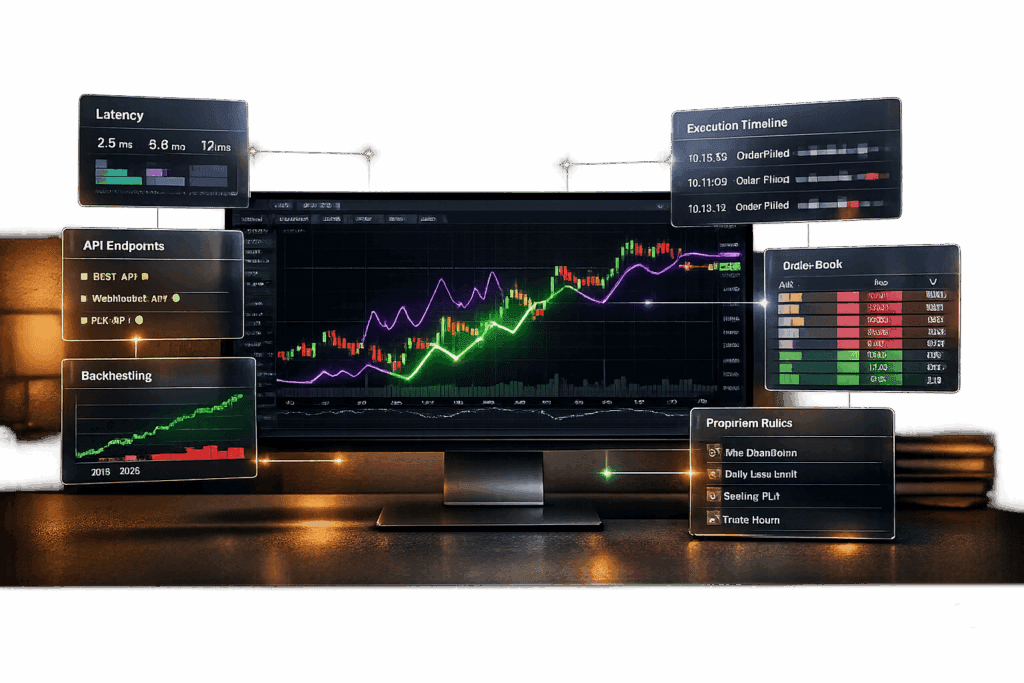
In trading, milliseconds can make or break your execution. Anything over 200 ms is slow and can lead to slippage or outright trade failures [10]. For top-tier execution:
- R|Trader Pro by Rithmic: Offers sub-2 ms execution through co-location options [2].
- TabTrade: Executes as low as 20 ms on specific accounts [10].
- Pepperstone Razor Accounts: Typically fills orders in under 50 ms [10].
Take MIAC Analytics, for example. In 2026, they integrated CME Group TBA Futures via a WebSocket API. Danielle Roper, a Senior TBA Trader, said:
"We’ve been able to demonstrate, with measurable metrics, an improvement of nearly 2/32nd in execution since we started using the MIAC Market Monitor with the CME Group TBA Futures integration via WebSocket." [8]
Platforms like Rithmic, which supports over 20 third-party platforms (e.g., NinjaTrader, Sierra Chart), and ProjectX, offering real-time CME data with 50 ms updates, are favorites among algo traders [4]. To cut down latency, consider using a VPS or co-location service to keep your algorithms running 24/7 near exchange data centers [1][2].
Speed is critical, but your platform also needs to support the contracts you trade.
Futures Contract Support
Make sure your platform handles the contracts you’re trading. Popular CME contracts like ES (E-mini S&P 500), NQ (E-mini Nasdaq-100), CL (Crude Oil), and GC (Gold) are staples for many algo traders. If you’re trading micro contracts or niche futures, double-check compatibility upfront.
Also, confirm the platform integrates with your prop firm’s setup. Firms like Apex Trader Funding, Topstep, and Take Profit Trader often restrict connections to specific platforms like Rithmic or Tradovate. For advanced traders, Level 2 DOM data is essential to see the full order book and track liquidity changes [9].
Once you’ve nailed down contract support, it’s time to test your strategy.
Backtesting and Strategy Optimization
Backtesting is where you find out if your strategy holds water. Done right, it ensures your simulated results can actually work in live markets. Here’s how some platforms stack up:
- NinjaTrader: Offers the Strategy Analyzer and Market Replay for tick-by-tick simulation.
- TradeStation: Provides decades of historical data and walk-forward analysis.
- MultiCharts: Runs optimization tests about 20% faster and uses bid/ask data for realistic fills.
- QuantConnect: Processes a 10-year backtest in about 30 seconds thanks to its cloud-based system.
- Sierra Chart: Built for low-latency traders with a high-performance engine.
| Platform | Best For | Coding Required | Key Backtesting Feature |
|---|---|---|---|
| NinjaTrader | Active futures traders | Optional (C#) | Strategy Analyzer & Market Replay |
| TradeStation | Historical data depth | Optional (EasyLanguage) | Walk-forward analysis |
| MultiCharts | Speed & portfolio testing | Optional (PowerLanguage) | Bid/Ask fill simulation |
| QuantConnect | Cloud-based algorithms | Required (Python/C#) | Massive parallel cloud testing |
| Sierra Chart | Low-latency pros | Optional (C++) | High-performance engine |
Key tip: Use tick-by-tick data instead of just OHLCV bars for intraday strategies. Walk-forward optimization helps avoid curve-fitting traps. And don’t forget to factor in slippage, commissions, and bid/ask spreads when simulating performance.
Once your strategy is fine-tuned, the next step is seamless automation with APIs.
API Integration and Compatibility
APIs are the backbone of custom algorithms and fully automated trading. Platforms like Interactive Brokers TWS, NinjaTrader, and QuantConnect all offer solid API support.
For example, CME Group’s real-time API has tiered pricing starting at $0.50 per GB (plus ILA fees), while their WebSocket API delivers platform-agnostic JSON data with a 500 ms conflation delay [8]. If you’re running high-frequency algorithms, direct market access through exchange feeds might be a better fit than conflated data [9].
Before committing to a platform, check your prop firm’s consistency and automation rules. Some, like FundedNext Futures and Lucid Trading, allow trading bots and Expert Advisors. Others, like Alpha Futures, Apex Trader Funding, and Take Profit Trader, have stricter policies [4][5]. Also, confirm whether strategies like latency arbitrage or high-frequency trading are permitted, as these often come with extra restrictions [4].
Strong API integration ensures your strategy runs smoothly across platforms and meets firm requirements.
Pricing and Subscription Plans
Professional-grade platforms aren’t cheap. Here’s a breakdown of typical costs:
- Sierra Chart: Starts at about $26 per month.
- MultiCharts: Around $99 per month.
- NinjaTrader: Free for basic use, but a lifetime license costs roughly $1,000 [11].
- QuantConnect: Freemium model, with paid tiers offering better data access and computational power.
Don’t forget about data fees. Starter plans for futures data and platform access usually range from $77 to $80 per month [6][7]. If you’re trading with a prop firm, evaluation fees vary widely – from $37 at Apex to $350 for MFF Eval Flex. Activation fees can range from $0 (e.g., My Funded Futures, Alpha Futures, Tradeify) to about $150 at Apex [6][7].
When choosing a platform, balance these costs against the features you need to execute your strategy effectively. The right setup can make all the difference.
Top Platforms for Futures Algorithm Trading
When it comes to turning your strategy into results, picking the right execution platform is just as critical as having solid risk controls. Each platform has its perks – whether it’s lightning-fast execution, user-friendly design, or access to global markets. Let’s break down the top players.
NinjaTrader
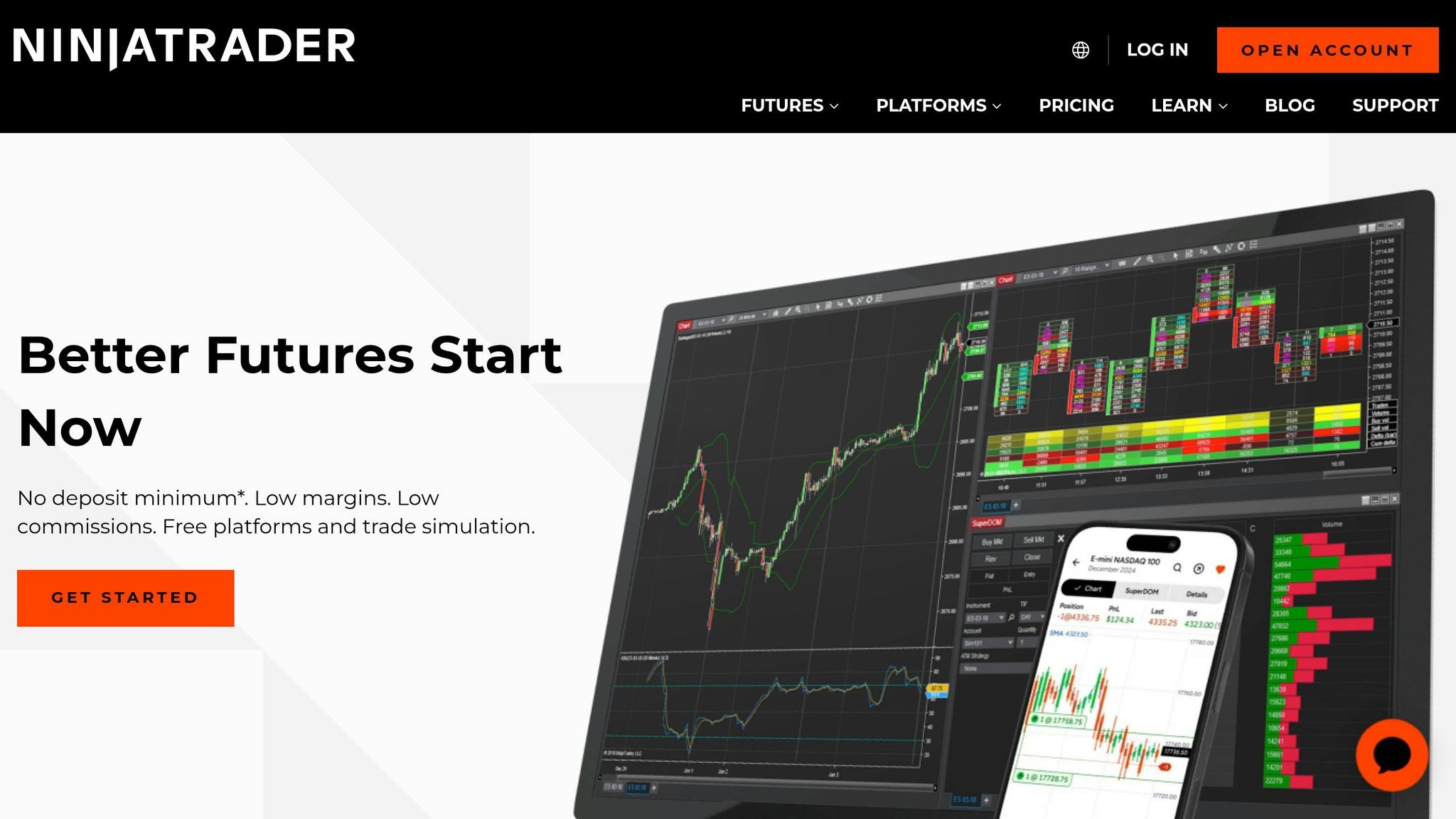
NinjaTrader is built for futures traders who want full control. Its NinjaScript framework, powered by C#, gives you direct access to account balances, order execution, and market data [1]. Not into coding? No problem. The platform’s point-and-click strategy builder lets you create basic algorithms without writing a single line of code. While the basic version is free, advanced tools require a paid license.
Key features include the Strategy Analyzer and Market Replay tools, which allow for tick-by-tick backtesting – perfect for intraday futures strategies. NinjaTrader is a go-to for many prop traders, including those at Apex Trader Funding and Take Profit Trader, thanks to its support for Rithmic connectivity and ultra-low latency execution [4].
MetaTrader 5 (MT5)
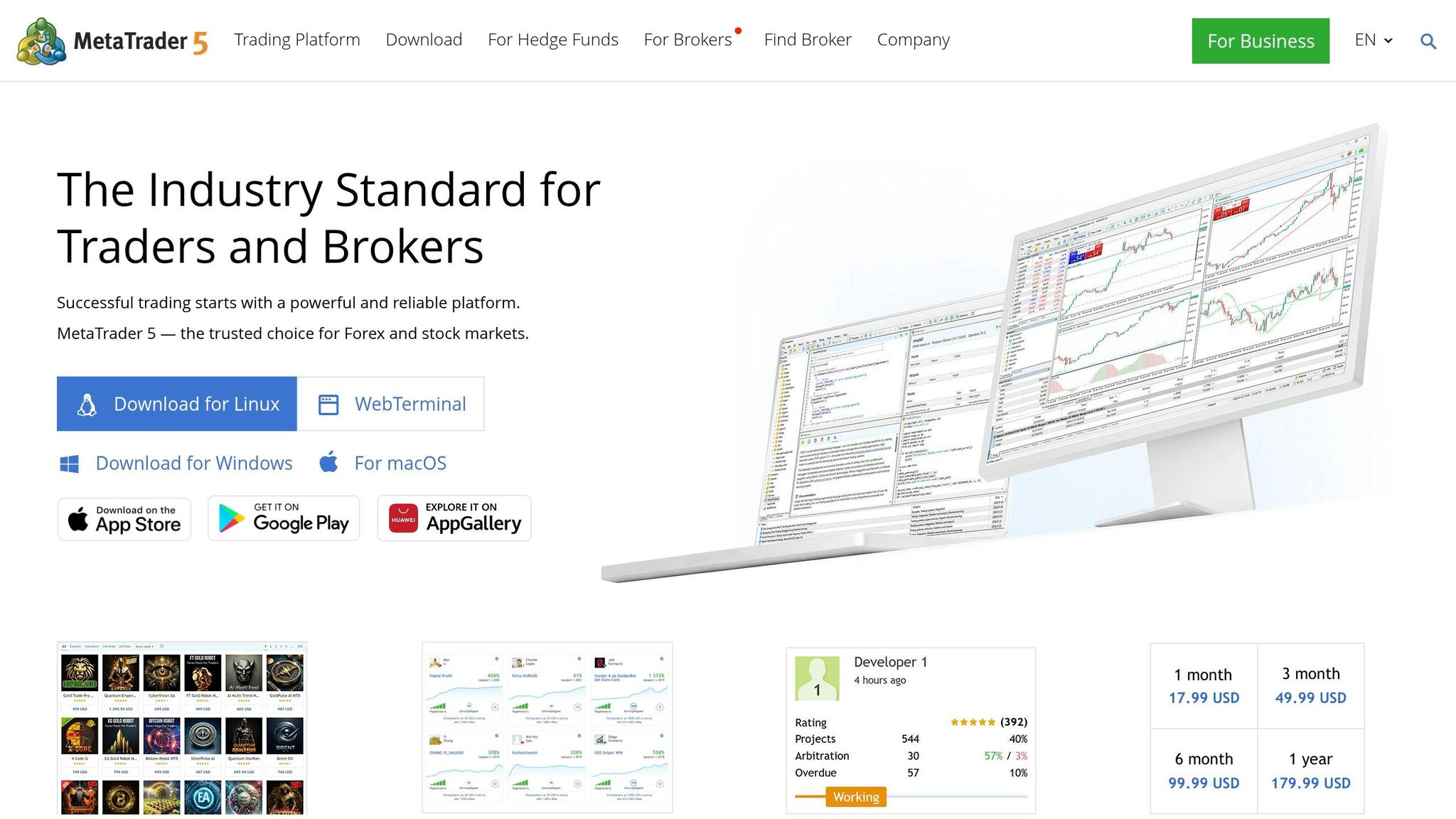
MT5 is another solid choice for futures algo trading. It uses Expert Advisors (EAs), which are programmed in MQL5, to automate strategies based on technical indicators or preset rules [12]. You can backtest these EAs on historical data, making it a good fit for both retail and advanced traders.
While MT5 is more desktop-centric, running it on a VPS can keep your algorithms running 24/7. Be aware, though, that some prop firms, like Alpha Futures, don’t allow automated trading [4].
QuantConnect
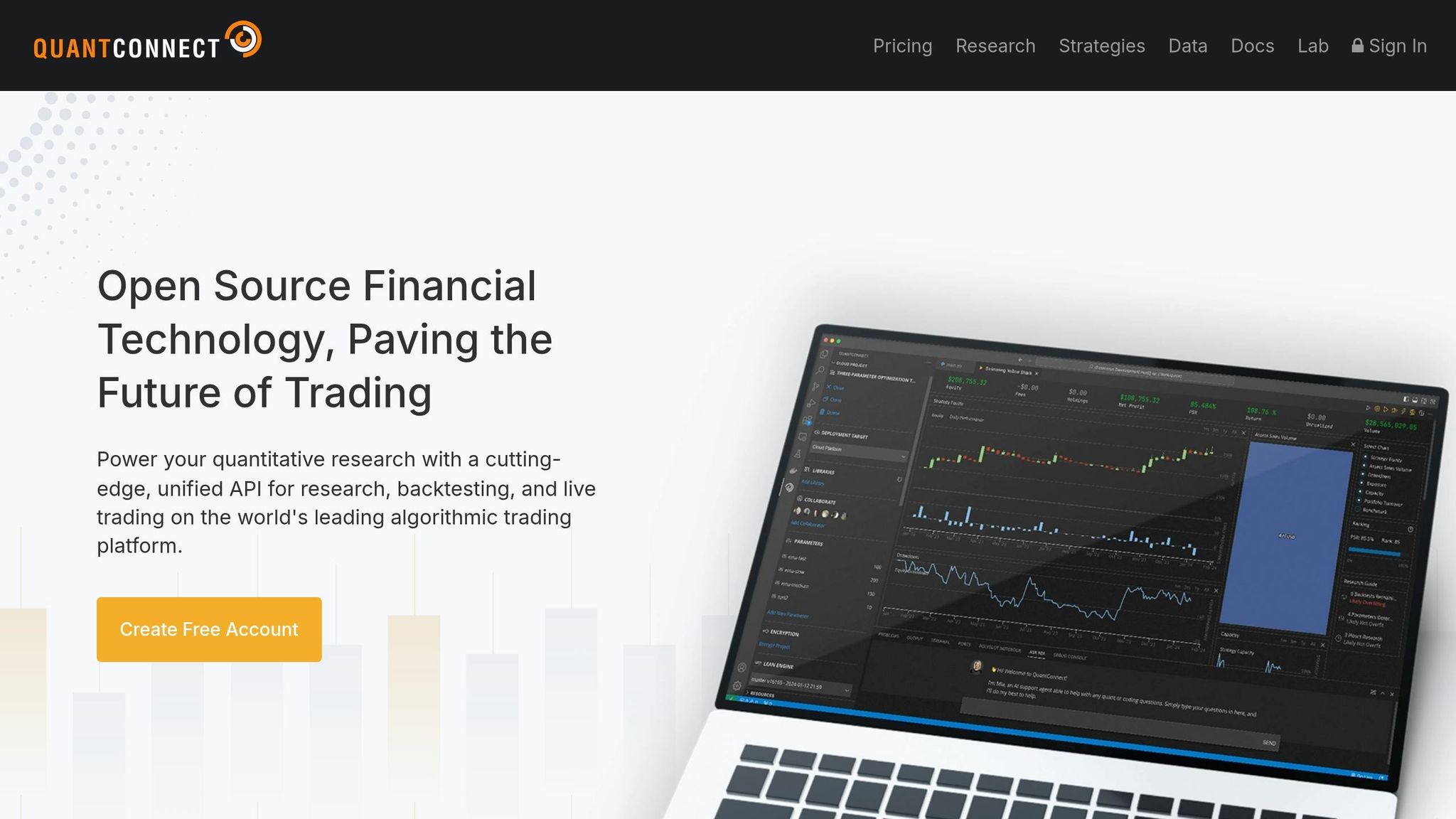
QuantConnect is a cloud-based platform designed for quants and developers. It runs on the LEAN engine, written in C#, but also supports Python [13]. The standout feature? Speed. QuantConnect can handle a 10-year backtest in just 30 seconds using its cloud infrastructure.
That said, live trading has a 4GB RAM limit, and the Python wrapper can slow things down compared to native code [13]. Pricing starts at $60/month, with premium research servers costing up to $400/month. Some users, like Charles, have reported slower backtesting even on upgraded plans [13]. It’s best for traders who need bundled data and large-scale backtesting without managing their own hardware.
TradeStation
TradeStation is a feature-rich platform aimed at active traders. Its proprietary EasyLanguage is beginner-friendly, but it also supports Python, C#, and C++ for more advanced users [1]. The platform offers cloud hosting, letting you run algorithms around the clock – a big plus for non-stop trading.
If you maintain a $10,000 account balance, you can use TradeStation for free, including API access. It also provides extensive historical data and walk-forward analysis for thorough backtesting.
Interactive Brokers TWS
Interactive Brokers TWS is a favorite among pros who need access to global markets. Its flexible API suite supports Python, Java, and C++, and it provides real-time exchange quotes for over 13,000 futures contracts across 160 markets [1]. If you’re trading international futures or juggling multi-asset strategies, IBKR is hard to beat.
You’ll need to manage your own data subscriptions [14], but the platform is free to use as it’s brokerage-based. With features like hotkeys and advanced execution algorithms, it’s built for low-latency order management. According to IBKR Campus:
"The TWS API is used to integrate the TWS platform into existing applications and websites. It enables customers to access stocks, options, forex, and bonds" [14].
This makes it a great choice for traders building a custom, high-performance setup.
| Platform | Key Algorithmic Feature | Primary Language | Best For |
|---|---|---|---|
| NinjaTrader | NinjaScript Framework | C# | Futures-focused traders |
| MetaTrader 5 | Expert Advisors (EAs) | MQL5 | Multi-market automation |
| QuantConnect | LEAN Engine (Cloud) | Python, C# | Cloud-based quants |
| TradeStation | EasyLanguage & Web API | EasyLanguage, Python, C# | Comprehensive automation |
| IBKR TWS | Professional API Suite | Python, Java, C++ | Global market access |
Each platform has its pros and cons. NinjaTrader and TradeStation are excellent for U.S.-focused futures traders, while IBKR stands out for its global reach. QuantConnect is ideal for cloud-based quants, and MT5 is a reliable pick for those trading across forex and futures. Your choice should depend on your coding skills, market focus, and whether your prop firm supports the platform. Next, we’ll dive into how these platforms work with top futures prop firms like Apex Trader Funding and Topstep.
Platform Comparison Table
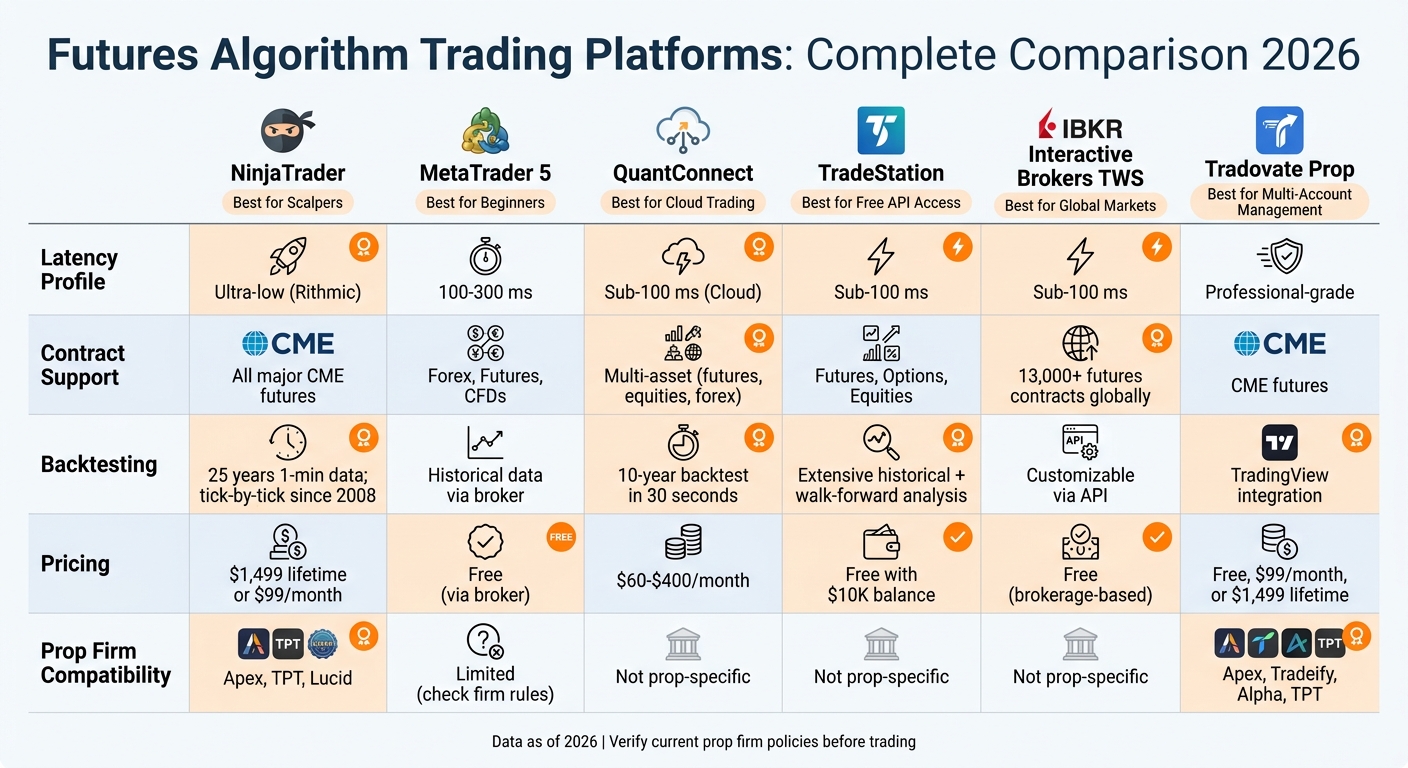
Futures Algorithm Trading Platforms Comparison 2026
Choose a platform that fits your trading style, budget, and the prop firm you’re working with. Here’s a breakdown of the key features for each platform.
NinjaTrader is all about speed. It uses Rithmic for ultra-low latency, making it a go-to for scalpers working with tick-level precision. It supports all major CME futures contracts and offers a lifetime license for $1,499, so you can skip monthly fees. This platform works with firms like Apex Trader Funding, Take Profit Trader, and Lucid Trading. Plus, it offers 25 years of 1-minute and tick-by-tick backtesting data going back to 2008 [16].
MetaTrader 5 is a beginner-friendly option, often free through brokers. It supports forex, futures, and CFDs, but with latency in the 100–300 ms range, it’s better for swing trading than high-speed scalping [15]. The MQL5 community is huge, attracting over 7 million unique visitors monthly and offering tons of pre-built Expert Advisors [16]. Keep in mind, some firms like Alpha Futures don’t allow automated trading [4].
QuantConnect is a cloud-based platform designed for quants who need fast execution without the hassle of managing hardware. It can handle a 10-year backtest in just 30 seconds. Plans start at $60/month, with high-end research servers available for $400/month. It’s ideal for traders who want bundled data and large-scale backtesting.
TradeStation is a solid choice if you’re into automation. It offers free API access as long as you keep a $10,000 account balance [1]. You can program in EasyLanguage, Python, C#, or C++, and it provides cloud hosting for algo execution. With professional-grade latency and historical data that includes walk-forward analysis, it’s a great middle ground for active traders who want advanced tools without recurring software costs.
Interactive Brokers TWS is a heavy hitter, offering real-time quotes for over 13,000 futures contracts across 160 markets [1]. Its API supports Python, Java, and C++, and the platform itself is free since it operates on a brokerage model. You will need to manage your own data subscriptions [14], but it’s a strong option for international futures and multi-asset strategies. Margin rates for smaller balances range from 4.140% to 6.140% [17].
Here’s a quick comparison of the platforms:
| Platform | Latency Profile | Contract Support | Backtesting | Pricing | Prop Firm Compatibility |
|---|---|---|---|---|---|
| NinjaTrader | Ultra-low (Rithmic) | All major CME futures | 25 years of 1-min data; tick-by-tick since 2008 | $1,499 lifetime or $99/month | Apex, TPT, Lucid |
| MetaTrader 5 | 100–300 ms | Forex, Futures, CFDs | Historical data via broker | Free (via broker) | Limited (check firm rules) |
| QuantConnect | Sub-100 ms latency (Cloud) | Multi-asset (futures, equities, forex) | 10-year backtest in 30 seconds | $60–$400/month | Not prop-specific |
| TradeStation | Sub-100 ms latency | Futures, Options, Equities | Extensive historical data with walk-forward analysis | Free with $10K balance | Not prop-specific |
| IBKR TWS | Sub-100 ms latency | Over 13,000 futures contracts globally | Customizable via API | Free (brokerage-based) | Not prop-specific |
| Tradovate Prop | Professional-grade | CME futures | TradingView integration | Free, $99/month, or $1,499 lifetime | Apex, Tradeify, Alpha, TPT |
Tradovate Prop is another cloud-based platform, but it stands out with its TradingView integration and multi-account management for up to 20 accounts at once [3][6]. Pricing is flexible: a free tier with standard commissions ($0.39 micro / $1.29 standard per side), a $99/month plan for lower commissions ($0.29 micro / $0.99 standard), or a $1,499 lifetime license for the best rates [16].
For serious backtesting and high-speed execution, Adrian Reid, Founder of Enlightened Stock Trading, puts it simply:
"NinjaTrader is the more capable platform" [16].
But if you’re just starting out, Steven Hatzakis, Global Director of Online Broker Research at ForexBrokers.com, recommends:
"The best algorithmic trading software for beginners is the MetaTrader platform suite" [16].
Match your platform to your strategy, latency needs, and the rules of your prop firm. Up next, see how these platforms stack up with top futures prop firms like Apex Trader Funding and Topstep.
Integration with Futures Prop Firms
When it comes to running algorithms with futures prop firms, it all boils down to the connectivity layer your firm uses – Rithmic, Tradovate, or ProjectX. If you’re working with Apex Trader Funding, for instance, you’ll need a platform that supports either Rithmic or Tradovate, as those are the only feeds Apex provides. On the other hand, Topstep has moved almost entirely to TopstepX, which is built on ProjectX. This switch means you can’t use Rithmic or Tradovate for any new combines with them.
Before you dive in with your algorithm, confirm your prop firm’s stance on automation. Some firms, like FundedNext and E8 Futures, openly allow bots and Expert Advisors. Others, such as Apex Trader Funding and Take Profit Trader, have stricter rules and may prohibit automated trading in specific scenarios. Even if bots are banned, trade copiers like TradeSyncer can still let you mirror manual trades across multiple accounts without violating the rules. Let’s break down the integration details for some of the major firms.
Apex Trader Funding Compatibility
Apex Trader Funding supports both Rithmic and Tradovate, giving you some flexibility in how you connect. If you’re using NinjaTrader with Rithmic, you can plug directly into your Apex account and run algorithms with very low latency. For those on TradingView, a service like PickMyTrade offers a webhook bridge for about $50 a month, letting you send alerts straight to Tradovate-powered Apex accounts.
Apex also allows scaling up to 20 accounts at once. Using a trade copier, you can replicate your algo’s signals across all your funded accounts almost instantly. That said, Apex does have restrictions on bots in specific contexts, so double-check their latest rules before deploying anything. You can find the most up-to-date policies on their support site at support.apextraderfunding.com.
Topstep Platform Support
Topstep now runs almost entirely on its proprietary platform, TopstepX, which is built on ProjectX. This platform enforces strict risk controls at the software level. If you hit a daily loss limit or trailing drawdown, TopstepX will automatically flatten your positions and lock your account. While this setup is great for keeping traders disciplined, it also means you can’t use third-party feeds like Rithmic or Tradovate for new combines.
TopstepX is cloud-based, so there’s no installation required. It provides real-time CME data with updates every 50ms. If you’re into algorithmic trading, you’ll need to code directly within TopstepX or find an automation tool that works with ProjectX. Profit-wise, Topstep lets you keep 100% of your first $10,000 in earnings before switching to a 90% profit split.
Take Profit Trader and Other Firms
Each firm has its own setup, so understanding their connectivity options is key to running your algorithms smoothly and staying within the rules. Both Apex Trader Funding and Take Profit Trader support Rithmic and Tradovate, which makes them compatible with tools like NinjaTrader, Quantower, and PickMyTrade. However, Take Profit Trader, like Apex, restricts automation in certain cases, so always confirm their current policies before using a bot.
Other firms, such as Tradeify, Alpha Futures, and Lucid Trading, also rely on Tradovate or Rithmic. Many traders use Tradovate Prop, a cloud-based workspace, to manage multiple accounts from different firms in one place. For example, you could link accounts from Apex, Take Profit Trader, and Tradeify, then use Tradovate Prop’s group trading features to execute your algo across all three accounts at once.
For updated reviews, discounts, and side-by-side comparisons of prop firms, check out DamnPropFirms. Since rules and compatibility can change often, always double-check before committing to an evaluation.
Setting Up Real-Time Futures Algorithm Execution
To deploy your algorithm effectively, pick a platform with strong futures-specific API support. Some solid options include TradeStation (EasyLanguage/Python), NinjaTrader (C#), or QuantConnect (Python/C#). If you’re trading with a prop firm like Apex Trader Funding or Take Profit Trader, make sure your platform connects to feeds like Rithmic or Tradovate. These are industry standards and used by most firms.
Once you’ve backtested your strategy on historical data, test it in a live, paper trading environment. This step is critical to check execution quality and ensure the platform’s interface works as expected. Think of it as the bridge between development and live trading – it’s where you iron out any kinks.
Set up risk management tools like daily loss limits and kill switches that align with your prop firm’s rules. Platforms like Tradovate Prop and ProjectX offer built-in dashboards designed for prop traders, giving real-time alerts to help you stay within firm-specific limits.
For uninterrupted trading and low-latency execution, consider running your algorithm on a VPS or cloud-hosted environment. Double-check that your setup complies with your prop firm’s connectivity guidelines, which you can find on DamnPropFirms. If you’re managing multiple accounts, one of the best trade copying platforms like SyncFutures can replicate orders across accounts in milliseconds, keeping fills as consistent as possible. For high-frequency strategies, stick with low-latency data connections like Rithmic.
When transitioning to live trading, take a phased approach. Start small, using minimal live capital, to ensure your process is solid before scaling up. Confirm that your data feed provides clean bars and extensive historical data to avoid look-ahead bias during backtesting. For the latest reviews on prop firms and their automation policies, visit DamnPropFirms.
Risk Management in Futures Algorithms
Managing risk is the backbone of any solid automated trading strategy. The 3-5-7 rule is a simple yet effective framework: risk 3% per trade, cap total portfolio exposure at 5%, and aim for 7% profit on winning trades. As MetroTrade explains:
The 3-5-7 rule gives traders a structured way to control how much they risk on each trade, how much they expose across their entire portfolio, and how much they aim to make when trades go right [18].
This rule works seamlessly with automated order management systems and risk controls.
To implement this, calculate your position size using the formula: Position size = Maximum risk ÷ Stop-loss distance. This ensures every trade aligns with your risk limits. Always use server-side bracket orders (OCO – One-Cancels-Other) to lock in stop-loss and take-profit levels directly on the exchange’s server. This setup protects your trades even if there’s a connectivity issue.
For prop firm traders, sticking to daily loss limits is critical. Firms like Apex Trader Funding and Topstep often require these limits. A good rule of thumb is to set your daily loss cap at 80–90% of the firm’s threshold for extra safety. Some platforms, like Tradovate Prop and TopstepX, offer "Kill Switches" that automatically close positions and block new trades when limits are breached, keeping you compliant with firm rules.
Most firms also ban microscalping – trades under 2 minutes or 10 ticks – so adding a minimum hold-time filter to your algorithm is essential. If you’re trading with firms like Blue Guardian or Blueberry, program your bot to pause trading for 5 minutes before and after major news events to avoid violations tied to restricted trading periods.
Finally, leverage prop-aware dashboards to monitor real-time metrics like daily loss, drawdown, and open risk. Platforms like Tradovate Prop offer tools to track consistency rates and drawdown buffers, giving you a clear picture of your risk exposure. Keeping a close eye on these metrics ensures your algorithm stays on track. For updates on automation policies and tools, check out DamnPropFirms.
Performance Optimization and VPS Hosting
If you’re serious about keeping your trading strategies running smoothly, ditching a home setup for a Virtual Private Server (VPS) is a no-brainer. Home setups are risky – power outages, internet hiccups, or hardware failures can wreck your algorithm’s performance. A VPS, on the other hand, runs on professional-grade infrastructure with 99.999% uptime guarantees [19]. That’s less than six minutes of downtime per year, which is critical for strategies that need 24/7 execution.
VPS providers strategically place their servers in financial hotspots like Chicago, New York, and London. This setup slashes the distance your trade orders have to travel, cutting latency to as low as 0–1 milliseconds. As QuantVPS puts it:
By placing their VPS servers close to broker data centers, they significantly cut down the distance trade orders need to travel, bringing latency down to an impressive 0–1 milliseconds [19].
For CME futures traders, hosting your server in Aurora or Chicago can give you sub-millisecond execution speeds – something your home internet just can’t compete with. If your ISP adds even a few milliseconds, you’re already at a disadvantage in fast-moving markets.
Picking the Right VPS Plan
Your VPS plan should match the complexity of your strategy. Here’s a quick breakdown:
- Basic setups (1–2 charts): 4 cores, 8GB RAM. QuantVPS Lite offers this for around $41.99/month.
- High-frequency trading (3–5+ charts): 6 to 24 cores, depending on the load [19].
- Heavy-duty algorithms: Dedicated servers with 16+ cores and 128GB RAM. Expect to pay $209.99/month for this level of power [19].
Make sure your VPS has NVMe storage to handle the heavy lifting of tick data and market depth operations [21][22].
Location > Specs
When trading CME futures like ES or NQ, server location trumps raw performance. A VPS in Chicago or Aurora ensures the lowest latency. Hosting in New York? That adds 15–25 milliseconds of round-trip delay, which can mean missing fills in volatile markets [20]. This is why platforms like NinjaTrader, Tradovate, and TradeStation pair so well with VPS setups – they’re built for low-latency execution [19].
VPS for Prop Firm Traders
If you’re trading with prop firms, VPS hosting isn’t just about performance – it’s often required for compliance. Firms like Apex Trader Funding and Topstep need 24/7 monitoring of your daily loss limits. A VPS ensures your algorithms keep running, even if your local setup crashes.
Be sure to follow the firm’s rules. For example, Alpha Futures allows VPS hosting but bans VPNs [5]. For more details on automation policies, check out our reviews of Apex Trader Funding, Topstep, and Alpha Futures. You can also find the latest updates on automation rules at DamnPropFirms.
Conclusion and Key Takeaways
Picking the right futures algorithm execution platform in 2026 boils down to matching your trading strategy with what each platform offers best. If you’re running scalping algorithms that demand ultra-low latency, Rithmic-based systems give you top-tier institutional connectivity. For traders needing cloud-based execution and multi-account management, Tradovate Prop stands out with its integrated group trading features and device-synced dashboards – no heavy software needed [3][4]. On the other hand, if risk discipline is your priority, ProjectX/TopstepX (primarily available through Topstep and The Futures Desk) delivers with real-time CME data and 50 ms update speeds [4].
Before diving in, check your prop firm’s automation policies. Some, like Apex Trader Funding and Take Profit Trader, don’t allow automation. Others, like Topstep and FundedNext Futures, do – but make sure to review any restrictions on high-frequency trading or latency arbitrage. Your algorithm’s volatility profile should match the firm’s drawdown model. For example, EOD drawdown firms like Alpha Futures (4.9/5 on Trustpilot with 2,261+ reviews) are less likely to liquidate you during typical intraday swings [5].
Scaling professionally? Use a cloud-based trade copiers to manage 5–20 accounts at once, ensuring identical fills across all positions [3][5]. Risk tools, like manual lockout buttons, can help prevent hitting firm limits. Start small – test your setup with micro contracts like MES or MNQ before committing to full-size funded accounts. These steps ensure your system scales without unnecessary risk.
The prop trading market is now worth $20 billion [23]. As TradeDupe Editorial puts it:
"The best futures prop firm in 2026 is not necessarily the one with the most aggressive marketing. It is the one whose drawdown model, payout policy, and rule friction match your actual strategy" [7].
For up-to-date automation policies, platform compatibility, and verified reviews of firms like Apex Trader Funding, Topstep, Tradeify, and Lucid Trading, head over to DamnPropFirms.
FAQs
Which platform is best for my futures algo style (scalping vs swing)?
The right platform depends on how you trade. If you’re a scalper, look for platforms built for low latency and fast execution speeds – Trading Technologies is a solid choice. For swing traders, platforms like NinjaTrader or Sierra Chart shine with their advanced charting and data analysis tools. Think about what your strategy needs, whether it’s lightning-fast execution or tools for spotting trends, and make sure the platform works seamlessly with your prop firm.
How do I confirm my prop firm allows bots on Rithmic, Tradovate, or ProjectX?
If you’re trying to figure out whether a prop firm allows bots on platforms like Rithmic, Tradovate, or ProjectX, start by checking their automation policies. Many firms list these details in their terms or FAQs. You can also use filtering tools or comparison sites to see which platforms they support and what restrictions they have. For a deeper dive, head over to DamnPropFirms for detailed reviews that often cover bot usage. Always double-check the firm’s specific rules on automated trading before you commit.
Do I need a VPS, and where should it be located for CME futures?
Using a VPS (Virtual Private Server) for CME futures trading can give you an edge by ensuring low latency, consistent execution, and stable connectivity. If you want the best performance, go for a VPS that’s physically close to CME Group’s data centers in Chicago. This reduces latency and speeds up your order execution. While a VPS isn’t a must-have for everyone, it’s a game-changer if you’re running automated strategies or trading during those wild, high-volatility swings.