My short take: pick Tradovate if you want a low-hassle futures platform you can open in a browser and use from almost anywhere. Pick NinjaTrader if you want deeper charts, stronger DOM control, order-flow tools, and automation. That’s the split. One is about access. The other is about control.
I’m not going to rehash every feature line by line. I’ll boil this down to what matters when you’re trading: setup pain, chart depth, replay, order entry, and whether the platform fits a prop eval or a desk setup. If you just want the clean answer, here it is: Tradovate is easier to live with. NinjaTrader is stronger when your workflow gets more serious.
Table of Contents
Use the sections below to jump to the platform fit that matches your trading style.
- What Is the Real Difference Between Tradovate and NinjaTrader?
- Is Tradovate the Better Pick for a Simple, Cloud-First Setup?
- Is NinjaTrader the Stronger Choice for Advanced Futures Trading?
- Tradovate vs NinjaTrader: Side-by-Side Comparison
- Which Platform Fits Your Trading Style?
- How Does This Platform Choice Affect a Prop Trading Workflow?
- Bottom Line: Tradovate or NinjaTrader?
What Is the Real Difference Between Tradovate and NinjaTrader?

The main gap comes down to how you get in and how much control you get once you’re in. Tradovate runs in the browser. NinjaTrader runs as a Windows desktop platform.
That sounds like a small detail. It isn’t. It shapes the whole trading experience.
Same futures focus, different platform approach
Both platforms are built for futures, but they lean in different directions.
Tradovate is about fast access, browser use, and mobile trading. You can log in from almost anywhere and get to work without much setup. If you want something light and easy to reach, that’s the appeal.
NinjaTrader goes the other way. It leans into deeper analysis, tighter execution control, and more room to customize your workspace. It takes more setup, but you get more control over how you trade.
Put it simply: Tradovate is faster to open. NinjaTrader gives you more control once the trade is live.
What this comparison covers
This comparison looks at the stuff that actually affects trader fit:
- DOM and order entry
- Charting
- Footprint and order-flow tools
- Simulator and replay
- Automation
- Data and brokerage connections
- Setup
- Reliability
- Cost
That split carries through the rest of the comparison. Tradovate leans toward speed and access. NinjaTrader leans toward control and depth.
Is Tradovate the Better Pick for a Simple, Cloud-First Setup?
If you care more about getting in fast than tweaking every little thing, Tradovate makes a lot of sense. The whole setup leans toward speed, easy access, and a cloud-first workflow. You can use it on web and mobile, which is a big plus if you switch devices during the day. And for Mac users, the browser-first setup cuts out a lot of the usual platform hassle. That’s the trade-off with Tradovate: less depth, more convenience.
Web access, mobile use, and low setup friction
Tradovate runs right in your browser, so you’re not stuck dealing with a heavy install just to get started. You can move from desktop to mobile without much friction, which helps when you need to check a position, manage risk, or flatten a trade on the go. For a lot of traders, that kind of access matters more than having a giant pile of settings.
DOM, charting, simulator, and automation limits
You still get the core tools: a basic DOM, solid charting, and a simulator. That’s enough for plenty of traders. But let’s be straight about it. Tradovate isn’t built for deep customization or advanced strategy automation. The upside is a leaner platform that stays easy to use. The downside is obvious if you want more control or more advanced tooling.
Who Tradovate fits best
Tradovate fits newer futures traders, prop eval traders, and discretionary intraday traders who want a simple workflow without a lot of setup friction.
Is NinjaTrader the Stronger Choice for Advanced Futures Trading?
NinjaTrader is the deeper desktop pick if you want more control, stronger charting, and faster order handling. It’s a Windows platform built for active futures trading, and you feel that right away. The edge shows up most in the DOM, chart depth, and order-flow tools.
Desktop power, SuperDOM, and advanced charting
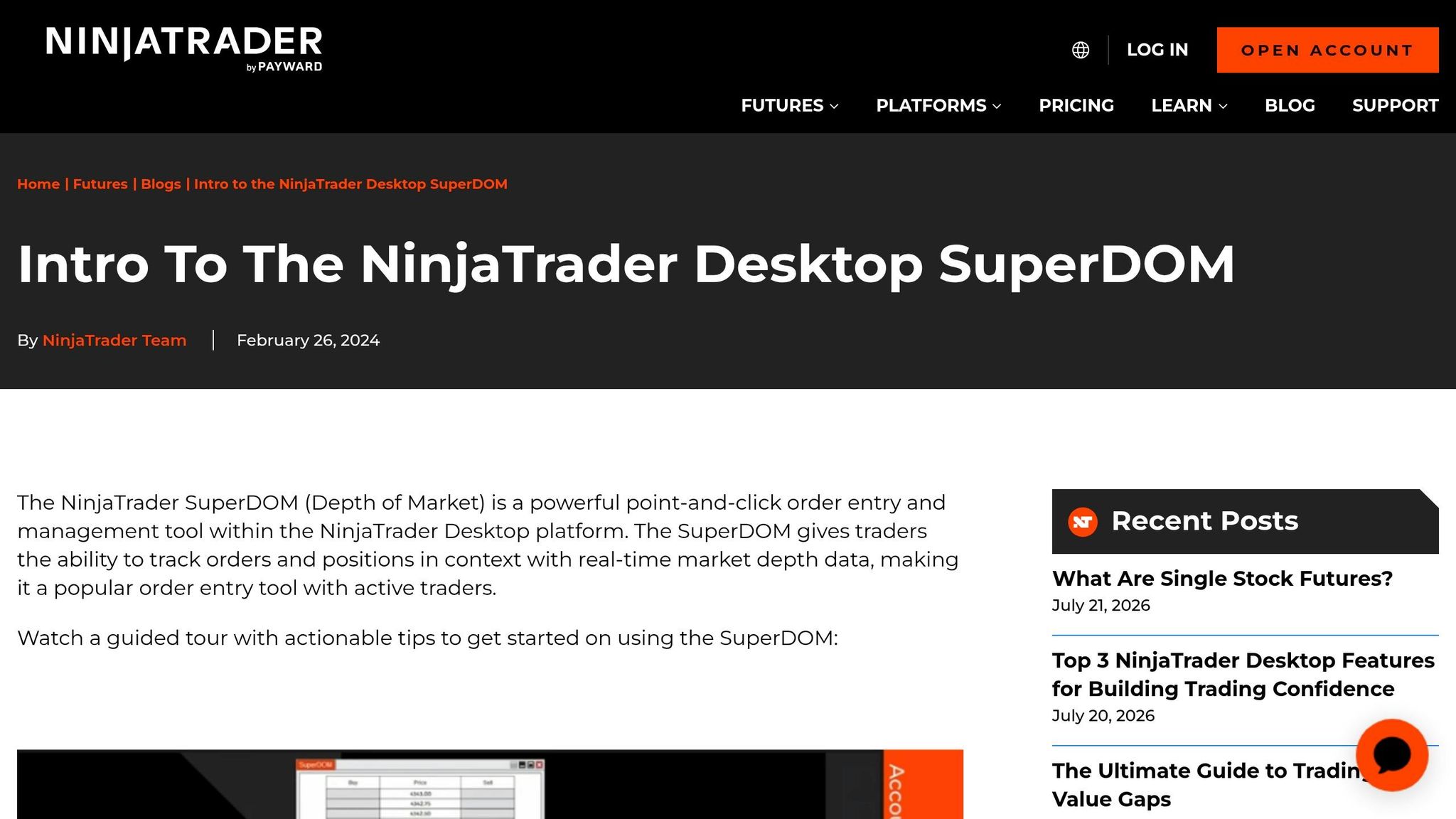
NinjaTrader’s SuperDOM gives you tighter order control and more ladder detail than a basic DOM. That’s a big deal if you’re trading fast and don’t want to fight the platform just to get in or out.
On the chart side, NinjaTrader supports tick, range, Renko, and volumetric charts, along with a big indicator library. For active scalpers, that matters. You need clean entries, fast exits, and enough detail to read what’s happening without forcing five workarounds.
Order Flow+ and deeper market analysis
NinjaTrader’s Order Flow+ adds footprint-style and volume-based tools for traders who read order flow straight from the platform. If that’s part of how you trade, this is where NinjaTrader starts to pull away from lighter setups.
Who NinjaTrader fits best
NinjaTrader makes the most sense for order-flow traders, scalpers, and discretionary traders who want deeper charting and more room to tune the platform to their style. That’s why the side-by-side comparison below gets more clear, more fast.
sbb-itb-46ae61d
Tradovate vs NinjaTrader: Side-by-Side Comparison
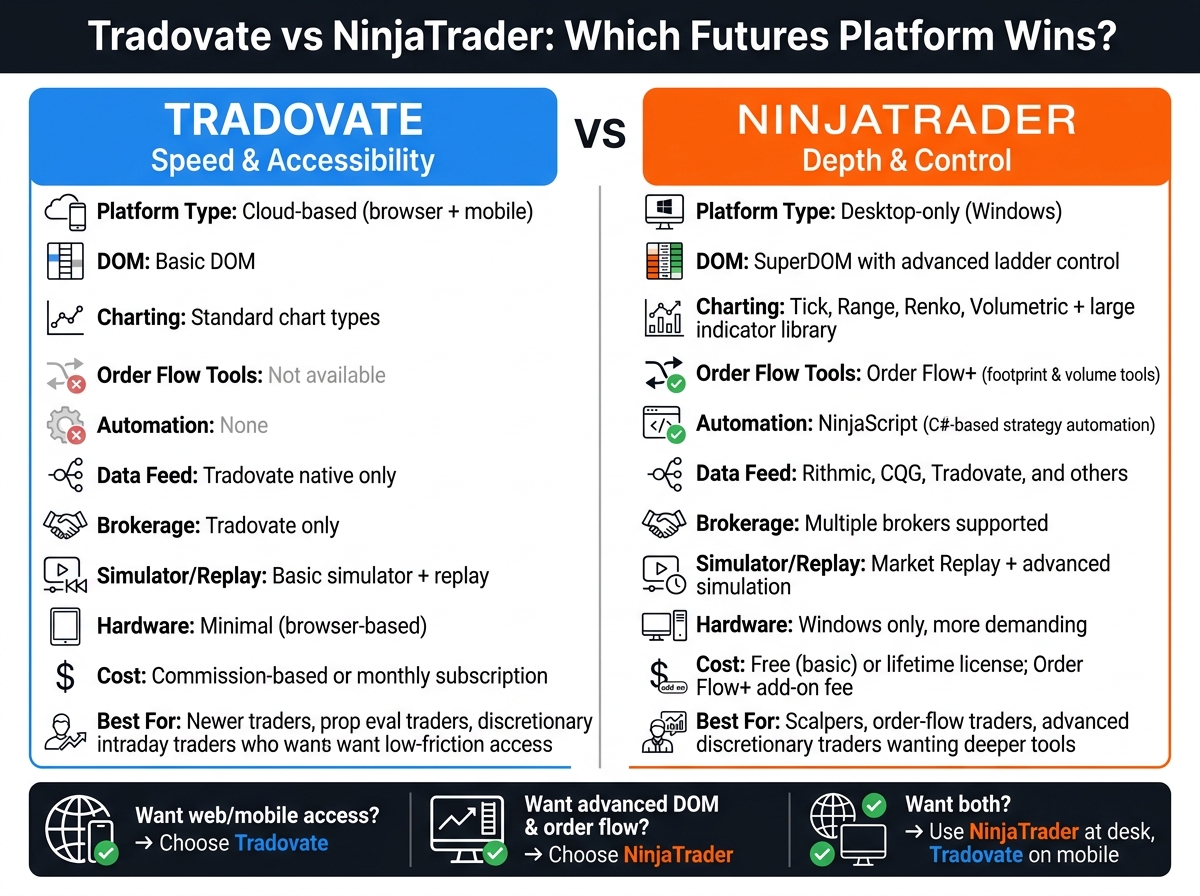
Tradovate vs NinjaTrader: Side-by-Side Platform Comparison
Side by side, Tradovate is the simpler cloud-first pick. NinjaTrader gives you more depth on desktop, plus tighter control over execution. Strip away the fluff, and the choice comes down to what matters when you’re actually trading.
Platform access and ease of use
| Feature | Tradovate | NinjaTrader |
|---|---|---|
| Platform approach | Cloud-based | Desktop-only |
| Device flexibility | Web, mobile, desktop | Desktop-focused |
| Setup friction | Lower | Higher |
| Customization depth | Limited | Extensive |
| Best fit | Traders who want quick access | Traders who want a dedicated desktop setup |
This part is pretty straightforward. Tradovate is easier to get into. Open the browser, log in, and you’re there. If you trade from a laptop one day and your phone the next, that matters.
NinjaTrader is more of a full desktop workstation. It asks more from you up front, but you get more control in return. If you like tweaking layouts, building a setup around your workflow, and keeping everything on a Windows machine, that’s where NinjaTrader pulls ahead.
Charting and execution tools
| Tool area | Tradovate | NinjaTrader |
|---|---|---|
| DOM / order entry | Basic DOM | SuperDOM with advanced ladder control |
| Charting | Standard chart types | Tick, range, Renko, volumetric, large indicator library |
| Footprint / order-flow tools | Not available | Order Flow+ (footprint and volume tools) |
| Automation support | None | NinjaScript (C#-based strategy automation) |
| Data-feed connectivity | Tradovate native feed | Rithmic, CQG, Tradovate, and others |
| Brokerage connectivity | Tradovate only | Multiple brokers supported |
| Reliability / requirements | Browser-based, minimal hardware needed | Windows only, more demanding hardware |
| Typical cost | Commission-based or monthly subscription | Free (basic) or lifetime license; Order Flow+ add-on fee |
| Best fit | Basic discretionary trading | Active traders who want deeper charting, DOM control, and execution features |
This is where the gap gets wider.
Tradovate covers the basics just fine. You can place trades, watch charts, and manage positions without much hassle. For plain discretionary trading, that’s enough for a lot of people.
NinjaTrader is built for traders who want more than "good enough." The SuperDOM gives you better ladder control. The charting stack goes well past standard candles. You get tick, range, Renko, volumetric views, a big indicator library, and Order Flow+ if footprint and volume tools are part of your process.
It also gives you more choice on connections. Tradovate stays inside its own ecosystem. NinjaTrader works with Rithmic, CQG, Tradovate, and others, plus multiple brokers. That’s a big deal if you care about routing, data-feed options, or keeping your setup flexible.
There is a trade-off, though. NinjaTrader is Windows-only and asks more from your hardware. Tradovate is lighter and easier to run since it’s browser-based.
On cost, Tradovate leans on commission-based or monthly subscription pricing. NinjaTrader starts free (basic), then goes up if you want a lifetime license or the Order Flow+ add-on fee.
Once you know how each platform handles live trading, the next question is how well it handles practice.
Simulator and replay
| Feature | Tradovate | NinjaTrader |
|---|---|---|
| Simulator | Yes | Yes |
| Replay | Yes | Market Replay, more advanced replay and practice tools |
| Practice environment | Straightforward | More robust |
| Best fit | Traders who want a simple practice setup | Traders who want deeper replay and simulation |
Both platforms let you practice. That’s the good news.
Tradovate keeps it simple. The simulator works, replay is there, and the practice environment is easy to use. If you just want to drill entries, exits, and basic trade management, it does the job.
NinjaTrader goes deeper with Market Replay and a stronger simulation setup. If your process depends on replaying sessions, reviewing execution, and working through market behavior in more detail, NinjaTrader is the better tool. It’s just built for more serious screen time.
Which Platform Fits Your Trading Style?
This is the fast way to sort it out: match the platform to how you trade day to day, not to a feature list you’ll never touch.
Best for simple workflow
If you want a clean workflow and fast execution, Tradovate makes more sense. Its cleaner DOM and lower-friction setup fit traders who care more about getting in fast than tinkering with every screen and setting. The web access helps too. Open it, get to work, place orders, done.
That changes fast if your process leans on customization or order-flow work.
Best for advanced tools
NinjaTrader is the better pick if you want more control and more depth. It’s stronger for traders who use SuperDOM, Order Flow+, and deeper analysis tools. You also get Market Analyzer and Strategy Analyzer, which give you more ways to break down price, volume, and execution.
Best by trader profile
| Trading need | Recommended platform |
|---|---|
| Customizable DOM | NinjaTrader |
| Advanced charting and analysis tools | NinjaTrader |
| Low-friction, web-based workflow | Tradovate |
How Does This Platform Choice Affect a Prop Trading Workflow?
Once the tool differences are clear, what matters is your day-to-day workflow.
This is where the gap shows up. Not in marketing copy. In your actual trading routine.
With Tradovate, your layout and account data sync across devices. That makes it easy to jump in, place trades, and stay focused on execution instead of rebuilding your workspace every time you switch screens. The trade-off is simple: you get convenience, but not the same level of depth.
NinjaTrader is a desktop-only setup, and it feels like one. You get tighter order entry, better order-flow work, and support for automated strategies. If you trade from a dedicated station and do pre-market analysis before the open, that extra depth usually makes more sense than device sync.
Before you commit to an eval, check firm-platform compatibility. Don’t assume your firm supports the setup you want.
One more thing on Tradovate: its pricing only makes sense for active traders. If your volume is light, the free tier is usually the better deal.
Bottom Line: Tradovate or NinjaTrader?
After stacking up access, tools, and day-to-day workflow, this boils down to two clean use cases.
Tradovate is the better fit if you want browser access, less setup hassle, and easy switching between devices.
NinjaTrader is the better fit if you want SuperDOM, Order Flow+, and NinjaScript automation.
That’s the trade-off. Tradovate leans toward speed and mobility. NinjaTrader leans toward depth and control.
A lot of traders use both: NinjaTrader at the desk, Tradovate on mobile for fast position management. Go with the one that fits how you trade, handle risk, and review your fills.
FAQs
Can I use NinjaTrader on a Mac?
Not natively. NinjaTrader desktop doesn’t run on macOS.
If you want the full desktop version on a Mac, you’ll need either:
- virtualization software
- a Windows VPS
There is also NinjaTrader Web, which runs in a browser on Mac. That’s fine for basic access, but it does not include the advanced order flow tools, NinjaScript development, or automated trading features you get on the Windows desktop version.
Do I need order-flow tools to trade futures well?
It comes down to how you trade.
If you mostly trade price action and standard technical setups, Tradovate’s built-in charts and basic DOM are usually enough. It keeps things simple, and that’s the point.
If your edge depends on reading accumulation, absorption, or exhaustion, then order-flow tools matter a lot more. In that case, NinjaTrader Desktop is the stronger pick. You get Order Flow+ and a snappier SuperDOM, while Tradovate leans more toward simplicity and mobile access.
Is Tradovate enough for serious day trading?
It comes down to how you trade.
Tradovate is a solid cloud-native platform with reliable execution, standard charting, and a good DOM. It fits discretionary traders who want mobility, a clean layout, and syncing across devices without a bunch of setup.
It starts to feel tight if you need heavy customization, complex automation, or deeper order-flow tools like native footprint charts and heat maps. Still, for a lot of discretionary traders, it’s a fast, dependable platform that gets the job done.