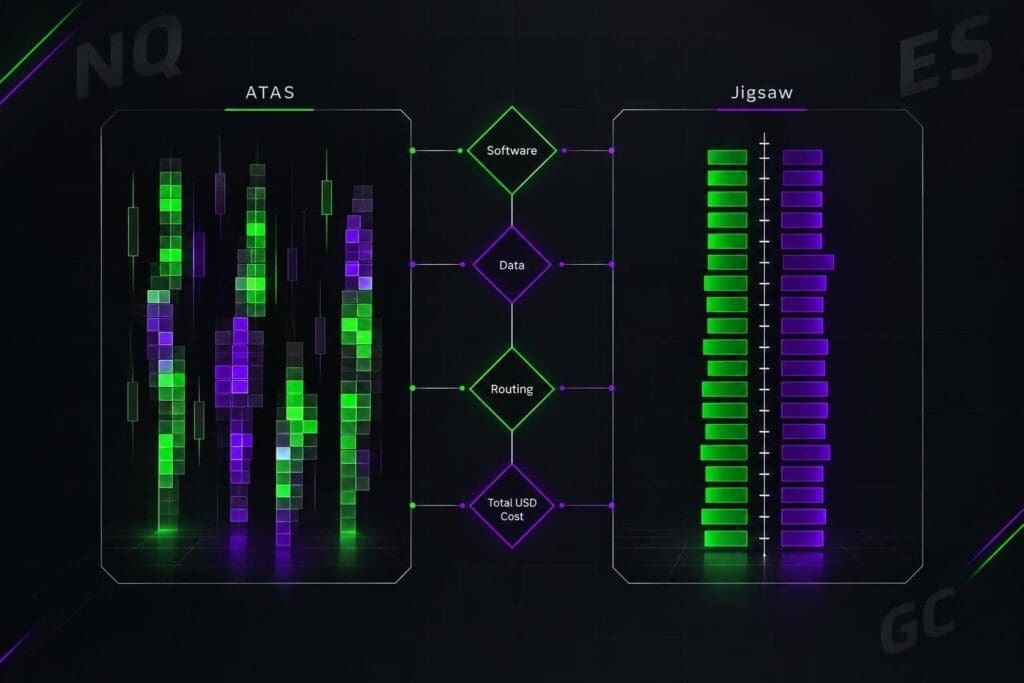
I’d choose ATAS for footprint analysis and Jigsaw Trading for ladder-based execution. The deciding factor isn’t the feature count. It’s where you need your attention when orders start moving.
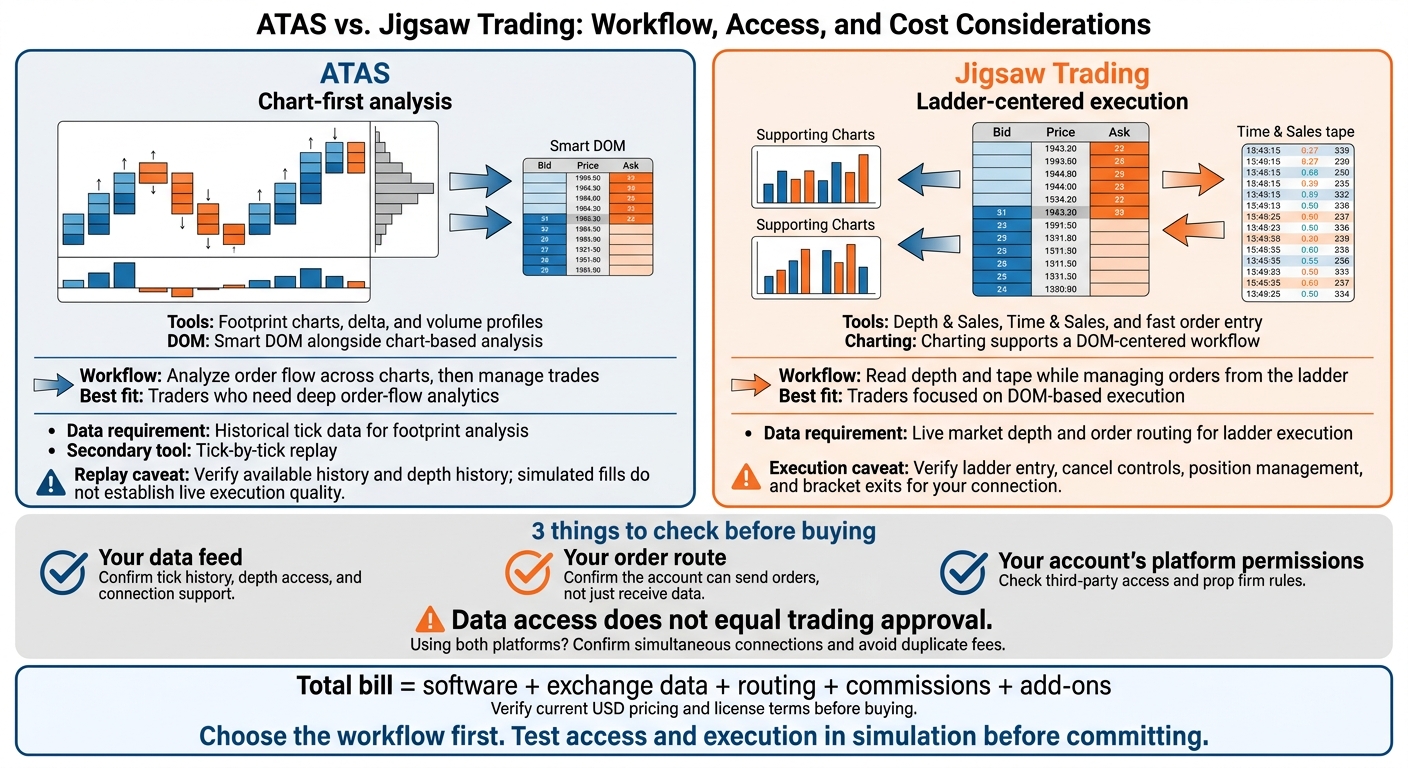
This comparison covers charting, DOM tools, connections, and costs so you can choose without paying for tools you won’t use. I’d check 3 things before buying: your data feed, your order route, and your account’s platform permissions. <u>A working chart isn’t proof you can place a trade.</u>
Then compare the full bill in USD, including software, exchange data, and any separate trading fees. Choose the workflow first. Don’t buy two platforms just to build one cluttered screen.
ATAS vs. Jigsaw Trading: Choose Your Workflow
ATAS vs. Jigsaw Trading: Key Differences
The platforms’ documented positioning points to one main difference: charts-first analysis versus ladder-centered execution.[1]
| Category | ATAS | Jigsaw Trading |
|---|---|---|
| Chart depth | Footprint charts, delta, and volume profiles | Charting supports a DOM-centered workflow |
| DOM emphasis | Smart DOM alongside chart-based analysis | Depth & Sales as the central execution interface |
| Day-to-day workflow | Analyze order flow across charts, then manage trades | Read depth and tape while managing orders from the ladder |
| Best-fit trader | Traders who need deep order-flow analytics | Traders focused on DOM-based execution |
ATAS puts the focus on moving between analytical views. Jigsaw keeps market reading and order management centered on the ladder.[1]
Compare software, data, and routing costs together, not just the platform fee.
Next, compare how each platform’s charting, DOM, and execution tools handle those workflows in practice.
sbb-itb-46ae61d
ATAS Review: Footprint Charts and Smart DOM
ATAS connects historical volume with live order flow. Use it to map where volume built up before the next move. Its tools are most useful when you need order-flow detail inside each bar.
Footprint Charts, Delta, and Volume Profiles
Footprint, Delta, Volume, and Delta Profile show activity within each bar. Volume profiles give you context, while cumulative delta shows whether buyers or sellers are pressing price at key volume areas. Delta measures net aggressive executed volume:
350 contracts at the ask minus 200 at the bid equals +150 delta.
That means more buying aggression, not a guaranteed move higher. Price can still stall through absorption.[1]
Smart DOM and Market Replay
Check Smart DOM’s liquidity displays, order-book imbalance, footprint data in the ladder, and order-entry controls against your execution needs.
ATAS also supports tick-by-tick replay. Verify the available history and depth history before relying on it. Replay can lack full order-book detail, and simulated fills don’t establish live queue position or execution quality.[1]
Setup, Learning Curve, and System Requirements
Customization takes setup time and can leave you with a cluttered screen. Expect a learning curve, too. Check current operating-system support and hardware requirements in the official documentation.
Test your workspace with your permitted feed, such as Rithmic or CQG. Delayed or incomplete tick and depth data can distort your analysis. A live data connection doesn’t confirm prop-account routing access.[1]
That chart-first workflow differs from Jigsaw’s ladder-first execution tools.
Jigsaw Trading Review: DOM and Execution Tools
Jigsaw puts the DOM, Time & Sales, and fast order entry at the center of your workflow. Check the exact product, license, supported data feed, and broker before you build your setup.[1]
Depth & Sales and Tape Reading
Start with the book and Time & Sales. Pulling and stacking show changes in displayed liquidity, not confirmed trades. Check which queue and depth signals your Jigsaw version and feed support.
Order Entry, Exits, and Simulation
Verify ladder entry, cancel controls, position management, and bracket exits for your connection. Check whether simulation is included and how its fill logic works. Chart depth is another limit to check if you need more visual context beyond the ladder.
Learning Curve and Charting Limits
A focused ladder can cut screen switching, but reading fast tape and shifts in depth takes practice. If you use separate charting software alongside Jigsaw, check that both tools work with the same feed and broker. Data-feed compatibility and order routing are the next checks.
Data Connections and Prop Firm Compatibility
Compatibility means checking two things: market data access and order routing. Platform support alone isn’t enough if your prop account blocks either one. Confirm that the account can receive data and send orders through the same connection. [1]
Data Access vs. Order Routing
ATAS needs historical tick data for footprint analysis. Jigsaw needs live market depth and order routing for ladder execution. Check tick history, depth access, and trading permissions before choosing a connection. [1]
| Connection | ATAS | Jigsaw Trading | Data checks | Execution checks |
|---|---|---|---|---|
| Rithmic | Yes | Yes | Confirm tick history for footprints and Level 2 depth for DOM tools. | Check simultaneous-login limits and account permissions. |
| CQG / Continuum | Yes | Yes | Confirm real-time ticks, history, and depth access. | Check whether the account is data only or trading-enabled. |
| dxFeed | Yes | Limited | Provides historical and real-time ticks; confirm depth access. | Data only; trading requires a separate supported route. |
| Interactive Brokers | Yes | Yes | Requires TWS or IB Gateway; confirm Level 2 access. | Check API connection limits and market data sharing limits. |
| Tradovate | No direct connection | Yes | Cloud-based data; confirm history and depth access. | Confirm third-party access permissions. |
| IQFeed | Yes | Yes | Real-time retail data; confirm history and depth access. | Data only; trading requires a separate supported route. |
Before subscribing, check the current connector documentation for your product and license. Running ATAS charts beside Jigsaw’s DOM? Confirm that both sessions can stay connected without kicking each other off. [1]
A supported connector doesn’t guarantee permission to trade live. Your account rules control that.
Prop Firm Account Checklist
Check third-party platform access, account type, credentials, exchange data, and order routing. Then verify API/automation limits, copy-trading limits, and multi-account limits. Use the firm’s help center for these rules. A Tradovate account alone doesn’t make ATAS compatible, even when using TradingView prop firms. [1]
Once permissions are confirmed, test failure scenarios before funding the account. Use simulation to check disconnects, protective orders, and reconnection behavior before trading live. [1]
ATAS vs. Jigsaw Trading: Costs and Licensing
Once you’ve checked your connections, compare the total cost, not just the sticker price. Verify current USD pricing before you buy. [1]
Software Plans and License Terms
- ATAS: Verify monthly, annual, and lifetime USD prices, plus current availability and plan tiers. [1]
- Jigsaw Trading: Verify package, subscription, and renewal fees in USD. Check for separate live-trading fees, too. [1]
Before paying, read the official terms for renewals, cancellation, refunds, upgrades, trial availability, and replay access. [1]
Data Fees and Total Cost
Your total bill includes software, exchange data, routing, commissions, and add-ons. If your prop account covers data or routing, don’t pay for the same feed twice. [1]
Running ATAS for charts and Jigsaw for execution? Choose the setup with the fewest duplicate fees that still supports your workflow. Before committing to a long-term license, use a trial or short subscription, if offered, to test your connection and workflow. Base your choice on how you trade: chart-first analysis or DOM-first execution. [1]
Final Choice: ATAS for Charts, Jigsaw Trading for DOM Execution
Choose ATAS for chart-led analysis and Jigsaw Trading for DOM-based execution. [1]
Match the platform to how you trade:
| Your priority | ATAS | Jigsaw Trading |
|---|---|---|
| Chart-based order flow | Built around footprint charts, volume profile, and delta | Built around Depth & Sales |
| Tape-reading practice | Prints alongside charts | Focus on tape and depth |
| Single-screen workflow | Best for chart-anchored workflows | Best for ladder-anchored workflows |
| Usability | Best for visual traders | Best for fast execution |
| Futures prop firm use | Confirm platform support, data access, and firm permission before funding. | Same requirements apply. |
Before committing, check best prop firm trading platforms for access, data, routing, and total cost. Confirm current capabilities with platform support and check your firm’s rules. Data access does not equal trading approval.
Test your workflow in simulation under pressure. If the account fails the access test, rule it out. [1]
FAQs
Which platform is easier for order-flow beginners?
ATAS is generally easier for order-flow beginners. Its built-in charts and visual tools let you learn volume profile and footprint analysis in a familiar chart-based layout.
Jigsaw Trading centers on depth-of-market (DOM) execution and tape-reading, which often take longer to learn. Beginners tend to find ATAS more intuitive for analysis. Traders often add Jigsaw later to sharpen execution speed and tape-reading precision.
How can I test prop account compatibility before paying?
Before you pay, confirm which data feeds, brokers, and execution platforms the firm supports. Check for Rithmic or Tradovate connection requirements, then compare your platform’s API routing documentation against the firm’s help center instructions.
Read the firm’s trade execution rules before running automated tools or trade copiers. These tools can trigger rule violations. Check our internal prop firm reviews to confirm your platform works with the firm’s required account setup.
When is using both platforms worth the extra cost?
Paying for both platforms makes sense if your strategy needs detailed charts and fast DOM execution. Use ATAS to analyze order flow, market structure, and volume imbalances. Run Jigsaw Trading for DOM-based tape reading and fast entries and exits.
This setup gives each platform a clear job: ATAS handles visual analysis, while Jigsaw handles execution. You’re not forcing one platform to do both.